Lenovo Legion Go S With SteamOS Review: Linux Gaming On The Go


All of these systems offer interesting points of comparison, but we do want to make it clear right up front that we had limited time with the Steam Deck LCD, and we also do not have the MSI Claw 8 AI+ for current testing. All of our data for that system was captured back in April, so we've marked the benchmarks for that system accordingly. Also, the Ryzen 7 8700G machine is using DDR5-6400 memory, but this isn't the bottleneck you might expect, as you'll see.
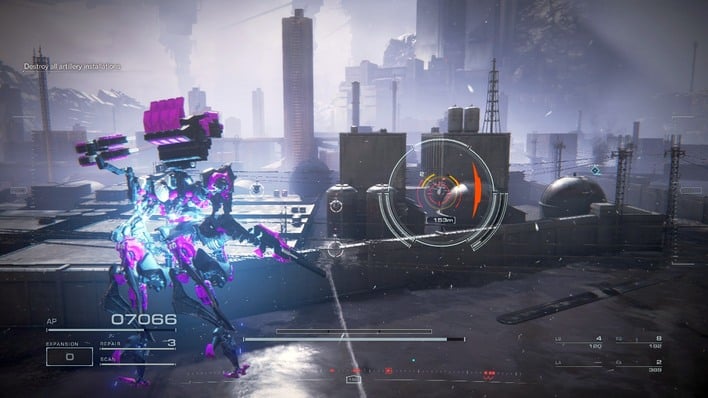
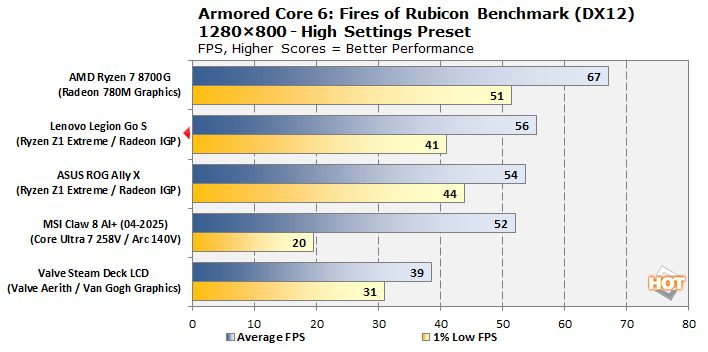
We'll start things off in alphabetical order with mecha action title Armored Core 6: Fires of Rubicon. There's not really a lot to see here; the Legion Go S offers up a slightly better average in exchange for slightly worse 1% lows; this is consistent but not necessarily particularly meaningful as Armored Core 6 isn't the most consistent of games on the best of days. Let's move on.
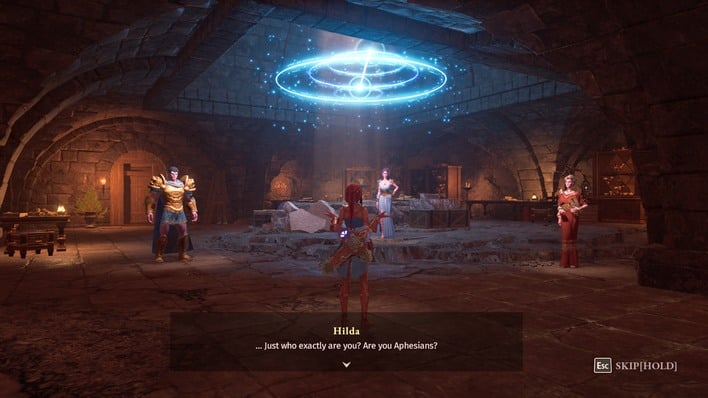
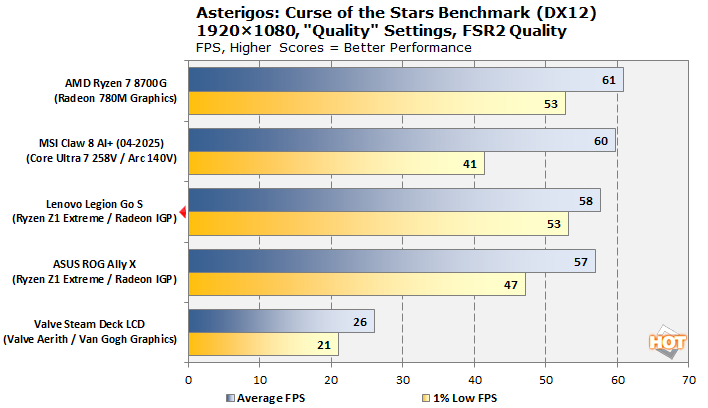
In colorful Souls-like action RPG Asterigos: Curse of the Stars, we see the Lenovo Legion Go S offer a radically smoother experience versus the Windows-based handhelds. While it doesn't quite match the desktop 8700G in average frame rate, it does achieve the same 1% low score. Thanks to the VRR screen of the Legion Go S, it offers a wonderful experience in this visually-pleasing title.
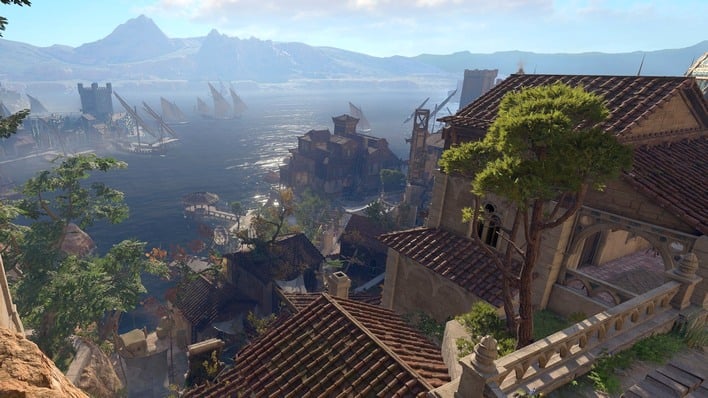
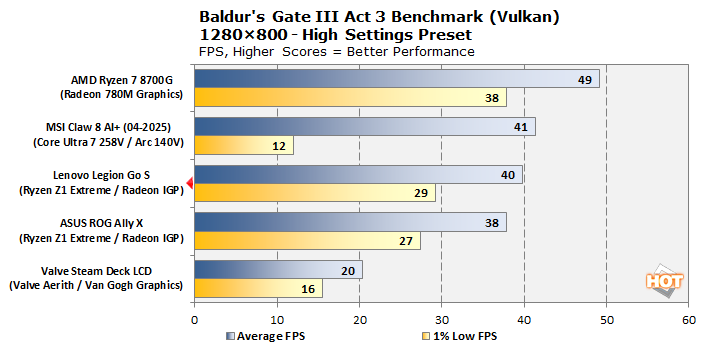
Baldur's Gate 3 is an interesting case; the entire interface is different on SteamOS, and more similar to that for the console versions of the game. The actual game content is unchanged, though, so we barreled through. The Legion Go S offers a tiny uplift in performance over the ROG Ally X despite both being tested at the same 30W PPT; we'll chalk that up to SteamOS. The Ryzen 7 8700G dominates here thanks to its uncapped power limit allowing the CPU cores to stay spun up in the demanding Act III.
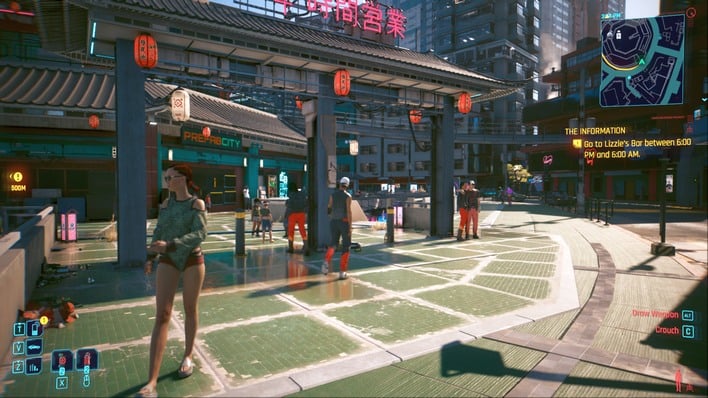
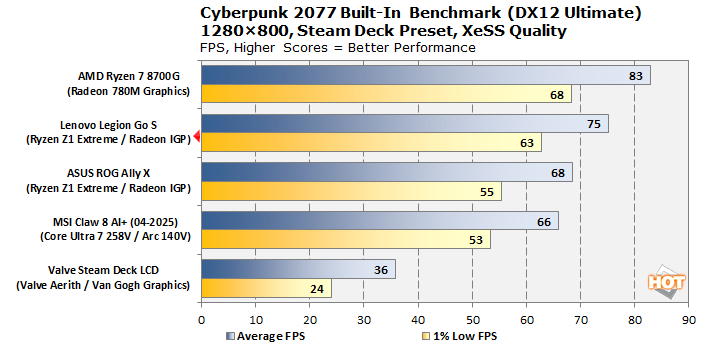
In the Cyberpunk 2077 benchmark, the Legion Go S clears the field, at least as far as handhelds go. This is a surprisingly nice way to play the game, with remarkably clear visuals thanks to XeSS upscaling. We suspect the Claw 8 AI+ would do better than this with the latest drivers, but we've got to present the data that we have.
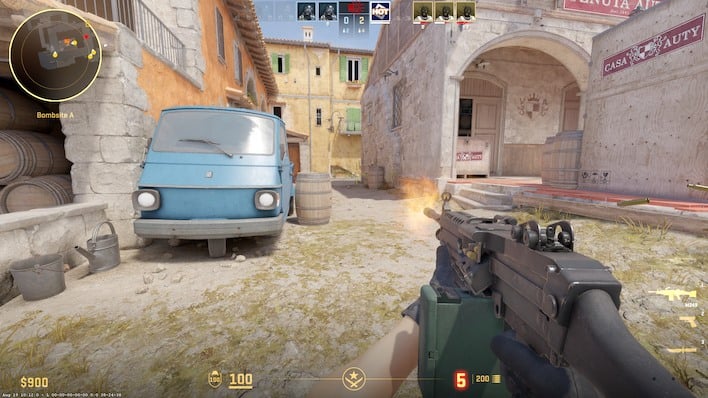
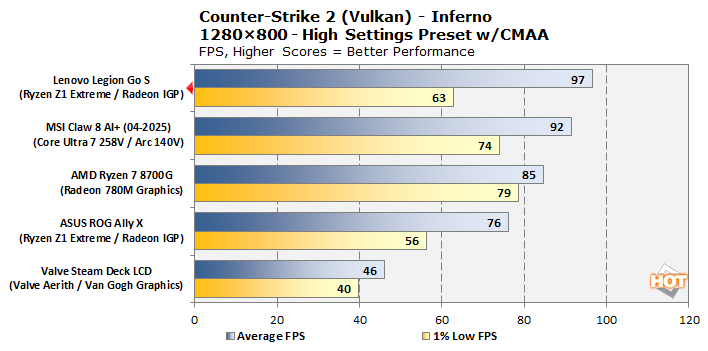
In Counter-Strike 2, we tested each handheld by playing a full practice match in Casual mode on the Inferno map. Lenovo's machine takes the lead here, even over the desktop system; however, the experience is nowhere near as smooth as the glassy presentation on the 8700G. We were surprised at these results, but they remain consistent across multiple tests.
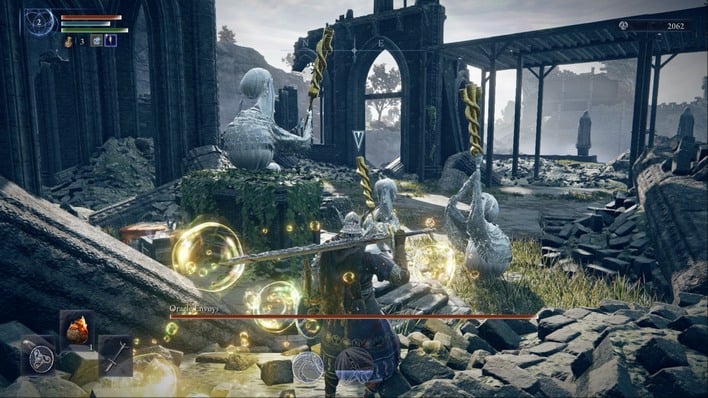
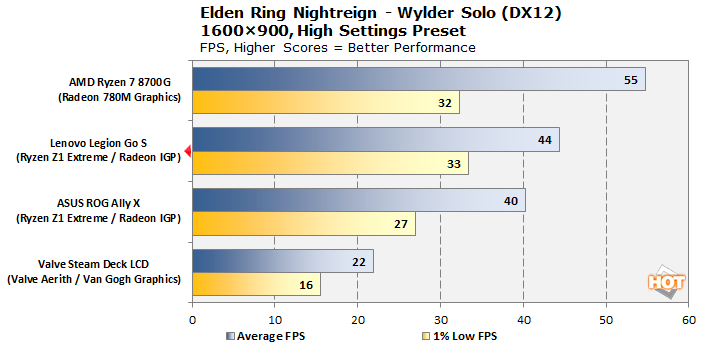
Elden Ring Nightreign just came out, so we don't have data for the MSI Claw, unfortunately. Still, we tested everything else, and while the 8700G unsurprisingly leaps ahead, the Legion Go S is easily the fastest handheld we tested. These settings really aren't playable for the poor Steam Deck, but that's fine, as its screen doesn't go up to 1600×900 anyway. At its native 1280×800 it plays acceptably on High settings—much better on Medium.
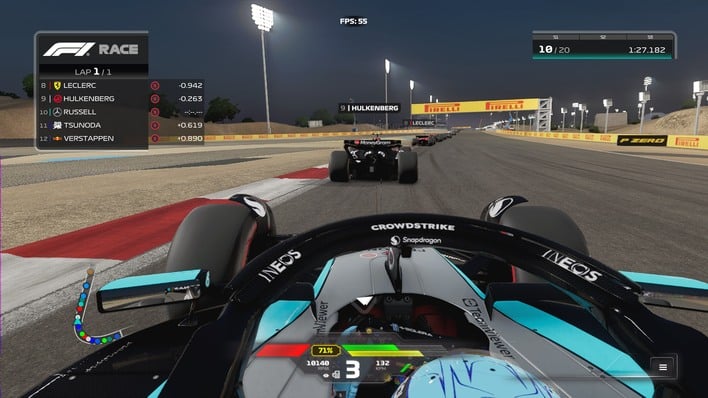
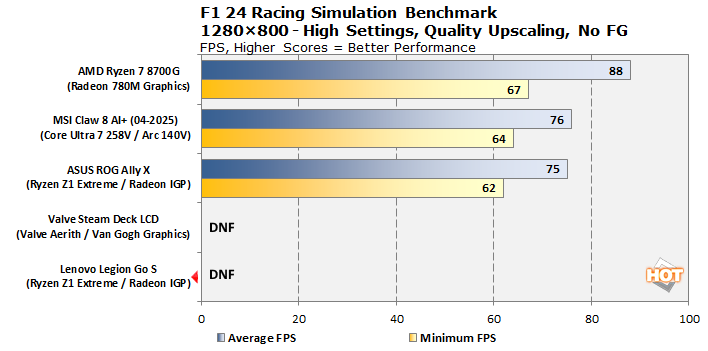
In F1 24, we have absolutely no data for the Legion Go S. That's because this game requires invasive, kernel-level anti-cheat software that is simply not compatible with SteamOS. Bummer.

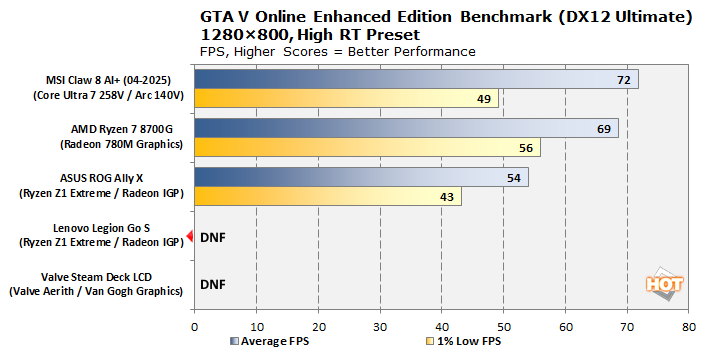
Same story in GTA V Online's Enhanced Edition. While we presented numbers for the Steam Deck in this benchmark before, that's because it was tested using the less-demanding (and functional on SteamOS) single-player mode. The other results here were captured in a 32-player multiplayer lobby, so we didn't feel right presenting those misleading Steam Deck numbers alongside these. Notably, this benchmark makes use of ray-tracing, which is probably why the Claw 8 AI+ pulls ahead here.
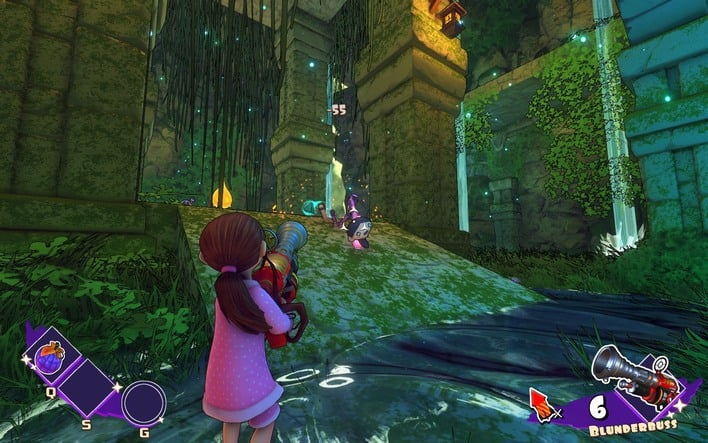
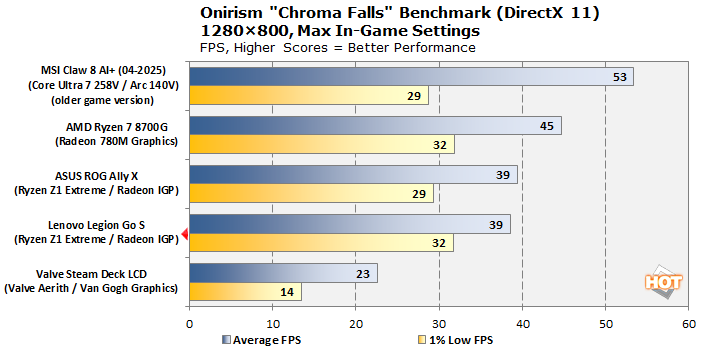
Onirism is a fantastically fun third-person action platformer that you should keep an eye on, as it's slated to finally get its 1.0 release this year. This data is a little messy; Onirism is still in development and got an update just a couple of months ago that updated the engine, offering better visuals, but slightly worse performance. The MSI Claw data that we have predates that update, so it may not be accurate. It's all a bit irrelevant, though, because the Legion Go S offers what is arguably the best experience among the handhelds thanks to its high 1% low frame rate.
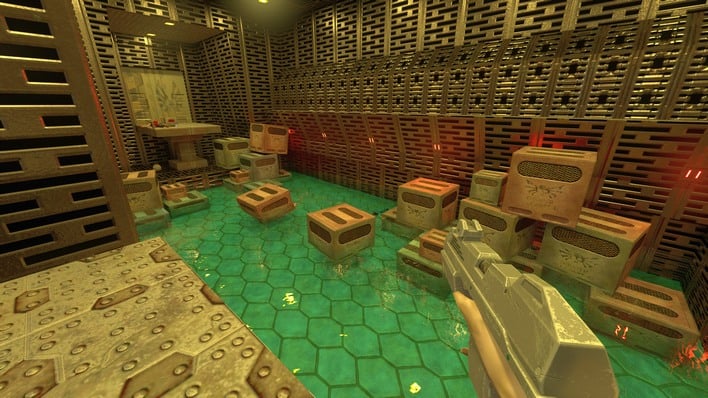
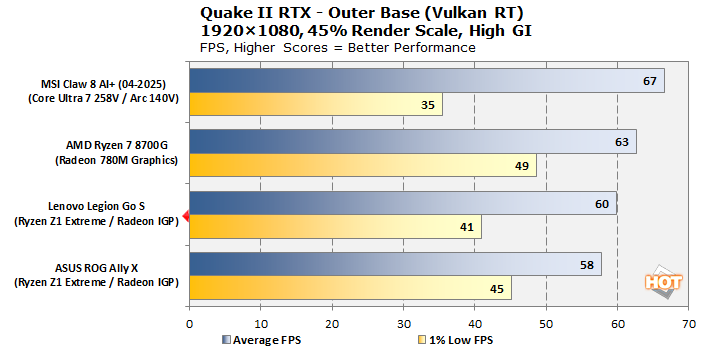
Speaking of ray-tracing tests, how about a path-tracing test? We tested Quake II RTX by setting the game to a 45% render scale, which comes out very close to 1280x720 render resolution with an output resolution of 1080p. We couldn't get this test to work on the Steam Deck for whatever reason, but it's very playable on every system we did test.
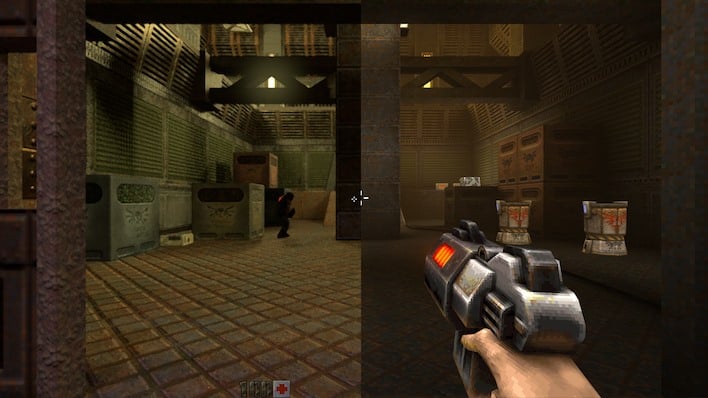
Of course, there's an argument that if you want to play Quake II on a handheld, you should probably play the Enhanced version rather than Quake II RTX. It has improved models and textures, tons of additional content, and best of all, it runs at over 90 FPS in native 4K on an external display with the Legion Go S. For our purposes, benchmarking, we like Quake II RTX, but the Night Dive remaster is the way to go to enjoy the game in 2025.

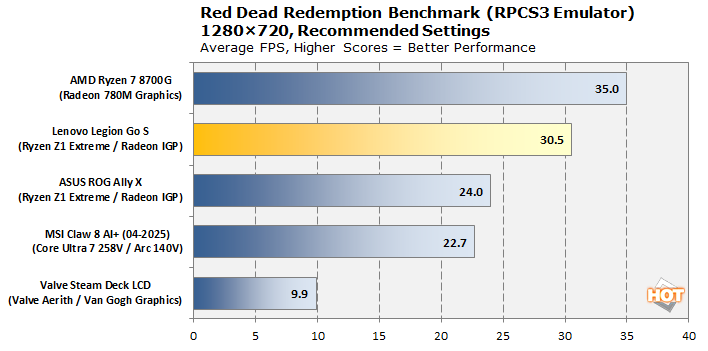
One of the most demanding workloads in gaming is ironically emulating the PlayStation 3. The PS3's unique Cell Broadband Engine operates in a way wholly unlike typical modern CPUs, and as a result it is very difficult to emulate. The MSI Claw falls behind here due to its lack of support for AVX-512 instructions. It's not completely clear why the Legion Go S handles RPCS3 so much better than the ROG Ally X, but this result is consistent; the Legion Go S offers better-than-PS3 performance in Red Dead Redemption. Of course, if you seriously want to play this game, you should just buy the remaster on Steam.

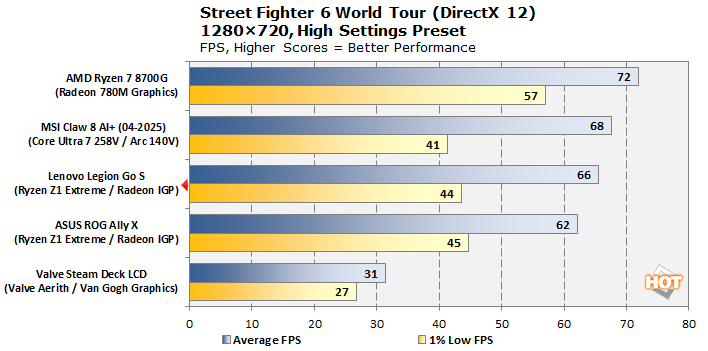
Street Fighter 6's standard "Fighting Ground" mode, essentially the classic one-on-one fights, runs fine on everything here aside from the Steam Deck. However, World Tour mode is an open-world RPG in the Street Fighter universe, and it's considerably more demanding. While these performance numbers seem decent, every single one drops below 60 FPS in World Tour battles thanks to all the NPCs standing around. Better drop the settings below this if you want to play it—or enable the option that caps World Tour battles at 30 FPS.
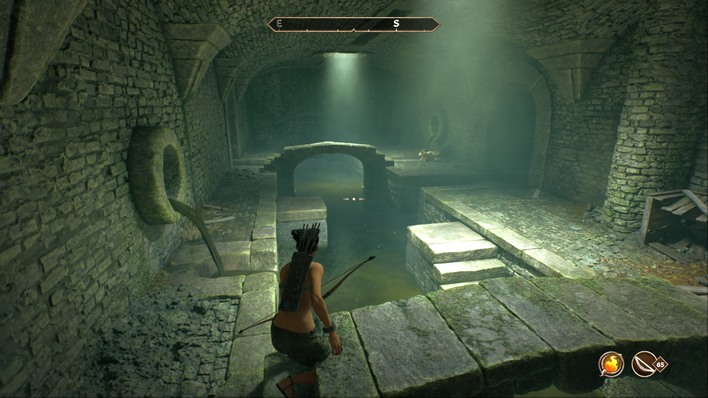
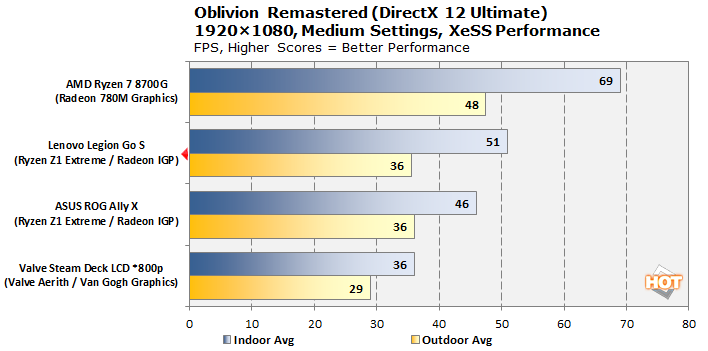
The recent remaster of The Elder Scrolls IV: Oblivion in Unreal Engine 5 is a contentious release, but dang it if it ain't still real fun. Though it does suffer from significant stuttering when traveling, that's largely down to the original Oblivion engine running underneath the Unreal Engine renderer. These performance numbers aren't average-versus-1%-low like the rest, but instead Indoor and Outdoor average FPS. The 1% lows are terrible on every single machine, so we wanted to present it this way as the performance is so variable depending on the environment. Generally, you can have a bit better experience playing on the Legion Go S than the ROG Ally in this title.
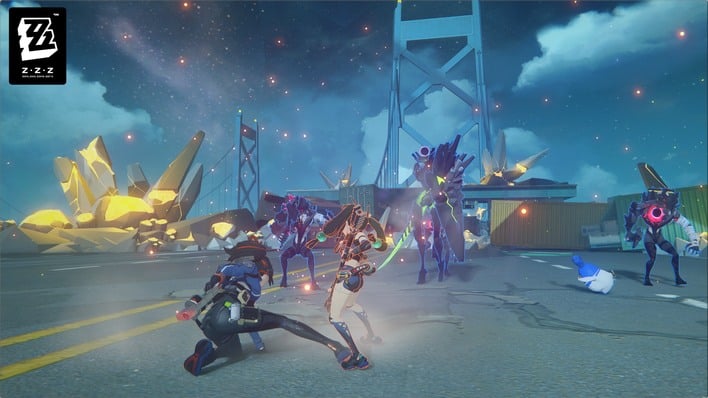
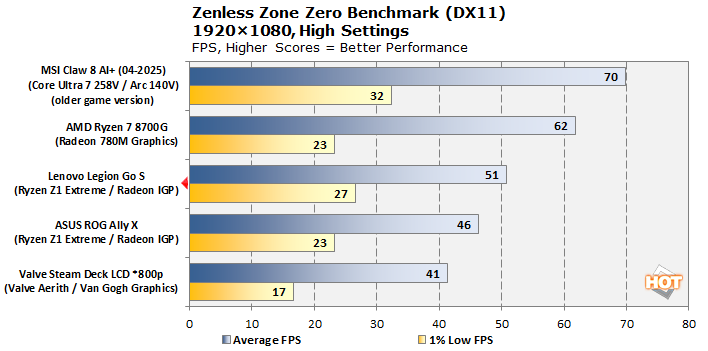
Finally, in Hoyoverse's gacha action title Zenless Zone Zero, we see the Legion Go S put up numbers that are slightly ahead of its Windows-based ASUS rival. Similar to Onirism above, Zenless Zone Zero has had multiple updates since we tested it on the MSI Claw, and in particular the 2.0 update dumpstered performance for a lot of folks. As such, things might or might not play out that way if we were to re-test it now.
Lenovo Legion Go S Subjective Gaming Experience
As someone who has spent a tremendous amount of time gaming on handheld systems, I came into this review thinking that I knew what to expect. I was wrong, but it wasn't really because of the gaming experience. In terms of game performance, generally speaking, the Legion Go S with SteamOS performs just slightly better than the ROG Ally X with Windows 11, which we're chalking up to the improved efficiency of the lightweight Linux operating system and Gamescope compositor. We're pondering installing SteamOS on that device too to see if our hunch is accurate.
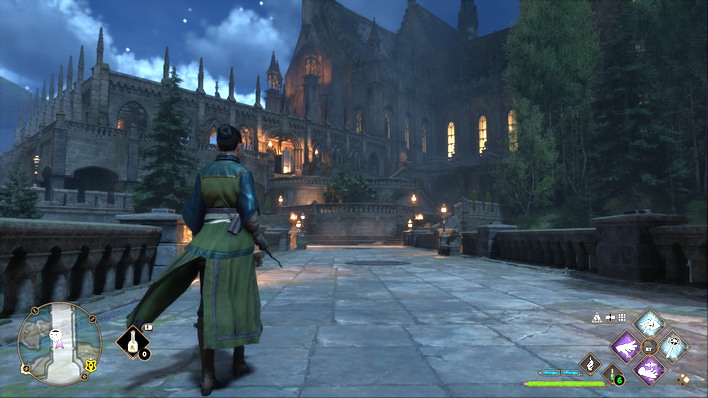
In fact, performance on the Legion Go S is really much better than you might expect, especially if you're willing to change the power preset to 'custom' and crank the power limit to 40W. We didn't do our testing that way, but the extra power does provide a significant amount of extra grunt for very demanding games that push both CPU and GPU hard. Stuff like Hogwarts Legacy, Cyberpunk 2077, or Baldur's Gate 3 will see a notable bump in performance from this.
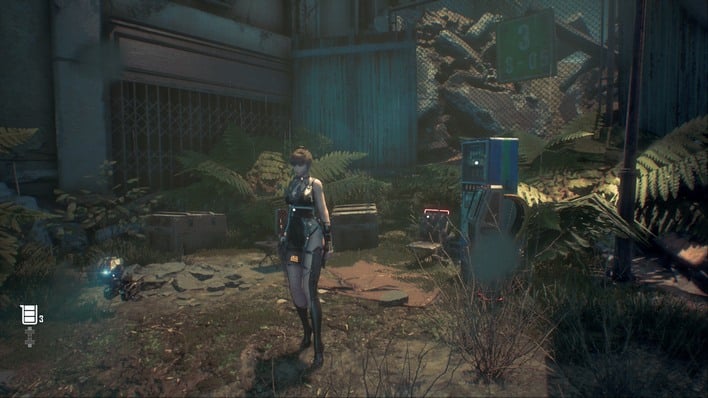
Stellar Blade runs and looks great on high settings.
Generally speaking, you don't have to worry that much about compatibility. We ran into some issues, but that's mostly because we were trying to test a wide variety of games. If you're just downloading random stuff from the Steam store, the chances that a game will work are much higher than that they won't, and you can easily check ProtonDB to see what users had to say about any given title.

Your pool of available games grows dramatically if you're willing to fiddle around with open-source software, like emulators. Gaming handhelds like the Legion Go S are especially well-suited to playing emulated console games; we tested everything up to the Nintendo Switch and didn't really have any notable issues. You'll struggle in cases like the Wii, where it wants additional control devices, but performance is never a problem.
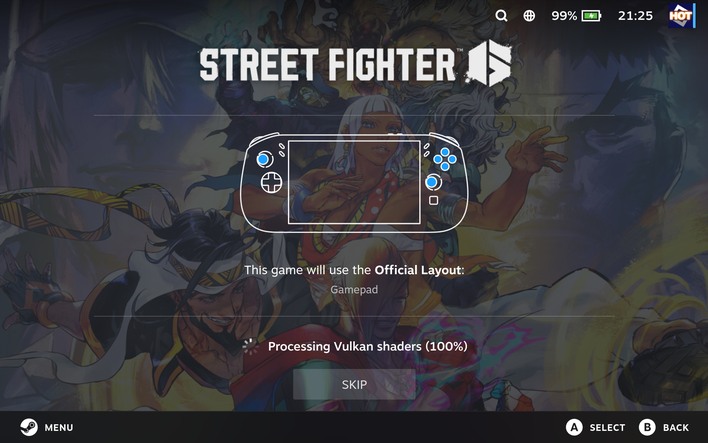
All screenshots in this review captured on Ryzen Z1 Extreme!
One quirk that did strike us a few times was that the system requires Vulkan shader processing before running many games. Valve tries to distribute pre-compiled shader packages so that you don't have to spend time doing this. However, games that get frequent updates, or games from publishers that don't cooperate with Valve, do require lengthy shader compilation before you can play. Technically, you can skip this, but it means a terrible, stuttery experience as the shader code has to compile "JIT".

We do have to comment on one major disappointment, though. For whatever reason, hardware-accelerated video decoding didn't seem to be working correctly on the Legion Go S. We did try a few things to resolve this, but it seems like it may simply be a driver bug. This has major implications for battery life, as you'll see on the next page, but the real problem for the gaming experience is that it essentially breaks Steam Remote Play.
You can disable hardware video decoding, and this drastically smooths out the Remote Play experience, but it also makes Remote Play suck down your battery in a way that it really doesn't on Windows-based handhelds or the Steam Deck. Hopefully this can be fixed soon, because Hogwarts Legacy really shouldn't be a better experience on a 30W handheld than streaming from a 500W PC.