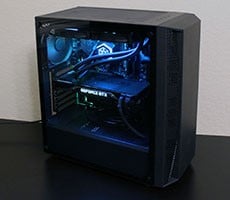
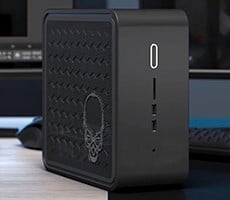
MSI mPC 51PV Small Form Factor PC


When Shuttle first thrust small form factor systems upon the Do-It-Yourself crowd in 2001, they were deemed niche products that wouldn't likely appeal to the masses, due to inherent expandability deficiencies and limited feature-sets relative to full-sized desktop systems. Over the last half decade though, interest in small form factor systems has steadily increased, and the mini-machines have evolved into something far more appealing than many users had ever expected. Modern small form factor machines now have feature-sets that rival many full-sized desktop systems, and expandability is only limited by what can be physically crammed into the enclosure.
Shuttle in particular has spearheaded the small form factor movement by quickly and consistently churning out top-notch barebones XPC systems based on virtually every major core-logic chipset. But other manufactures have steadily expanded on their SFF product offerings as well. MSI comes to mind as a company that initially approached the SFF market with some trepidation, but has since found their stride, so to speak. MSI now has three different series of slim and small form factor PCs (Hetis, mPC, and Crystal), each with distinctly different feature sets and target audiences.
The SFF system we'll be looking at today is the latest addition to the mPC line, the 51PV. The mPC 51PV is designed for the AMD socket AM2 platform. The system is equipped with a host of integrated peripherals and was obviously well thought out from the start. We'll explain why we think so on the pages ahead.

|
|

;)
;)
;)
;)
MSI ships the mPC 51PV with a minimal assortment of bundled accessories. Because this machine is fully pre-wired and requires minimal assembly, MSI did not have to throw in an array of cables, mounting hardware, etc. Instead, all you'll find in the box are a user's manual, power cord, driver / utility CD, a WiFi antenna, and a CPU cooler.
The CPU cooler features a solid copper base with aluminum fins, three heat-pipes, and a fan. Thermal grease also came pre-applied to the base. We should note that the CPU cooler is the only part of the MSI mPC that requires a tool to be installed. There are four Philips-head screws at each corner that mate with the mounting hardware inside the system. The screws are spring-loaded, so when all four are tightly fastened, the cooler should make perfect contact with the CPU underneath.