Lenovo ThinkPad X13 Gen 6 Review: An Ultralight Laptop Built For Business


| Lenovo ThinkPad X13 Gen 6: Starting At $1,244 Lenovo's sixth generation ThinkPad X13 delivers a refined, quiet, and highly portable business laptop experience without compromising the fundamentals.
|
|||

|

|
||
The Lenovo ThinkPad X13 has long been one of Lenovo's solutions for enterprise users that need a full-featured business laptop in a compact, highly-portable form factor. Now in its sixth generation, the ThinkPad X13 continues that tradition with a chassis that comes in under a kilogram, or roughly 2.12lbs, and a keyboard that upholds the tactile, quality experience the ThinkPad line is known for. The machine also has an acoustic profile quiet enough for shared office environments and understated looks that would be right at home in any classroom or boardroom. Lenovo positions this machine squarely at corporate buyers and frequent travelers, however, users who prioritize portability and all-day battery life over peak, no-compromise performance.
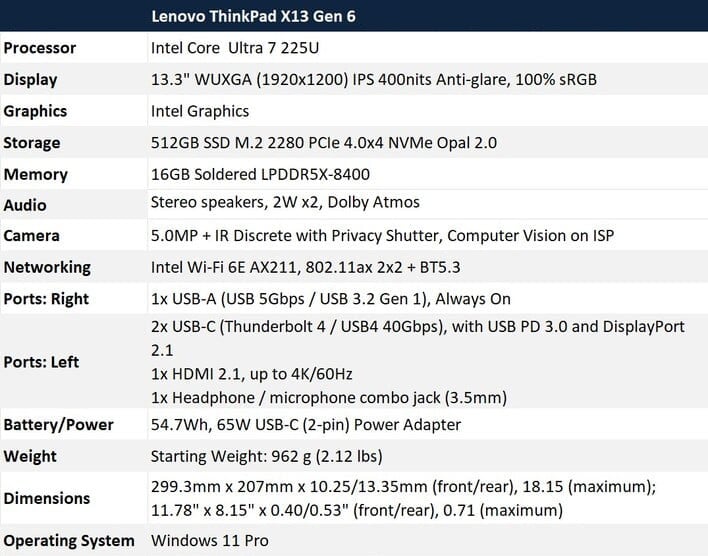
The Lenovo ThinkPad X13 Gen 6 we have in house is powered by Intel's Core Ultra 7 225U, a high-efficiency U-series processor that sits below Intel's more performant H and HX-class offerings in terms of TDP and core count. That choice reflects the thermal and battery constraints of a sub-kilogram design, and as you'll see on the pages ahead it shapes the performance story across the board...
Lenovo ThinkPad X13 Gen 6 Specifications
Find The Lenovo ThinkPad X13 Gen 6 @ Amazon
Lenovo ThinkPad X13 Gen 6 Design, Display, and Build Quality
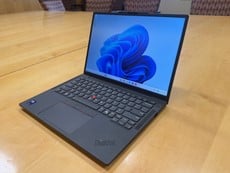
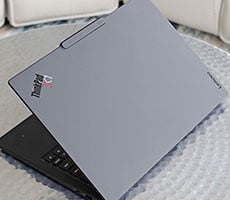
Lenovo has kept the X13 Gen 6 visually consistent with the broader ThinkPad lineup — matte black chassis, red TrackPoint nub, and the understated aesthetic the line has maintained for years. At 962 grams it is genuinely light in the hand, and the build feels solid without the flex that sometimes shows up in ultra-thin designs.


The keyboard on the Lenovo ThinkPad X13 Gen 6 is a highlight. Key travel is adequate and the feedback is satisfying, with a tactile quality that holds up well over extended typing sessions. The key caps themselves have a nice finish and shape, consistent with what ThinkPad keyboards have traditionally offered. The red TrackPoint nub sits centered between the G, H, and B keys as expected, and responds quickly to light versus firm pressure. Either way, the cursor tracks smoothly and the dedicated buttons below the spacebar feel crisp and usable, if you're the type to use the TrackPoint.

Lenovo ThinkPad X13 Gen 6 Keyboard And Touchpad - Image: HotHardware
The touchpad on the system is a decent size for a 13-inch machine and has a smooth surface that feels good on your fingers. Responsiveness and accuracy are both very good too, with no noticeable lag or input inconsistency during use.

Lenovo ThinkPad X13 Gen 6 Display - Image: HotHardware
The 13.3-inch WUXGA IPS display produces vibrant colors with good viewing angles, and rated to cover the full sRGB color gamut. Color reproduction looks accurate across a range of content. And the anti-glare coating manages to diffuse ambient light reasonably well indoors, but the panel is still susceptible to some glare under direct or bright light, which limits usability in outdoor or strongly lit environments. It is definitely better than glossy displays in brightly-lit scenarios, though.
Lenovo ThinkPad X13 Gen 6 Software Experience
The Lenovo ThinkPad X13 Gen 6's out-of-box experience is straightforward and there is minimal bloat in the factory OS image. First boot and the initial round of Windows updates went smoothly, and the overall setup process was straightforward without the friction that can come with some consumer-oriented systems loaded with third-party software. Bloatware is minimal to nonexistent, which is in line with what you would expect from a premium business-class laptop configuration on Windows 11 Pro.
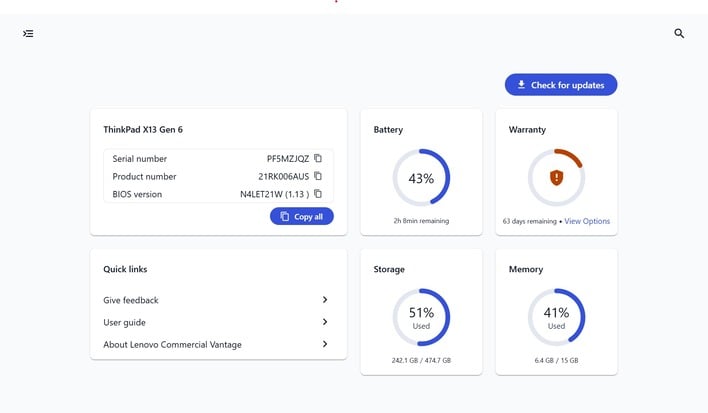
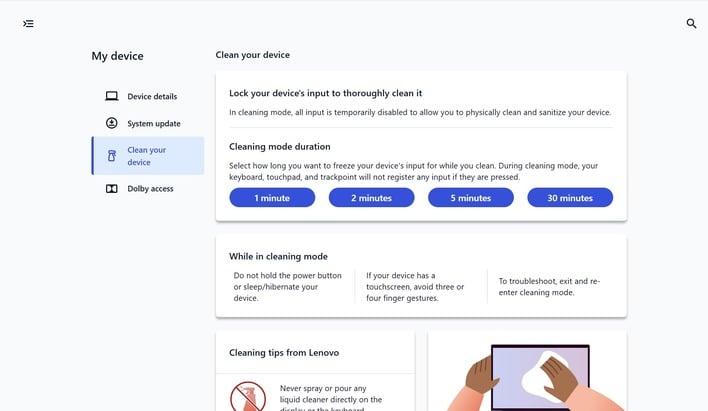
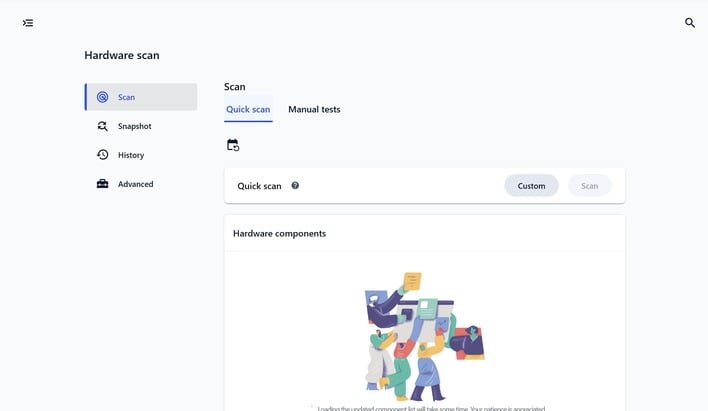
The primary Lenovo utility included with ThinkPad X13 Gen 6 is Commercial Vantage, which consolidates device management into a single application. It covers driver and firmware updates, hardware diagnostics, battery health settings, and system information in one place — it's a practical tool for IT administrators and end users alike. It is not intrusive and does not clutter the taskbar or generate unnecessary notifications. For enterprise buyers managing a fleet of devices, the centralized approach for all updates and system management is much more useful than it might seem on just a single unit.
And with that let's get to some benchmarks...