HP Omnibook Ultra 16 Review: An All-Aluminum RTX Spark Portable AI Powerhouse


| HP OmniBook Ultra 16: Starting at $3,199 (32GB); $6,229 As Tested HP's first machine based the NVIDIA RTX Spark N1X processor delivers a first-class premium portable experience and outstanding local AI performance, but it may be difficult to justify the price for other use cases.
|
|||

|

|
||
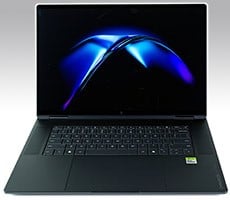
After our preview yesterday, we are back with our first full review of a retail-ready laptop sporting NVIDIA's RTX Spark N1X processor in the form of HP's OmniBook Ultra 16. This is a machine that screams style and luxury from the moment you take it out of the box, and it doesn't disappoint thereafter, with a stunning HDR display, premium materials throughout, and a very satisfying keyboard.
However, if you don't already know what you're getting into with the RTX Spark, you may well be surprised. NVIDIA's new chip runs Windows, but like the Qualcomm Snapdragon X Elite chips before it, it is based on the Arm instruction set architecture, not on the familiar x86-64 architecture of Intel and AMD processors and that comes with a few pros and cons to be aware of.

What does that mean? Potentially, not much; if you primarily use applications that have native Arm64 versions, then you won't even notice. However, if your workflow includes apps that don't have a native Arm64 version, that app will run under emulation, which could impact the performance of your new mobile workstation.
As usual, though, I'm getting ahead of myself. Let's start by looking over the specifications, and then I'll take you on a brief tour of the machine before we dive into some benchmarks.
HP OmniBook Ultra 16 Specifications And Features

You can tell right away from the specifications that this is really not a laptop like most others. There's no discrete graphics card, but don't be fooled; the integrated Blackwell-class GeForce GPU has a whopping 48 shader modules, which is 2 more than the laptop GeForce RTX 5070 Ti, and the same number as the desktop GeForce RTX 5070. GPU performance isn't the same as those products exactly, because of strict laptop power limits and also because of the shared LPDDR5X memory bus, but it's still an impressive amount of compute for an integrated GPU.
Besides the SoC itself, the standout specifications for this system are the display, the memory, and the storage. This is the absolute top-end configuration of the OmniBook Ultra 16, with a full 128 gigabytes of LPDDR5X memory at a sizzling 9400 MT/s. The 2TB SSD is a PCIe 5.0 drive; specifically, it's the Sandisk PC SN8050S, which is a nice change from the budget SSDs included in many other laptops recently.
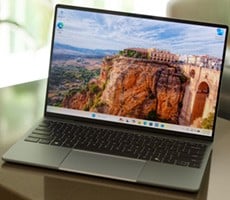
Meanwhile, the display is an HDR OLED with gorgeous color and brilliant 1100-nit highlights. It's slightly oversaturated in SDR mode, as is typical for displays of this type, but that's hardly a complaint. The choice of display is a little ironic considering that most of these laptops will probably spend most of their time displaying a development IDE or agent management interface, but it's certainly a "nice to have" in any case.
Let's take a walk around the thing and admire its beautiful design...
HP OmniBook Ultra 16 Aesthetics And Build Quality Impressions
With this machine, HP has elected to go with a full aluminum unibody, leaving no room for illusions about the market that the firm is targeting. Accordingly, the system has a decided emphasis on its physical design, and I would say its designers achieved their goal, as I think the HP OmniBook Ultra 16 looks excellent.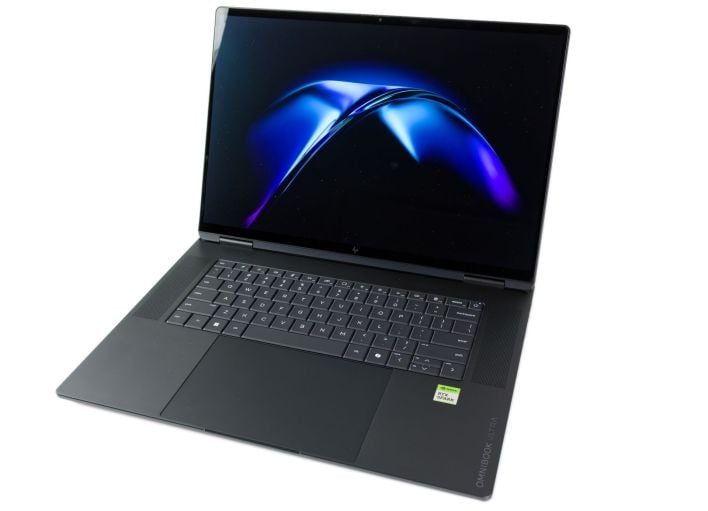
I just talked about the display but it really deserves special mention. I didn't have time to watch a film on the machine, but I did spend some time gaming on it, and it has a similar character to the Alienware monitor I recently reviewed. If you read that, you'll know it's high praise, as I was effusive with the compliments to that device, and likewise here.
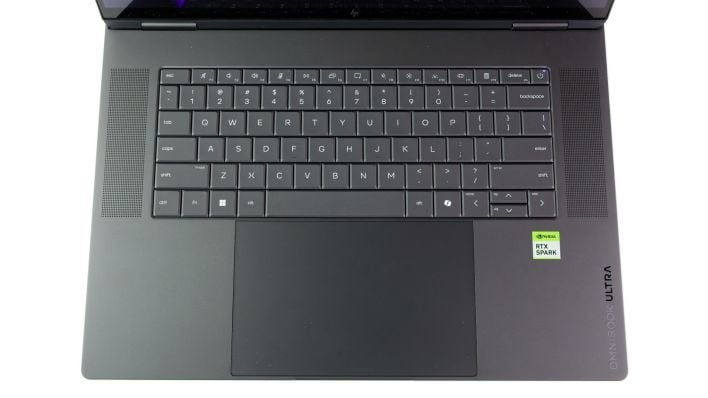
Meanwhile, the keyboard is a "zero-lattice" design where the keys are pressed essentially right up against each other. It's fundamentally a membrane keyboard, but it still feels very good to type on, at least brand new. I would have preferred mechanical scissor switches, but you can't win 'em all, I suppose. The key backlighting is white-only, which is just fine by me, though some may prefer RGB LEDs.
As far as layout goes, I don't really have any complaints besides the lack of a numeric keypad. This is something people go back and forth on; personally, I'm always going to prefer a layout with a keypad even if it requires slightly smaller keys. Instead, HP opted for full-sized (arguably even oversized) keys that feel very easy to type on with accuracy. It's a trade-off, and I can't say it's bad.
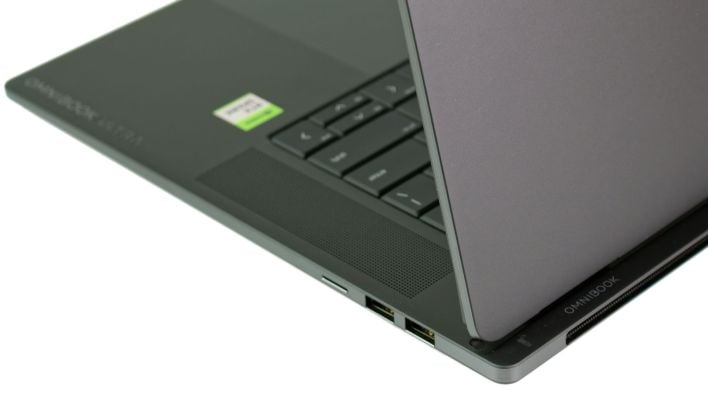
As far as external I/O, you get a pair of USB Type-A ports and a MicroSD card slot on the right side, and then a pair of USB4 ports (full-function Type-C), a full-sized HDMI 2.1 port, and a headphone jack on the left side. I'm glad to see two Type-A ports, but the MicroSD card slot doesn't support SD Express, which is unimpressive on a machine at this price point. I also would have liked to have seen an accommodation for Ethernet too, even if it were just a dongle in the box, but at least the Wi-Fi adapter is Wi-Fi 7.
The power adapter is included, and HP throws in a very nice 140W GAN charger. You'll have to occupy one of your two Type-C ports to use it, of course, but this is hardly a complaint unique to this laptop.
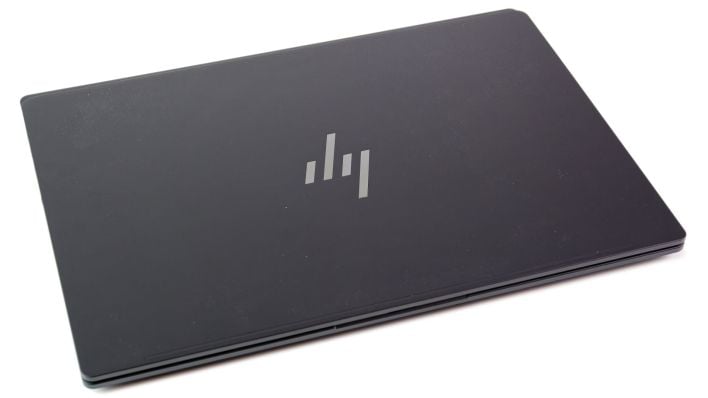
The word that immediately springs to mind with the HP OmniBook Ultra 16 closed is "classy". The HP logo on the back is reflective, not illuminated. With the machine closed it's just a little over an inch thick, which is thicker than most laptops in the thin & light class, and a visual clue that this system is more than meets the eye. It's still quite a bit thinner and lighter than most machines with this class of GPU horsepower, though.
Let's duck over to the next page and start digging into some benchmarks, shall we?