ASUS Zenbook A16 Review: Snapdragon X2 Elite Ultralight Game-Changer


| Asus Zenbook A16 - $1,699 MSRP Our full review of the ASUS Zenbook A16. See how Qualcomm's Snapdragon X2 Elite transforms this 16-inch laptop into an ultralight battery life game changer.
|
|||

|

|
||
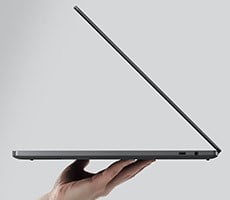
When Asus introduced the Zenbook A-series of laptops, it stopped just short of calling it a "Zenbook Air," in what could have been a play off of thin and light MacBooks with the same name. But the fact is, this laptop is very thin, light, and quite capable. The Zenbook A16 is powered by Qualcomm's Snapdragon X2 Elite processors, which deliver solid performance and long battery life — both desirable traits in a highly portable laptop.
Up until recently, if you wanted a machine that lasted all day on battery power, there were only a few options. However, Snapdragon X processors shook-up the landscape, with Arm-based Windows machines that can contend with x86 incumbent platforms in terms of performance, but with generally better power efficiency. There have already been a few false starts on the Windows and software side of things, but many of those legacy shortcomings in compatibility are history.
Asus launching the Zenbook A16 delivers a notebook with a gorgeous, large display, great horsepower, in a frame that is highly portable at just a hair over 2.8 pounds. I've been using it as my primary laptop for about 10 days, including on a roadtrip to the future birthplace of Captain James T. Kirk, and I can say for certain that is what this laptop delivers. But let's dig in more in my full review...
Asus Zenbook A16 With Snapdragon Specs & Features
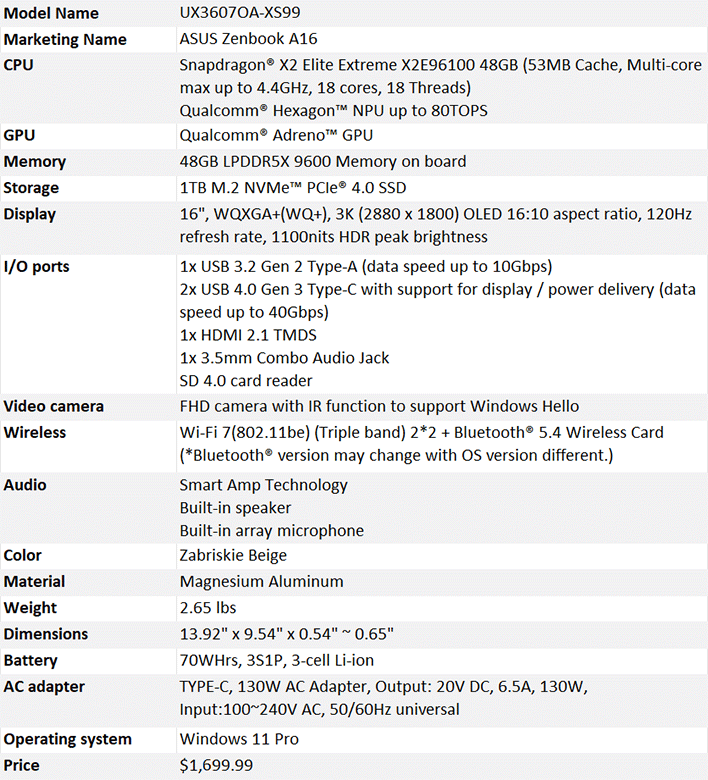
As reviewed, the Asus Zenbook A16 I tested comes with Qualcomm's latest flagship PC processor, the Snapdragon X2 Elite Extreme, which is a mouthful, but it earns that "extreme" moniker. This processor is an 18-core CPU built on a 3nm process. There are twelve prime cores and six performance cores, plus an Adreno X2 GPU and Qualcomm's Hexagon NPU 6, along with plenty of IO.
All of the internals on this machine skew toward the higher end of the spectrum which, paired with the powerful processor, makes for a very fast and smooth laptop. It's worth mentioning that the version reviewed here is the one available through Best Buy, which costs about $300 less than the Asus-direct version. The key differences are negligible. This computer has Windows 11 Home as opposed to Pro. It also has a touch screen which is omitted from the Asus version. This laptop also weighs just a bit more than the Asus-direct version. Finally, this laptop has a slightly stepped down processor SKU that maxes out at 4.7GHz, as opposed to 5.0GHz. Everything else is identical.
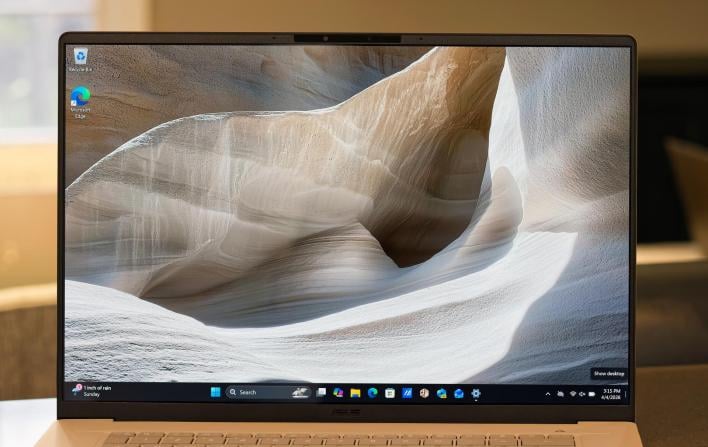
The display on this laptop is absolutely beautiful, sharp and crisp with excellent color reproduction and wide viewing angles. It's a WQXGA+, 3K OLED panel with a16:10 aspect ratio that is quickly becoming my favorite aspect ratio on a laptop. It gets up to 1,100 nits of brightness on a very highly reflective panel that works well under an overcast sky and even in direct sunlight — well, direct sunlight in a car anyway. The Best Buy SKU comes with a touchscreen, if you're into that. I always figure it's better to have it and not need it, though I rarely use it, and it adds a bit of weight and thickness.
The screen refreshes at 120Hz or 60Hz. For most of my review period I left it at the default 60Hz, only cranking it up for some testing. I have never really been able to notice the difference between 60Hz and 120Hz in the real-world during everyday use, even on phones, so I felt the battery savings were more important for my use case, rather than going full bore on everything all the time. If the laptop had a variable refresh rate, that would be a different story.
Asus Zenbook A16 Design, Build Quality And I/O
Another innovation (which arrived a couple years ago) from Asus is Certaluminum, which, as the name suggests, is a combination of ceramic and aluminum. Now, Asus has added magnesium into the mix. The new material has the same durability and stone-like feel to the body and keyboard. It's nice, but I'm personally not a huge fan of the texture now that I've used the machine for a while, which is obviously subjective. You might want to head to your local Best Buy to try it out in person before forking over the cash to bring one home.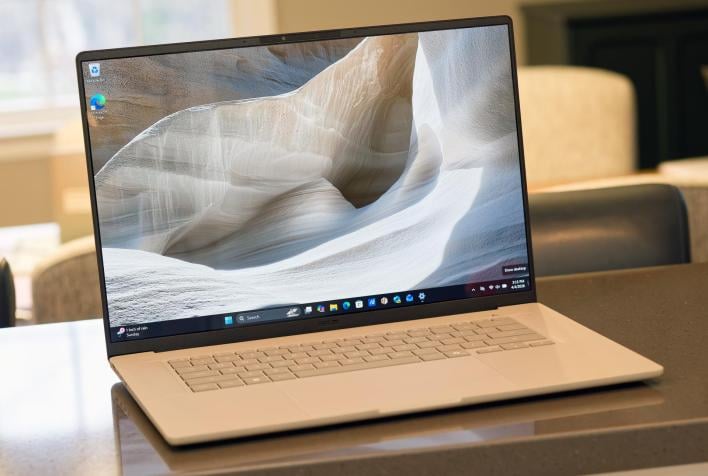
The entire chassis has a really rigid feel to it — there's very little flex in the deck which is always reassuring. The result is a laptop that feels absolutely premium. It can be rather slippery though, the keys in particular. I'm already prone to typos, and the feeling that my fingers are slipping off the keys is not a great one. I think if Asus could cup the keys a bit or add a touch of texture, that might help. The hinge gives a good amount of resistance, but it easily passed the one-finger opening test. At this point, that's basically stable stakes, though.
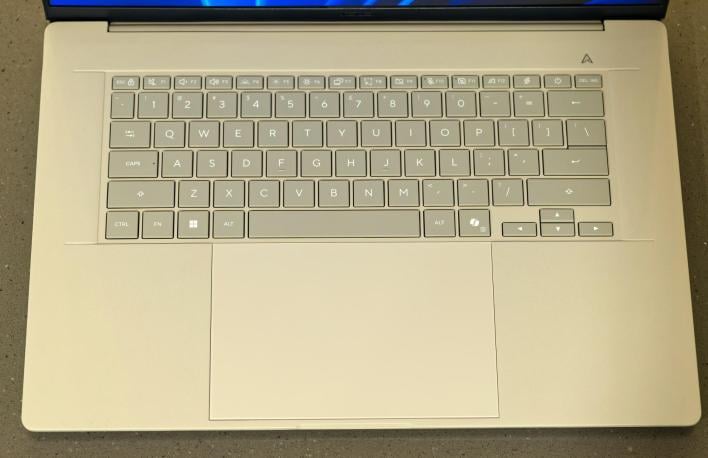
The touchpad is one of the largest I've used, which is something of a blessing and a curse. It's extremely large, so a single swipe can easily get the cursor anywhere on the screen, which is great. While the touchpad is (surprisingly) not prone to accidental taps with my thumb, it isn't immune to accidental swipes of my palms, which can be somewhat problematic.
Asus built gestures into its trackpads a few years ago, which I also have mixed feelings about. Swiping up or down the left or right side of the trackpad adjusts the volume and brightness respectively. Swiping across the top of the trackpad allows you to scrub through footage or forward/backward in a video. It's very cool, but with a trackpad this large, that takes up at least half (if not more) of the keyboard width, I often found myself accidentally turning the brightness way up or down. That was super annoying until I finally just turned the feature off.
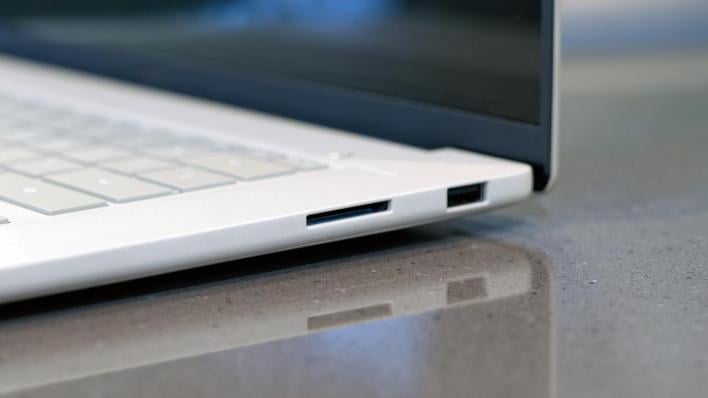
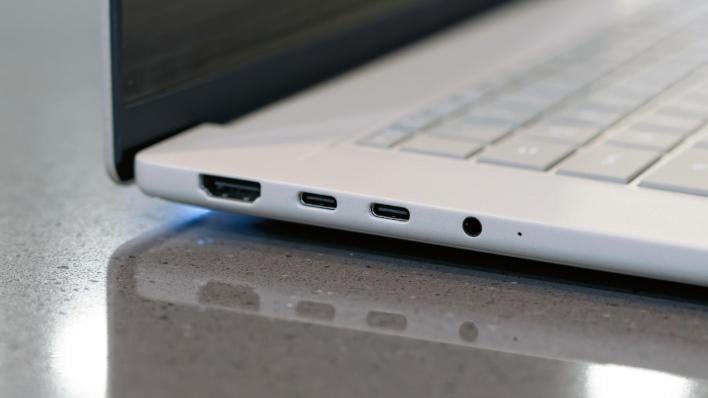
The ports on the laptop are nicely spaced out on the left and right side of the laptop. The right side of the laptop has the sole USB 3.2 Gen 2 Type-A port and an SD 4.0 card reader. On the left, you have two USB 4.0 Gen 3 Type-C ports, both of which are rated for power delivery, along with an HDMI 2.1 TMDS port, and a 3.5mm Audio jack. That's a fair amount of I/O considering how thin this laptop is, so it's very welcome, though I'd like to see charging on either side of the laptop to be a bit more versatile. Both of the USB-C ports support video out, so you can connect up to three monitors to this laptop, which is refreshing.
The Zenbook A16 has a FHD front-facing camera with IR, so it's Windows Hello-compatible. The camera takes a long time to authenticate for powering up the PC and for things like unlocking 1Password, and it doesn't always work, which I found to be very disappointing. There's no other biometric authentication, fingerprint reader, etc, so you'll be relying on this camera to do the job. The camera housing is fairly slim, and there is a button to disable the camera, though there is no physical shutter.
Asus Zenbook A16 Software Experience
As for the software, the Zenbook A16 comes packaged along with MyAsus and StoryCube. The latter is Asus's "memory storage" app that basically sorts your photos for you. As someone who keeps all of his photos in Google Photos which also sorts all my photos for me, I don't find this software to be particularly useful.Asus also recently had an integration with GoPro that allowed you to easily store, sort, and edit GoPro and even 360 camera footage. That part is potentially useful for owners of action cameras.
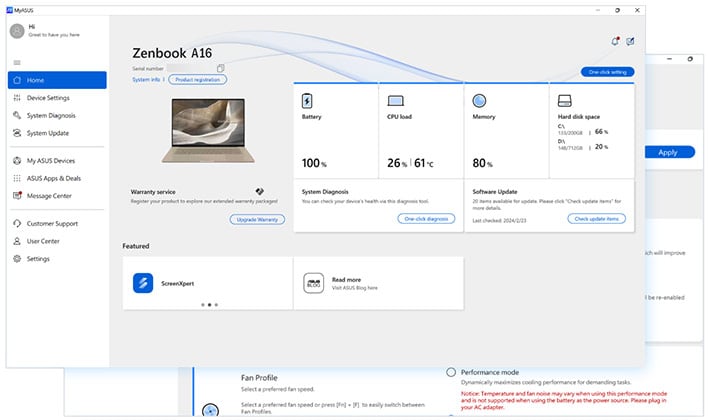
The My Asus app is your one-stop shop for updates, managing some settings, and hardware monitoring. Through it you can control speakers, performance, cooling, microphone ANC, and even connectivity management. If you're on an internet connection with limited bandwidth, you can prioritize certain apps and activities over others. Some examples include screen extenders, games, or productivity. The smart gestures that I talked about earlier — swiping on the edge of the touchpad — are found here, but you can only turn all of them on and off; you can't disable certain swipes while leaving others active.
You can also use this software to update your PC and even try to diagnose various issues. It's a handy tool to have around, though I never ran into any problems that required diagnosis in the 10 days I used the laptop. Overall, My Asus seems to be a capable and useful piece of software.
Let's look at benchmark performance, next...