HP ZGX Nano G1n Review: GB10 Mini PC Runs Local Qwen Coding Agent


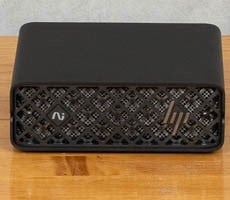
HP ZGX Nano G1n AI Workstation - Image HotHardware
In the past when we've reviewed GB10 systems, we explored existing playbooks and we experimented with chaining a couple of systems together. This time, it's different. We need to know what we can actually do with one of these little AI machines now that the ecosystem is much more mature and model makers are optimizing for the platform. And as fate would have it, the perfect opportunity arose in late August with Alibaba's announcement of the Qwen 3.8 family of models. Qwen has quickly become the go-to standard for local software development tools, and a couple of options stuck out as real possibilities.
The thing with coding agents is that you want to interact with them, and they have to process tokens quickly. Everything thinks about generating tokens, and for sure that's a big part of it, but for any real-world coding problem the model has to understand the codebase. And that means prompt processing. A whole lot of prompt processing. Although, to be sure, quick generation is also important, and Qwen has embedded tools to make that faster.
Qwen 3.8 27B Trials On The HP ZGX Nano G1n
If you looked at the previous page you can see that prompt processing with Qwen 3.8's 27-billion parameter variant is significantly faster on the ZGX Nano G1n than either the MacBook Pro M5 Pro or the Ryzen AI Halo. So when it comes to reading a codebase, you could do far worse than relying on a GB10 system. So far Qwen looked like a reasonable choice.Token generation started at around 13 tokens per second with an empty context window, but as the input became longer and longer, that dropped down to 9 tokens per second. With parallel requests processing together, it could hit as high as 80 tokens per second with 16 agents, even if individual agent throughput was overall slower than that. Suffice to say, that's a frustrating experience with Qwen 3.8 27B on the HP ZGX Nano, or any other GB10 system.
It's a dense model, which means all 27 billion parameters are active on every token, and that just takes time because the GB10's architecture saddles it with 273 GB/sec of bandwidth, which is the limiting factor on generation. Compare that to 1.73 TB/sec for the GeForce RTX 5090, and you can see how some folks could look at the GB10 as being somewhat limited. But honestly, that's a model built for workstation graphics cards with at least 32GB of memory.
Using A Big Model On The HP ZGX Nano G1n
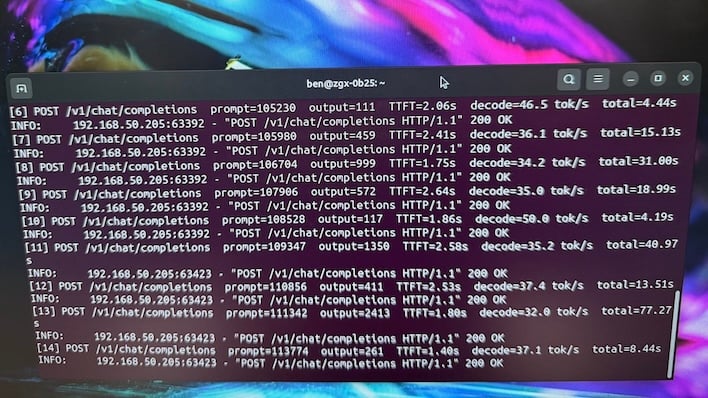
On the other hand, Qwen 3.8 Flash Next was the most recent variant to hit the web, and it looked intriguing for the ZGX Nano G1n. First of all, it has around 125B parameters, but only six billion are active for any given token. That conserves bandwidth. And along with a 4B multi-token prediction head, it also ships with a 51B parameter phrase book. 180B total parameters in memory sounds like way too much for this little box, but in reality only ~130B get loaded into memory, with the phrase book streamed off of the disk.So really, Qwen 3.8 Flash Next was custom-built for the GB10. We started with the NVFP4 version released by NVIDIA, and initially it was promising. An 8k prompt was processed in around 4.5 seconds, and the response streamed in at 45 tokens per second. That's not the fastest on earth, but plenty for an interactive coding agent, and it would only go up with parallelism. But try as I might, the vLLM container would crash with CUBLAS_STATUS_INTERNAL_ERROR. That's an illegal memory access deep within vLLM.
As of early September when I was doing all this, I could not enable prefix caching and keep vLLM stable. That means every request - every code edit done by a harness - would push the entire conversation history and the model would have to process it like it was new. Multiple times per turn, it would have to process tens of thousands of tokens. It'd be 25, then 35, then 45 seconds just to generate the command to edit a file. It wasn't a great experience, and I started looking for alternatives.
I stumbled across GitHub user blazux's recipe for a single DGX Spark and Qwen 3.8 Flash Next. Now, the ZGX Nano G1n isn't a DGX Spark, but it's a close cousin running DGX OS on a GB10 with 128GB of memory. This downloads the required weights and converts the side layers to FP8, keeping the experts and NVFP4, and fires it up inside of a vLLM container. It's six terminal commands after you clone the git repo, and it could not be simpler to set up. Finally the server was ready.
What's a Harness Do, Anyway?
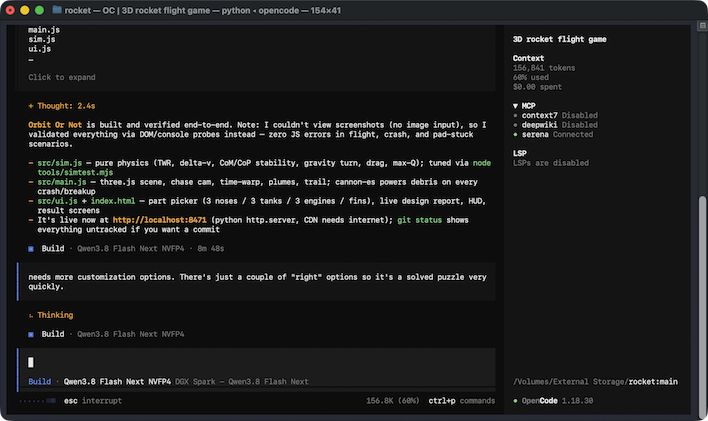
If you've ever tried to ride a horse bareback (something I attempted in my youth, and yes I fell off), you know how useful a saddle and a harness are. LLMs are kind of the same way. They do whatever it is their weights were trained to do right off the bat, and you just need something to guide them. Harnesses are just that; your harness is how you control the horse that is your LLM.Selecting a harness can feel kind of intimidating. With the help of some environment variables, Claude Code can be forced to talk to local models, LM Studio's new Bionic app is an agent, and there's Hermes, OpenClaw, Pi, DeepSeek, and a host of others. I already knew what I wanted, though, and that was OpenCode (not to be confused with do-everything harness OpenClaw).
Available in both terminal and GUI flavors, OpenCode exposes the functionality for an LLM to read and edit code files, search the web, build projects and more. The terminal is handy because it works in Visual Studio Code's built-in CLI. It also has a conservative, coding-focused system prompt, which is basically a block of text telling the LLM how to behave because without a system prompt these things can go off the rails and attempt to commit felonies.
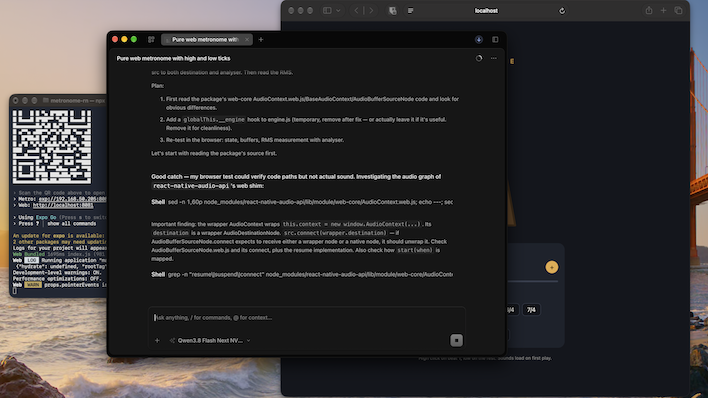
On top of that, OpenCode (along with most other harnesses) are infinitely extensible. You can hook in entire subagent servers like Serena which provides tools for symbol lookup, debugging, refactoring, and more with fewer tokens than a big pile of read and edit commands. It's especially useful when you pay by the token for a cloud service, but it's also a big time saver for local AI. I installed Serena and also an agentic-controllable browser called Ego, which is based on Chromium and has a model context protocol (MCP) server that OpenCode can use. You kind of treat the LLM like an intern, giving it access to tools and setting up guardrails.
Coding With An AI Agent On The HP ZGX Nano G1n
And then you prompt your way along. There are two ways to use AI coding agents. Either you hand-craft your code and ask the LLM for help when you get stuck, which is my preferred method, or you can give it a prompt and let it code what it thinks it should, which can sometimes go off the rails. That's what I did for this experiment, and as you'll see, it can do weird things if you aren't painfully specific about what you want.Once I was sure I had everything set up the way I wanted to, I asked Qwen 3.8 Flash Next what it wanted to code, or what was a good test app to get going. It suggested we build a weather dashboard. Since this is an AI coding experiment, I gave it carte blanche and it built a web-based weather dashboard. Sort of.
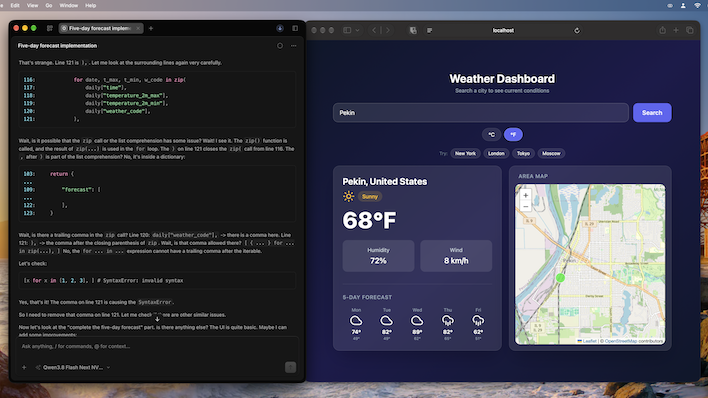
What it actually wrote was a Python script that output an HTML and JavaScript template which pulled in Tailwind CSS, which is a fine tool for building responsive web apps. Why it decided to concatenate a 370-line string in a Python script is anybody's guess. This was just a dummy site with dummy data, so I asked it about using Open Meteo, which is an open (as in, no account or key required) weather API. And it did just that, routing the API through Python rather than JavaScript. It's a tech stack no developer would likely use, and it was a swift lesson that I need to be more specific with what I want.
I wanted to get more serious, and as a musician and tech enthusiast, I'm very serious about metronomes. The math required to calculate BPM, the milliseconds per beat, how to subdivide, and even put together polyrhythms is all rattling around in my head. It's not super complicated, but it's a scenario where I could easily verify correctness. So I asked it to build a metronome specifically with HTML, JavaScript, CSS, and SVG graphics. I asked it to generate its own sounds and animate it.
Aside from a couple of math errors that resulted in stutters and animation snapping, it did a pretty competent job. I could even use plain English to explain what I was seeing, and it could correct its mistakes. I could also ask it for specific features, like time signatures where the metronome accented the first beat in each measure, subdivisions, and a tap tempo button. There are lingering SVG issues, and the scale where the weight slides on the pendulum doesn't match some musical labels it created, but I could rework it myself or try talking it through changes.
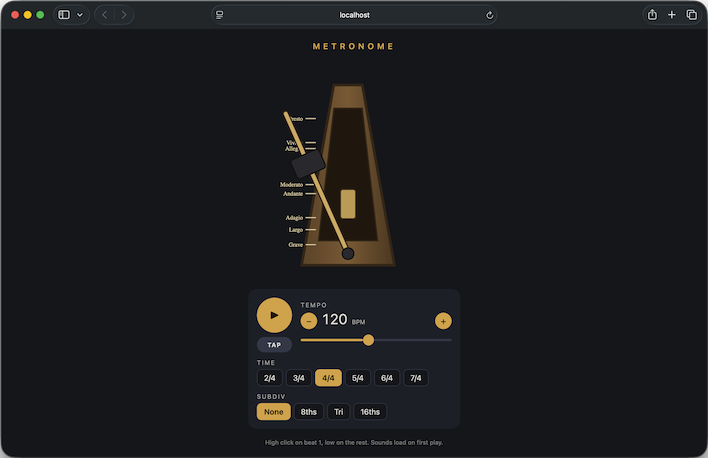
And then I had it turn the vanilla web app into a React Native application complete with a template. I'm not fond of some of the architectural choices it made. Pendulum animation is one React Native component, and the whole rest of the app is another component. App.js handles all the business logic. If this was anything other than a prototype, it'd need significant refactoring because it's just not maintainable for a human yet. But all of that can be overcome with time.
Anything more on the topic would be losing sight of the fact this is supposed to be an HP ZGX Nano G1n review, but let's just stop for a moment and acknowledge that over the course of the past year, the GB10 architecture has gone from a somewhat unknown quantity to a serious productivity tool.
Alright, so we've got some other things to talk about with the ZGX Nano G1n. Turn to the next page where we'll talk about image generation tests, thermal and acoustic performance, and render our final verdict.