



Forget Expensive GPUs, This DIY AI Chatbot Cluster Runs On E-Waste


Now, as Joe says, "is 4 tokens per second going to replace ChatGPT? No. As a proof of concept? I'd call it a win." Indeed, the fact that it works at all is quite fascinating. The motherboards he's using are laptop motherboards from Lenovo Thinkpad L380 thin and light systems from 2018. They are not fast. Each one has a Core i5-8250U processor, 32GB of DDR4-2400 memory, and a single NVMe SSD. Joe has wired up two USB 2.5-Gigabit Ethernet adapters for each node, connected to two switches, one of which handles inter-node communications exclusively, and the other of which connects the systems to the network.

We should talk a second about the specific hardware here. The Intel Core i5-8250U is a Kaby Lake Refresh CPU from 2017 that has four Skylake cores. It runs them at a nominal frequency of just 1.6 GHz, although they are capable of boosting to 3.4 GHz as long as power limits allow. But the system firmware doesn't allow a higher power limit than 25W, and that's not enough to keep four Skylake cores boosted above 3 GHz for very long. CPU AI is not particularly fast compared to running on accelerators, but especially, I wouldn't even have imagined trying to run local AI on something like an ultrabook CPU from 2017.
So given the hardware specifications, I was originally quite doubtful on his claims, but a key part of how his system works is that he is using a Mixture of Experts model; specifically, Qwen 3-Next 80B A3B. That "A3B" part is important, because it means that only 3 billion of the parameters are actually active for each token, which is how he's able to get usable performance out of three old Core i5 processors. And yes, he's only using three, because it turns out that his network setup is so bodged-together that adding the fourth node actually makes it slower due to network overhead.
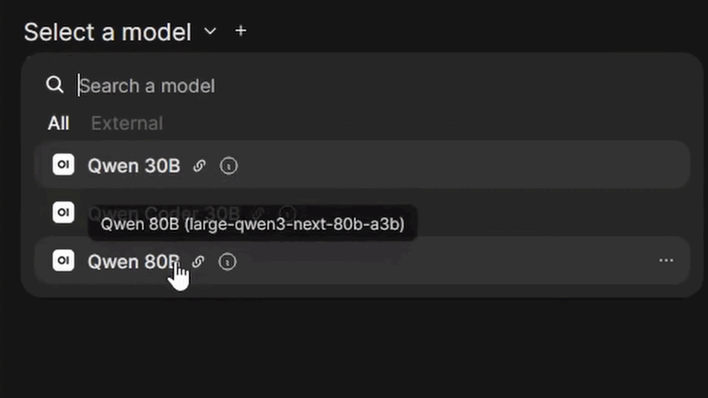
Of course, that's not the only model used, and much smaller models offer somewhat better performance. Qwen 3 30B apparently runs at just under 10 tokens per second, while Qwen Coder 30B delivers a bit closer to 9 tokens per second. That's still usable, though, and these models are smart enough to be useful for some tasks. Best of all, he doesn't have to pay anyone but the power company to use them. All of the AI processing is done directly on this cluster; none of his data or queries have to go to a cloud service.
Mr. C-J humorously denigrates his own intelligence in the video, but setting up a project like this is no small feat, even if he did enlist the help of OpenAI's Codex to help him build the framework for the cluster. It's running using llama.cpp instead of one of the more user-friendly options like Ollama or LM Studio, as he needed the ability to split the workload across four discrete systems. Our very impressed hats off to JoeC-J for his accomplishment; hopefully more enthusiasts realize that you don't have to buy a Mac Mini to run AI locally.





