Ryzen AI Halo Review: AMD's DGX Spark And Mac Mini Challenger Tested


AMD's Ryzen AI Playbooks
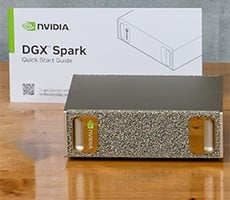
Playbooks exist for a wide variety of use cases: software development, image and text generation, agentic automation tools, fine-tuning models for local AI use, real-time speech translation, and the list goes on and on. Every playbook that AMD publishes has step-by-step instructions which are pretty easy to follow. The bad news is that AMD's playbook isn't as mature as, say, the playbooks available for the DGX Spark. NVIDIA's playbook library dives into scientific computing with things like RNA sequencing, and AMD's are still focused on agentic workflows via LLMs and image generation.There's still plenty of good stuff for AMD's platform, however. On the other end of the spectrum is Apple's playbook list, which doesn't exist. Mac Studio buyers are on their own to set up even the most basic workflow. Anyway, let's take AMD's playbook for a spin...

The Vibe Coding Revolution
In our estimation there are two kinds of AI development: development of AI models which includes training (outside the scope of this article and AMD's playbooks, for that matter) and performance optimization, and development with AI tools (made popular by OpenAI Codex, Claude Code, and the like). We'll do a little bit of both of these things locally, and talk about how local AI might differ from cloud services.First up let's talk about developing applications with the assistance of local AI hardware. This is an area in which I consider myself an expert. When I'm not writing reviews and testing the latest hardware, I work full-time as a software developer in corporate America, and we use the aforementioned AI tools hosted on cloud services from OpenAI and Anthropic. Those tools are best used in existing applications when you need a little help. "Please review PR #1050" and "help me plan out the changes required for feature X" are common prompts that I type. Rarely does any professional software engineer give it the prompt that I'm about to give to a local LLM.

But it's the thing that people ask the most. "Can an LLM write an app that I describe to it for me?" For certain definitions of "app" or "write" the answer is yes. That's why there's a Local LLM Coding playbook on AMD's developer site. So without further delay, let's see what it can do.
First up, it helps if you have the software (and specific versions recommended by AMD) installed via the Ryzen AI Developer Center application. This includes LM Studio, a recent version of Python and PyTorch, as well as Node.js and the wildly popular Visual Studio Code from Microsoft. VS Code is a lightweight web-focused development environment that can be turned into something pretty powerful through its extensions marketplace. LM Studio is going to be the host for our LLM, and Python and Node are important utilities for dev work.
AMD recommends running the Qwen-3-Coder 30B A3B model within LM Studio. This model occupies around 18.5 GB of disk space, and roughly the same area of VRAM with its default 8k context window. However, to really do anything useful, you need a much larger context window so that the model doesn't forget what it was doing mid-stream. For this demo AMD recommends 32k (remember, this is as much for Radeon GPUs as it is for big AI machines like the Ryzen AI Max+ 395). The model is what's going to be vibe coding on our behalf.

It doesn't take much to fill up a 32K context window
This particular model model supports a 256k context window as the maximum. For anything complex I highly recommend at least 128k, with the knowledge that the system will start to slow down as the context window fills up, and occupy a large chunk of VRAM (3GB for 128k on this model, 6GB for the 256k max). Think of the context window as working memory. The LLM is accessed through the Cline extension in Visual Studio.
The prompt is simple: "Create a website showcasing the ability to run local large-language models on an AMD device." And without more guidance than that, creating a website is exactly what the LLM does. Qwen uses Cline and VS Code to start a Node development server and creates a website written with raw HTML, JavaScript, and CSS. We didn't say to write it with React or Angular or Vue, so it didn't. But it did give us the blue-on-white website pictured on screen at the top of this section.

Upon further request, we got it closer to AMD's color scheme.
We also didn't give it any guidance on content, so some of content it created was nonsensical, but text is a placeholder that can be edited by a human. The web framework is more or less there and it only took a few minutes to do. The colors also weren't to my liking so I just said "AMD's colors are red and black. Can you update it to match?" And that's what Qwen did. By the time those two prompts were processed and the code created, our 32k context window was nearly full, and this is why I recommend larger windows. Anything complex will fill it in a hurry.
This specific setup is not the sort of thing you'd trust for a professional project without much heavier guidance, but if you just wanted to stand up a site about your metronome for iOS and Android, AI-generated websites more or less work. Yes, that link is a real website I built with help from local AI, and the aforementioned metronome app is my own creation. I really hope the musicians in our audience download it and give it a try, as there's a lot of functionality for absolutely free without any ads. As for the vibe coded website? It serves its purpose.

Fine Tuning AI Models with Ryzen AI Halo
It's time for the other kind of AI development: fine-tuning models to run on our hardware. AMD has several playbooks dedicated to different technologies, but we opted to test this out with LLaMA Factory. On Windows, the scripts provided by the playbook run in PowerShell, so we used Windows 11's PowerShell ISE to paste them in and run them. Rather than retrain a model with additional datasets (which can take a looooong time) we opted to use a prebuilt model and fine tuned it using Low-Rank Adaptation (LoRA).It's important to emphasize that this example sidesteps a lot of research and stands on the shoulders of giants. We're using an existing model trained on existing data, and just fine-tuning it for our environment. Deep AI research starts way before this.

At any rate, we cloned the LLaMA Factory GitHub repository, created a virtual environment with Python (because you're not installing dependencies locally, right? RIGHT!?) and set up the CLI tools. Using the Qwen3 LoRA example file as a base, we updated several of its parameters to run more efficiently on AMD hardware, as per AMD's guidance in the playbook.

Then we ran the LLaMA Factory train utility with that file as input, and we waited for about an hour. While this ran, we collected data about power consumption and thermal performance, which we'll document and discuss later. For now it's enough to say, this is a heavy workload that pushes the Ryzen AI Halo to its maximum power draw, and the cooling system performs well. Anyhow, once the training was complete, we could finally export and run our fine-tuned model on the Ryzen AI Halo.
Overall, AMD's got a good selection of playbooks, and we'd encourage prospective buyers to peruse them. There's agentic workflows, image editing, and a whole lot more. We could prattle on about them for hours, but instead it's time to start digging into the performance of AMD's pint-sized AI powerhouse.