



Xbox Mode Arrives on Windows 11 PCs for Console-Style Gaming


On the off-chance you don't already know what Xbox Mode (formerly Xbox FSE) is, it's a controller-centric interface for launching and playing games on Windows 11, a la Steam Big Picture. We previously tested it with the ASUS ROG Xbox Ally X, where we noted that it could sometimes provide very slight performance improvements when you launch directly into it, which skips loading the usual Desktop Window Manager (DWM) and also saves about 2GB of RAM. For particularly VRAM-constrained titles, like F1 24, it did see a more noticeable improvement to average and 1% low FPS, but averages largely remained within 1-2 FPS between Xbox Mode enabled and disabled.
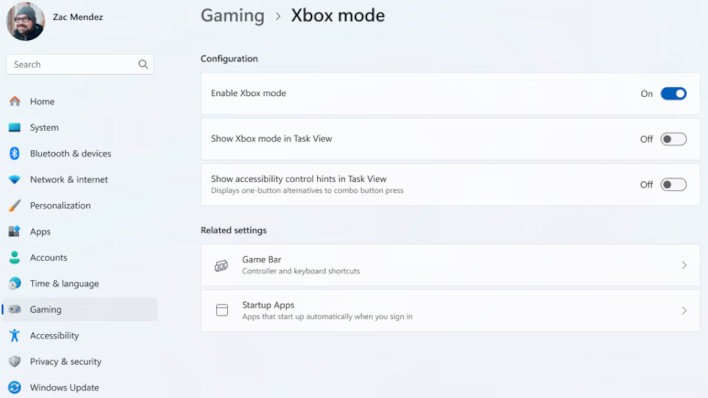
For those of you who want to enable Xbox Mode once you have the requisite updates, the instructions are fortunately very simple. All you need to do is click Start, type Settings, select Gaming, and then toggle Xbox Mode.
Xbox Mode is enabled by default on Xbox Ally handhelds, but if you want to enable the setting on other handhelds, you'll need to follow the same instructions, though your screen will say "Choose home app" instead. You'll also have an option to "Enter Xbox mode on startup," which in our testing can sometimes boost 1% average and FPS lows but doesn't majorly impact overall FPS.
In any case, it's cool that Microsoft has finally opened up Xbox Mode for the wider public outside of Xbox Ally owners to enjoy. It's especially beneficial for users of Game Pass, who would otherwise encounter issues hoping to launch their games through Steam Big Picture. It also doubles as a nice peek at what we can expect the console-PC hybrid Project Helix UI to look like.




