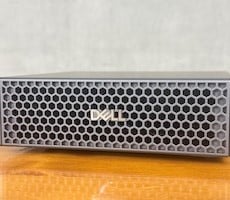


MSI EdgeMesa N AI+ Review: NVIDIA RTX Spark Power In A Pint-Sized PC


| MSI EdgeMesa N AI+: Starting @ $4,399, AS Tested $7,499 The MSI EdgeMesa N AI+ is a gorgeous NVIDIA RTX Spark-powered mini workstation that packs serious horsepower into a compact, sleek, premium chassis.
|
|||

|

|
||
Notebooks powered by NVIDIA’s RTX Spark N1X processor began shipping a few weeks back. We evaluated a couple of machines and discussed the RTX Spark’s architecture and associated Windows updates at the time, but starting today NVIDIA enters a new chapter: small form factor desktops powered by NVIDIA’s super-chip go on sale and we’ve got one to show you. More specifically, we have MSI’s EdgeMesa N AI+ RTX Spark-powered compact AI desktop system on tap, complete with a full-fat 6144-core NVIDIA Blackwell RTX GPU, 20-core NVIDIA Grace CPU, and 128GB of unified memory. All of NVIDIA’s partners that will be shipping small form factor RTX Spark-powered systems will actually be using fully enabled chips (there are no 18-core models planned) but will offer build-outs with differing storage and memory configurations.
The MSI EdgeMesa N AI+ is one of the more premium RTX Spark-powered mini-PCs hitting the market. It is downright tiny, has impeccable build quality, excellent cooling and its out-of-box experience is top notch. We’ll get down and dirty with the system on the pages ahead, but first up let’s cover some specs and features, then we’ll take a tour of the system and get to some benchmarks...
MSI EdgeMesa N AI+ Features And Specifications:
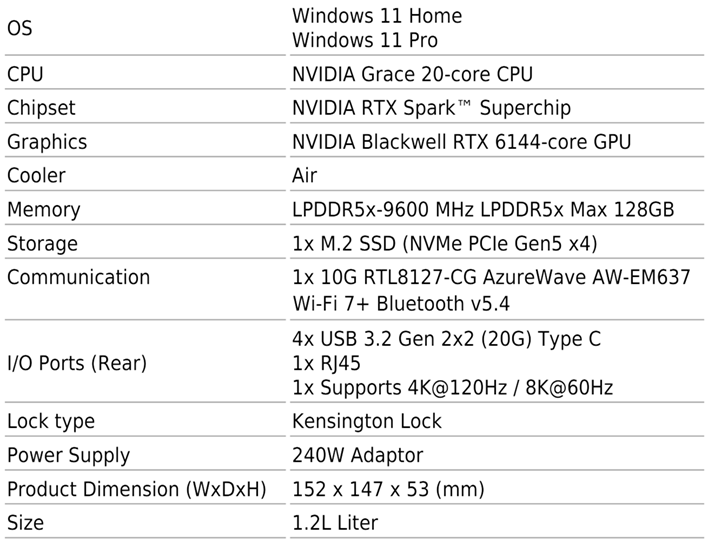
As mentioned, the MSI EdgeMesa N AI+ is packing NVIDIA’s full RTX Spark, with all CPU and GPU cores enabled, in addition to 128GB of fast LPDDR5X-9600 memory and a 4TB PCIe Gen 5 NVMe SSD. Because there is no battery to contend with in a mini-PC like the EdgeMesa N AI+, and there is additional Z-height available for heatsinks, fans and cooling, the RTX Spark inside has a tweaked power profile with a 140 watt TDP, which should boost performance somewhat over the notebooks we’ve covered previously.
Other features of the MSI EdgeMesa N AI+ include 10Gb Ethernet (Realtek), Wi-Fi 7 and Bluetooth v5.4 support, and USB 3.2 Gen 2x2.
MSI EdgeMesa N AI+ Chassis And Build Quality
The MSI EdgeMesa N AI+ is designed to do battle with systems like the Mac Studio and a handful of AMD Strix Halo powered mini AI workstations, like AMD’s own AI Halo product. Its design is similarly small, measuring just 152mm x 147mm x 53mm (or 5.98” x 5.79” x 2.09”). Fundamentally, the MSI EdgeMesa N AI+ is similar to NVIDIA’s DGX Spark (and the many partner-built GB10 systems) running Linux, but like other RTX Spark-based machines, this one’s running Windows 11 (for Arm).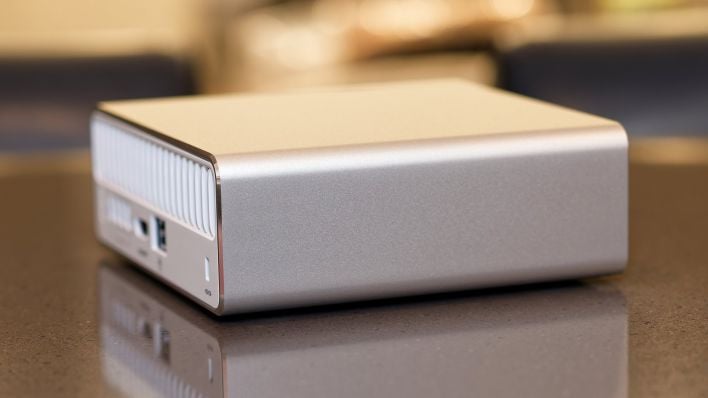
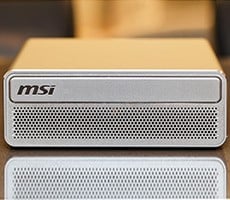
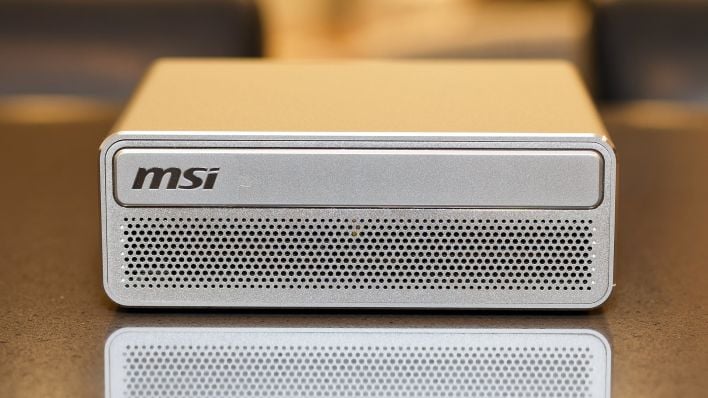
The EdgeMesa N AI+’s chassis is clean and attractive, with all of the action happening on the front, back, and bottom. The sides and top of the system are smooth and free of any features. The front is dominated by ventilation holes and a decorative bar with the MSI logo embossed. The bar looks like a CD/DVD slot, but it’s fixed and is strictly a design element. Hidden away in one of the ventilation holes at the lower left is a small, white power LED.
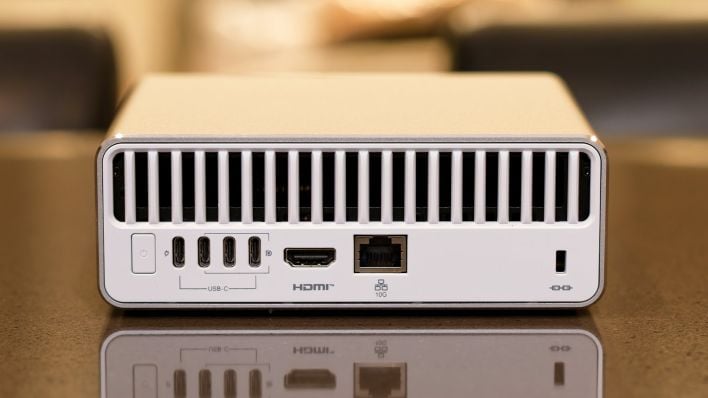
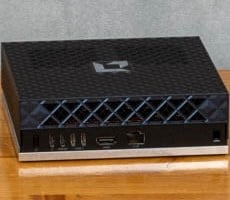
The rear of the system is home to all of its ports and external I/O. The top portion of the rear is also for ventilation. Below is the system’s power button, four USB 3.2 Gen 2x2 (20G) USB-C ports – three of which offer DisplayPort functionality – an HDMI port, an RJ45 port for the built-in 10G Ethernet, and a Kensington-compatible lock port. Technically, only 3 of those USB-C ports are usable, because the one to the far left is required for power. External IO is somewhat limiting on the EdgeMesa N AI+; we immediately filled all of the ports with a keyboard, mouse, and external SSD and we suspect most users will do the same. If you’re interested in a system like this for local AI development or other work, budget a few extra bucks for a high-quality, high-performance USB-C hub as well.
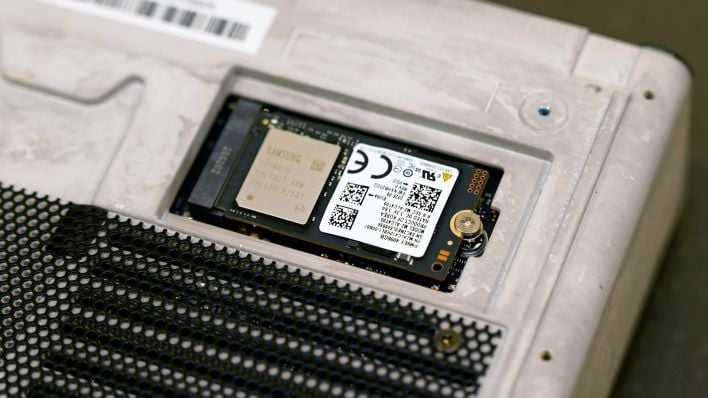
The entire external chassis, save for the rear ports, is milled from aluminum and has a silver anodized finish. Removing four screws on the bottom frees the shell to slide right off, exposing the internal components. We’ll show you more on the last page where we discuss thermals and acoustics.
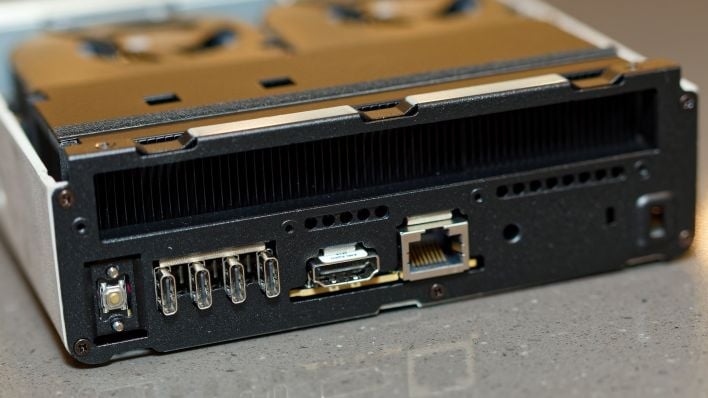
Removing the shell grants access to the user-replaceable M.2 2242 SSD and to the cooling hardware inside the system—everything else is integrated. The cooling hardware is particularly noteworthy because it is so effective in the EdgeMesa N AI+. The system features a relatively large vapor chamber, with a dense heatsink that takes up about a quarter of the system’s internal volume. Two fans pull in air through the front and bottom of the system and blow it over the heatsink before it is expelled out of the back. As you’ll see a little later, this setup is very effective and works in near silence to keep the RTX Spark in the EdgeMesa N AI+ running cool.
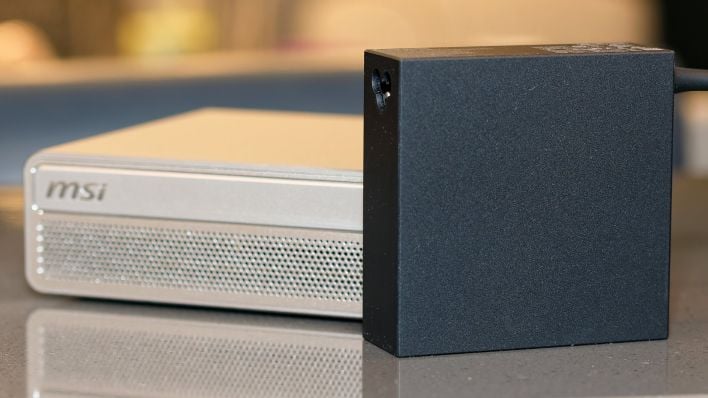
To power the EdgeMesa N AI+, MSI includes a 240-watt USB-C adapter that measures 3.75” x 3.75” x 1.25”. The power adapter has a nice long cable and an additional Mickey Mouse cord to connect to the outlet, so it’ll be easy to tuck away in most setups.
MSI EdgeMesa N AI+ Out-Of-Box Software Experience
The out-of-box software experience on the MSI EdgeMesa N AI+ couldn’t have been better in some respects, but was somewhat lacking in others.Aside from the few apps that are included with Windows 11 by default (and are not NVIDIA’s or MSI’s doing), the only additional piece of software that came pre-installed on the system was MSI Center. Excess bloatware on pre-built systems from large OEMs is often a nightmare, but that’s not the case with the MSI EdgeMesa N AI+.


There are some plugs-ins available (pictured in the screenshot above), but not the usual smorgasbord out there for MSI’s x86-based components and systems. General settings reveal Clipboard Sync and Wireless Display options only. And installing System Diagnosis only shows disk and memory usage stats.
We assume MSI will be updating its software to better support the EdgeMesa N AI+ at some point, but at the moment it’s of little utility.
Upon initial setup, users are also asked if they'd like to set up their first AI agents, which directs them to NVIDIA's on-line playbooks. If the idea of setting up an agent seems daunting, NVIDIA offers step-by-step instructions for Hermes, OpenClaw and Perplexity at this time.