


Windows 11 Adds Cloud Rebuild To Rescue Bricked Computers


For users who like to experiment with the Windows Insider Program or other tweaks that could potentially make Windows unbootable, the addition of Cloud Rebuild to WinRE is a huge benefit. Enterprise customers will likely also favor the feature, since a manual Windows reinstall is tedious enough for one machine without needing to worry about a potential fleet of soft-bricked PCs.
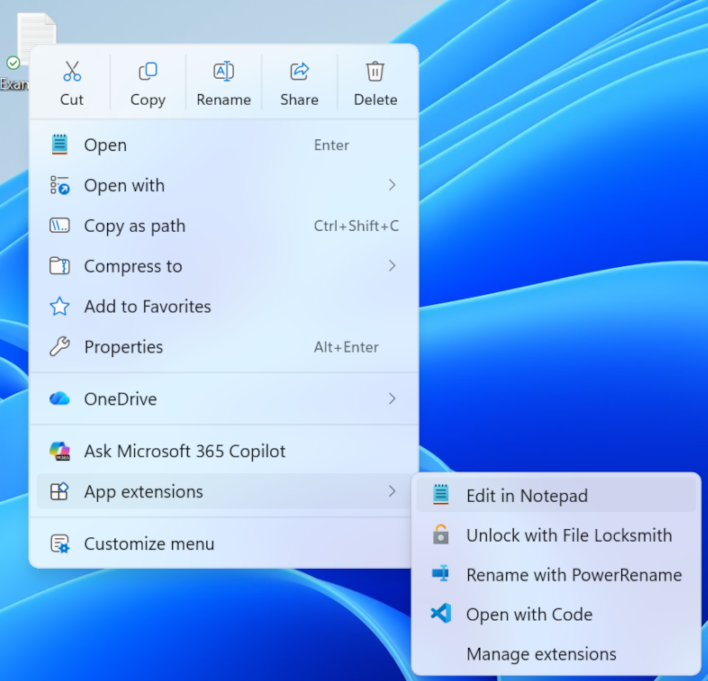
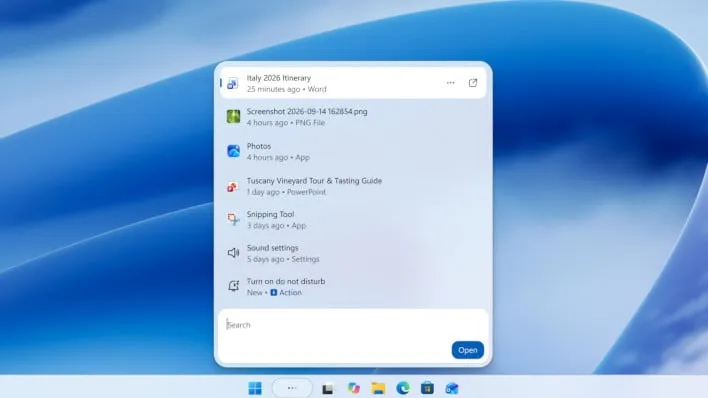
Besides Cloud Rebuild, the October 28th Windows 11 preview update also enables numerous new features across Windows 11. This includes the overhauled right-click menu, an updated File Explorer, as well as the new Search with its inline actions and accelerated app launches.
If you happen to still be on Windows 11 version 24H2, be mindful that you no longer qualify for non-security preview updates and Microsoft recommends you upgrade to versions 25H2 or 26H2 as soon as possible.
Considering the litany of performance and UI improvements that have come with Windows 11 version 26H2, it's likely worth installing, even a this early stage. Windows 11 may not be perfect, but Microsoft's optimization work seem to be paying dividends and new feature additions have addressed numerous complaints. There are still some missing spots, though, like the movable taskbar still only supporting auto-hide from the bottom.