Microsoft Overhauls Windows 11 Search To Control Your PC Faster Than Ever
by
Chris Harper
—
Saturday, October 10, 2026, 02:18 PM EDT
A preview of the new Search for Windows 11. Image: Microsoft
With the latest build, Microsoft Insider Program members have access to an overhauled Search feature, that can trigger many additional actions directly from the search window. In addition to the numerous changes introduced with 26H2, some of the new advanced search features come by way of WinUI 3. Not only does the updated Search offer many new features, however, it also performs better thanks to additional optimizations.
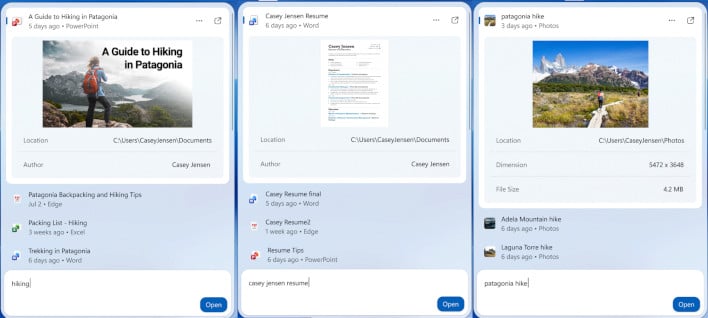
New Windows search results. Image: Microsoft
A major focus of the Windows Search WinUI 3 overhaul was to make results and their previews more informative, making it possible to find quick details without needing to open the file or File Explorer at all. This is readily apparent in the screenshots above, each of which shows a detailed preview of the source and the app it will open with.
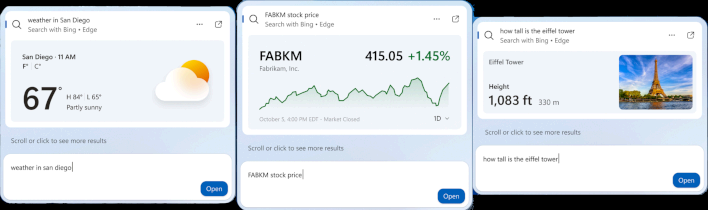
New Windows search web previews. Image: Microsoft
Another big improvement to Windows Search with the WinUI 3 overhaul is new web previews for certain queries, like local weather or stock data. This is much more efficient compared to opening a separate browser window.
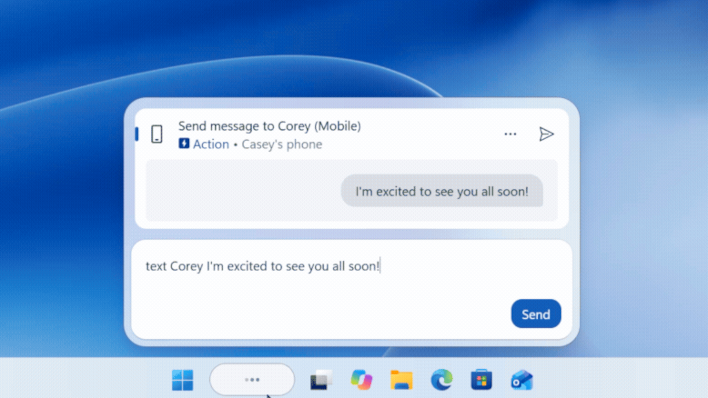
SMS via Windows Search. Image: Microsoft
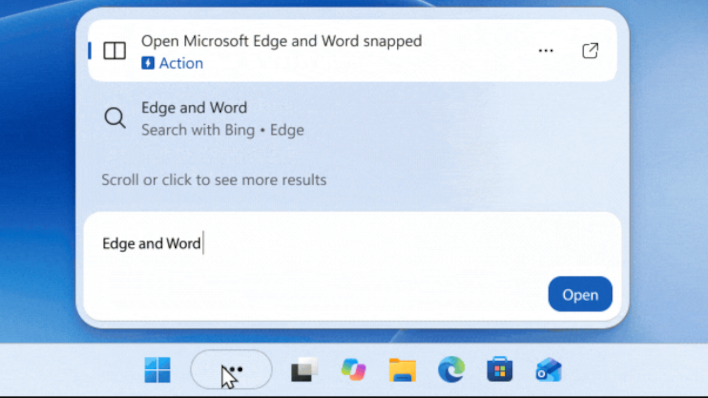
Yet another new feature coming to Windows Search is "inline actions," which allow you to perform various actions by typing the right keywords. While this is similar in some ways to existing Search functions, many more action are surfaced directly in the search window, to do thing like sending SMS messages through a connected Phone Link, show or hide the desktop, change the theme with one click, and more.
Inline actions can also include actions like opening two apps in split view. Image: Microsoft
Microsoft seems to have put a lot of thought into these Search updates. For those of you who want to try it out ASAP, be sure to opt into the Windows Insider Program and its "Experimental" channel. You may also need to enable Feature flags within Insider Program settings in order for everything to be made available in Windows Update.
Christopher Harper is a tech writer with over a decade of experience writing how-tos and news. Off work, he stays sharp with gym time & stylish action games.
TOP STORIES
Which New GPU Is For You?
KEEP INFORMED
Stay updated with the latest news and updates. Subscribe to our newsletter!