



This Free Windows App Reveals Hidden CPU, GPU And Disk Performance Spikes


The real-time limitation of Task Manager is what inspired AppControl's creation, with co-founder and CEO Jon Hundley noting, "When I searched for a historical version of Task Manager, all I found were memes from other people who were clearly dealing with the same problem. AppControl exists to make that visibility and control accessible, understandable, and enjoyable to use."
In addition to tracking hardware usage over time, AppControl also provides descriptions of various apps and processes, complete with descriptions of what they're actually doing. There are also "simple controls to disable or block apps causing problems," and “privacy alerts for webcam, microphone, and location access."
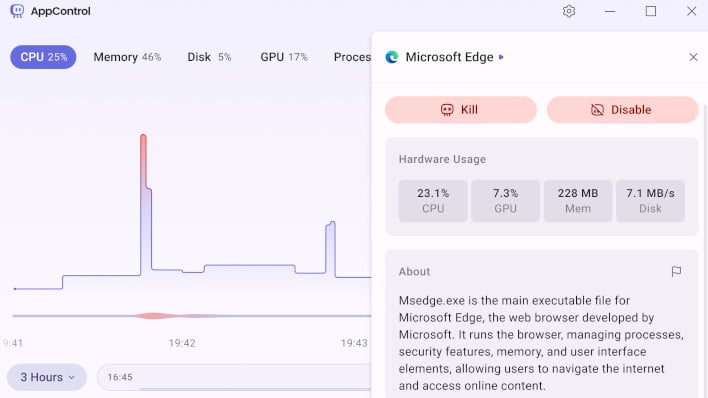
On the note of user privacy, "AppControl collects little to no data by default, requires no registration, and offers optional features such as suspicious-app detection only with explicit user consent." The software runs atop the open-source, high-performance UI framework Flutter, and "runs securely on modern versions of Windows without security warnings or workarounds.” While you do need Admin privileges to install the application in our own testing, it works quite seamlessly as a Task Manager replacement and has some nice customization features to lower its performance footprint or switch it up to Dark mode.
As Windows gets heavier to run in the background with time, an overhauled Task Manager alternative becomes a very good fit for modern users. Whether you want to make it easier to detect potential malware, iron out exactly how much Windows' AI integrations tax system resources, or just like useful system utilities, AppControl should work well.




