



Microsoft Gave BitLocker Encryption Keys To The FBI, Report Claims


Microsoft complied by handing over recovery keys for three encrypted laptops that it had stored in its cloud infrastructure. The company says it receives roughly 20 such legal requests per year and will provide recovery keys where it has them and the order is valid, but in many cases it can't assist because the user never backed up keys to Microsoft's servers in the first place. While the technical reality of cloud-based key storage has been known to experts for years, this case marks the first confirmation regarding Microsoft's policy of handing those keys over to law enforcement.
So that's the story, but underneath it lies a more troubling revelation for privacy and encryption: BitLocker, long sold as "strong full-disk encryption" for Windows, isn't really under the user's control in Microsoft's recommended default configuration. Modern Windows systems turn on encryption automatically when you sign in with a Microsoft account, and that process then uploads the recovery key back to Microsoft's cloud, all without telling you up front that it's doing any of this.
In theory, "full-disk encryption" means only the owner possesses the key that can unlock the data. In practice, the default Windows setup hands a copy of that key to Microsoft, and that becomes a convenient tool for law enforcement, as the Redmond company's infrastructure was designed to be able to retrieve and share those keys when faced with a valid warrant.

That decision erodes one of the few compelling consumer arguments in favor of BitLocker in the first place. For everyday users, BitLocker was supposed to protect against physical theft—a stolen laptop, a cloned hard drive—not to be a backdoor for authorities when someone points a piece of paper at the vendor. If Microsoft already quietly holds a copy of your key, then in a legal sense BitLocker hasn't bought anyone much real privacy against the state. It's security theater: the lock looks formidable, but the key is sitting in someone else's pocket.
Put another way: a consumer enabling BitLocker shouldn't have to also be an expert in key escrow architecture, cloud trust boundaries, and provider TOS to understand what they've just signed up for. Most Windows users who mindlessly hit "Next" over and over during the system's initial setup won't know that they've just given Microsoft a literal skeleton key to their disk, and one which can potentially end up in the hands of law enforcement.
That's why the arguments in favor of default-on for consumer BitLocker are suspect at best and borderline absurd at worst. There are real downsides: software-based encryption can introduce measurable performance regressions, and even seasoned technicians will tell you that encrypted drives complicate legitimate data recovery or repair work when you don't have the key on hand. More pressingly, unexpected BitLocker activations after updates can lock users out entirely if they can't find their recovery key, as happened last year when a Windows security update locked users out of their PCs unintentionally.
Critics of the default-on model argue two main points that we should foreground here. First, you don't need to be doing anything illegal to want privacy. Journalists, clinicians, activists, legal staff, and everyday people have legitimate reasons not to want a third party holding a decryption key to their data. Second, Microsoft's choice of defaults feels more like a marketing play, an attempt at signaling "we take security seriously", rather than a sincere effort to give users meaningful control. After all, improved perception of security is easy to advertise; substantive, user-centric key management that doesn't involve central escrow is much harder.
To be clear, disk encryption itself obviously has its place. For threat models where the system is likely to be the victim of a targeted attack that seeks data exfiltration through physical theft, encrypted storage can sometimes provide a real barrier. The question isn't "should disk encryption exist?" but "should every user have it forced on them in a way that circumvents its strongest promise?"
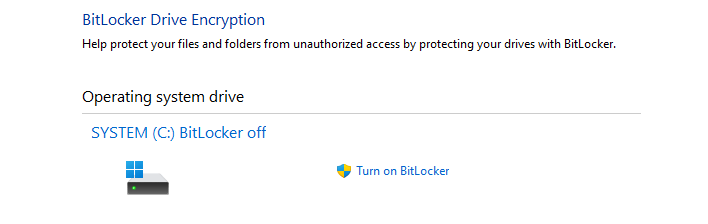
For users who do want to avoid having their BitLocker keys in Microsoft's hands, there are practical alternatives: you can choose not to store recovery keys in your Microsoft account and instead save them locally (for example by printing them, saving to a USB drive, or managing them yourself outside the cloud). During manual BitLocker setup, Windows does prompt you to choose a backup location, and if you delete the cloud-stored recovery key and then back up a new one manually—and never save it to your Microsoft account—Microsoft will no longer hold a usable key for that device.
Of course, you can also turn off BitLocker entirely if you don't want the default behavior. If you're a regular PC user who doesn't have state secrets on their machine, or in particular, a user who uses their PC like a "Wintendo," you're really not giving up much. This is as simple as searching for "device encryption" in your start menu, opening the relevant settings page, and then selecting "Turn off BitLocker." This will decrypt the drive over time and stop automatic encryption going forward. Alternatively, if you are concerned about the physical security of your data, then you can use the same process to enable BitLocker manually on supported machines.





