



You Can Now Control Your Roku Streamers And Roku TV With Amazon Alexa, Here's How

Roku has just announced a new enhancement for owners of Roku streaming devices and Roku TVs. Thanks to a new Amazon Alexa skill that is now available, you will be able to use any Alexa-enabled device to control your Roku hardware.

While customers that have Roku Voice Remotes can already bark voice commands, this new Alexa tie-in opens up voice control to a broader Roku audience. In order to enable this newfound Alexa functionality, your Roku devices will need to be updated to Roku OS 8.1 or higher and you will also need to enable the new Roku skill.
Amazon’s entire family of Echo devices are supported including the Echo, Echo Plus, Echo Dot and display-equipped Echo Show. Once enabled, you’ll be able to issue voice commands using the “on Roku” suffix. For example, you could say “Alexa, open Netflix on Roku” or “Alexa, turn down volume on Roku”. Nearly every command that you would access on a daily basis is available by voice including changing inputs.

Roku added Google Assistant support – i.e. Google Home, Google Home Mini – last year, so it was only a matter of time before support came to the world’s #1 digital voice assistant.
“Consumers often have multiple voice ecosystems in their homes,” said Ilya Asnis, senior vice president of Roku OS at Roku. “By allowing our customers to choose Alexa, in addition to Roku voice search and controls, and other popular voice assistants; we are strengthening the value Roku offers as a neutral platform in home entertainment.”
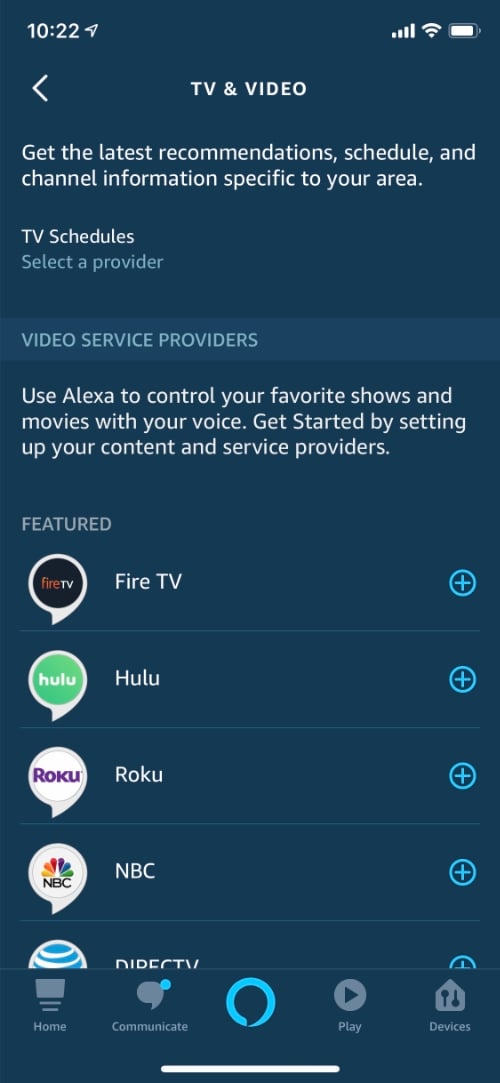
To ensure that your Roku streaming box/stick or Roku TV is currently running at least Roku OS 8.1, navigate to Settings --> System --> About. If you notice that you’re using an older build, go to Settings --> System --> System Update --> Check Now to get the latest build. You can get the Roku Alexa skill by opening up the Alexa app on your smartphone and going to Settings --> TV & Video, after which you can enable the Roku skill and link it to your account.




