



ROG Xbox Ally Handheld Gains New Xbox App Tricks In Latest Update


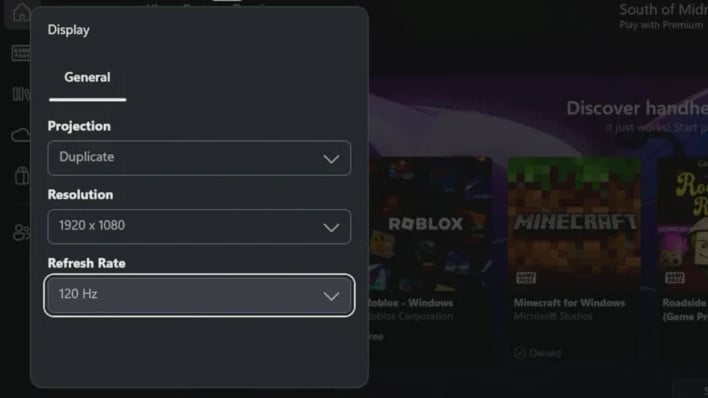
Besides that, there's also the ability to customize notification positioning, and an integrated button for opting into the Windows/Xbox Insider Program right from the overlay. Since the Insider Program will provide the latest cutting-edge features for Xbox Ally handhelds, we imagine that will be a useful addition for a number of players, though we advise some degree of caution if your Xbox Ally happens to be your only PC. Even when Microsoft has the best of intentions, there's always some risk involved with being an Insider and installing beta releases.
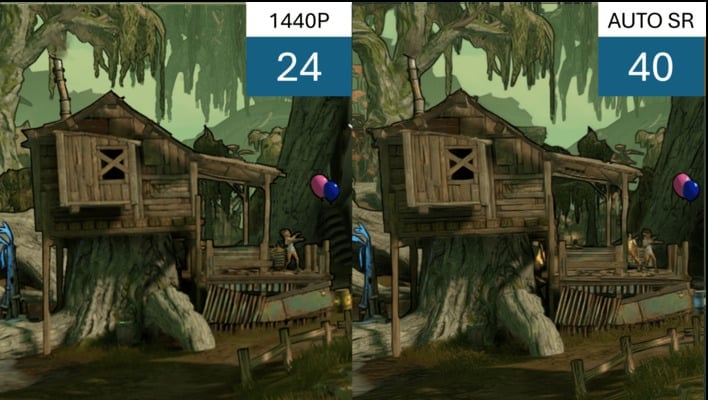
Initial testing of AutoSR on the ROG Xbox Ally X upscaling seems positive
Back to the looming addition of AutoSR upscaling for the ROG Xbox Ally X, which has an NPU capable of running the feature. If you're already familiar with upscaling technology, you'll know that AMD FSR and Intel XeSS already work perfectly fine on ROG Xbox Ally handhelds, so you may not see why this is a big deal. Simply put: it's a form of upscaling with virtually no CPU or GPU overhead to speak of since it all happens on the NPU. Even better, AutoSR applies automatically to supported titles once you enable it. The pool of supported games is still limited, but it's growing. At time of writing, only the following games support AutoSR upscaling:
- 7 Days To Die
- BeamNG drive
- Borderlands 3
- Control
- Dark Souls III
- God of War
- Kingdom Come: Deliverance
- Resident Evil 2 Remake
- Resident Evil 3 Remake
- Sekiro: Shadows Die Twice
- Shadow of the Tomb Raider
- Skyrim Special Edition
- Sniper Ghost Warrior Contracts 2
- The Witcher 3: Wild Hunt
Image Credit: ROG Ally Life (overlay screenshot)




