



Microsoft Is Testing A File Explorer Trick To Speed Up Load Times In Windows 11


Some users have been critical of this supposed fix on social media, claiming that Microsoft is not really optimizing File Explorer, but rather pre-loading a bloated application to give the impression of faster launch performance. File managers on alternative OSes typically launch much quicker and consume less memory. Alternatives for Windows, like File Pilot (currently in beta), also launch more quickly and consume fewer resources. Users can disable the pre-load feature if they choose in in File Explorer's Folder Options menu, by unchecking the entry labeled, "Enable window preloading for faster launch times".

Since performance complaints have been an ongoing issue with Windows 11 that only increased since Windows 10 went EoL, seeing Microsoft make some updates focused on improving the OS beyond shoehorning in AI features is a good development. Other features being rolled out to the Dev & Beta Channels of Windows 11 version 25H2 include the Xbox Full Screen Experience on all PCs (no longer limited to handhelds), Point-in-time restore for Windows, Fluid Dictation in Voice Typing for NPU-powered PCs, and several other minor fixes.
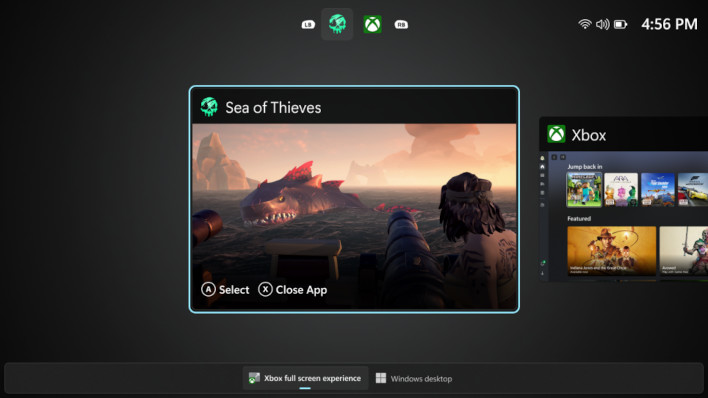
All other features and fixes are being gradually rolled out and require users to manually download an "enablement package" via Windows Update. Why so many of these Windows Insider updates, across both the Dev and Beta channels, requires manual opt-in is somewhat quizzical, since users have already opted into a particular Insider channel in the first place, though it's hard to fault Microsoft for prioritizing system stability with a more gradual rollout.




