



Tired Of Windows 11 Bloat? Microsoft Pledges Massive Cleanup For Peak Performance


Microsoft is taking criticisms over the direction of Windows 11 to heart and vowing to make several key changes going forward, including fewer AI distractions as it rethinks its strategy.
In a blog post to Windows Insiders, Pavan Davuluri, Executive Vice President of Microsoft's Windows + Devices division, outlined the development plan for Windows 11 and what to expect, much of which will be well received by users if the company can make good on its promises. The one that is catching the most attention is Microsoft's commitment to pull back on its AI integration.
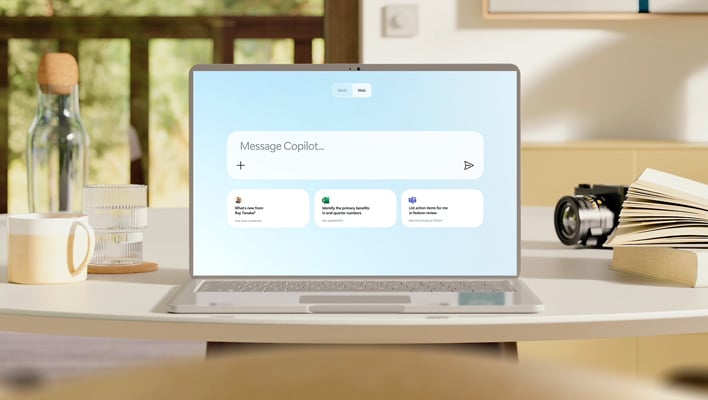
Davuluri says Microsoft will be "more intentional about how and where Copilot integrates across Windows" to focus on areas where it is truly useful and polished. Part of that includes "reducing unnecessary Copilot entry points," which will start with a handful of apps such as the Snipping Tool, Widgets, and Notepad.
The infusion of AI has been one of the main points of angst among Windows 11 critics who have sought ways to remove AI bloat. Microsoft is far from alone in embracing and pushing AI in such a big way, but given that Windows 11 is being used by over 1 billion people, any perceived flaws or misdirection in its development are amplified in the public eye.
Microsoft's strategy up to this point has been met with considerable backlash, to the point where the company banned the derogatory term "Microslop," a play on words between Microsoft and AI slop, from its Copilot Discord channel. There's no shortage of unflattering memes, either.
Taking Microsoft at its word, AI will be less in-your-face in Windows 11 going forward. Davuluri also is also promising several other quality-of-life improvements, such as a more customizable taskbar that will finally let users reposition the taskbar with any hassle. Once finalized, Windows 11 users will have the option of repositioning the taskbar to top or either side of the desktop, in addition to the default bottom orientation.
Another big change is an effort to reduce disruptions from Windows updates.
"Receiving updates should be predictable and easy to plan around, so we’re giving you more control. This includes the ability to skip updates during device setup to get to the desktop faster, restart or shut down without installing updates and pause updates for longer when needed, all while reducing update noise with fewer automatic restarts and notifications," Davuluri says.
Beyond those aspects, Davuluri says Windows 11 users can expect a faster and more reliable File Explorer (including a quicker launch experience, reduced flicker, and smoother navigation), more control over widgets and feed experiences with "quieter defaults," and a simpler, more transparent Windows Insider program.




