



Google Gemini Just Leveled-Up With A New App For Windows


Google is expanding its desktop footprint by releasing a dedicated Gemini app for Windows 10 and 11, with support for both x86 and Arm. Having already arrived on Apple's macOS several years, having access to Gemini in a Windows app means PC users no longer have to keep a browser tab permanently pinned or rely on browser extensions to access Google's AI model.
Once installed, hitting Alt + Space anywhere in Windows summons a floating Gemini overlay that opens over your active work. In macOS, hitting Option + Space brings up the same Gemini window, after which you can ask Gemini questions, have it verify facts, draft text, and so forth.
Google's new Gemini app for Windows also offers a full desktop workspace with the ability to connect with Google Workspace tools like Gmail, Docs, Drive, and Calendar.
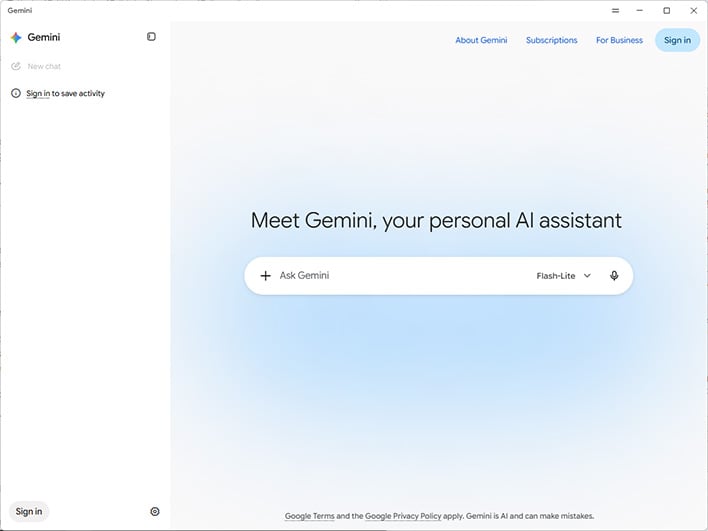
"Inside the new app, you can access everything you use Gemini for already. Hand off multi-step tasks to Gemini Spark
1, your 24/7 personal AI agent, or ask Gemini to draft a project summary by pulling information directly from your Google apps like Gmail and Google Drive.," Google says.
Users can also render custom images with Google's Nano Banana image generation model. Additionally, you can sign into the same Google account in the Gemini app, and your chat history and memory will sync across devices.
It's not a groundbreaking release by any stretch, though having a dedicated and floating Gemini app in Windows does offer a bit of convenience versus having it tied to a browser tab. We gave it a quick spin and it's basically a standalone container for Gemini, rather than an AI that deeply integrates itself into Windows the way Copilot does.
The hardware requirements are fairly lax, too—you need 8GB of RAM and at least 200MB of disk space, and, of course, a stable internet connection.




