



Windows 10’s Xbox Game Bar Gains Key Features That Gamers Might Actually Use


Microsoft is now making this third-party widget support available to anyone running the newly released Windows 10 May 2020 Update. All you need to do is download the latest version of the Xbox Game Bar (ver 5.320.5291), which is available now in the Microsoft Store. Then, when you first open the Xbox Game Bar – which can be accessed by pressing Win + G – you’ll be able to access the newly available third-party Widget Store from the Widget Menu. We should note that the Widget Store is currently in beta.
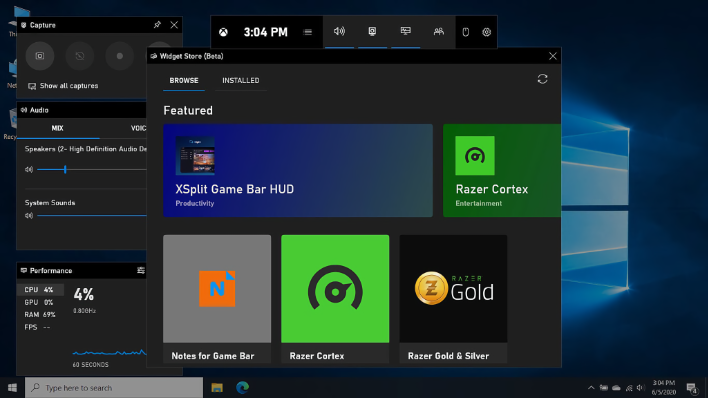
At this time, the Widgets Store isn’t filled to the brim with options, but these are the widgets currently available:
- Razer Cortex
- Razer Gold & Silver
- XSplit Game Bar HUD
- Notes for Game Bar
- Gamebar Browser
- Browser for Xbox Game Bar
- Ghost – Overlay for Destiny 2
That’s not exactly a very compelling initial lineup, but here’s to hoping that software developers start populating the Widgets Store with useful utilities. At this time, the previously announced Intel Graphics Command Center widget is not available to install.
The Windows 10 May 2020 Update was released to the public on May 27th, and has been rolling out slowly to supported systems. A number of systems, however, have upgrade blocks in place that prevent the update from being installed due to current hardware or software incompatibilities. One such block involves systems with Intel Optane memory installed.




