



A Recent Windows Update Is Causing App Installs To Fail, Here's The Workaround


To avoid unauthorized changes in Windows, many applications request administrator privileges during installations, repairs, or when altering or creating files on the system. Due to a recent security update that mis-behaving, however, standard users on a system (i.e. non-administrators) may be prompted to input an administrator password for things like for things like running MSI repair commands, launching Autodesk applications, installing applications that configure themselves per user, enabling Secure Desktop, or deploying packages via Manager Configuration Manager (ConfigMgr) that rely on user-specific configurations.
If this bug crops, and a standard user runs an app that triggers an MSI repair operation without displaying UI, it will fail with an error message. The workaround is to simply run the application as an administrator, by right-clicking its shortcut (or installer), and choosing "Run as administrator" from the context menu. If the application is listed in your Start menu, right-click, select More, then "Run as administrator".
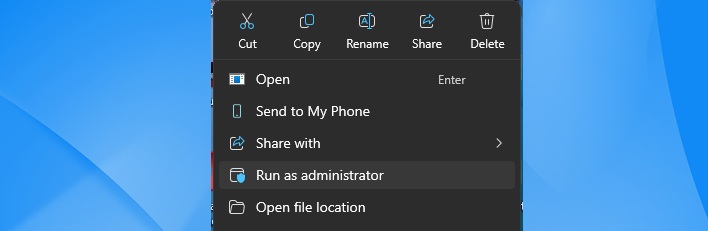
In situations where standard, non-admin users cannot “Run as administrator”, IT admins can workaround the issue by "installing and configuring a special Group Policy using Known Issue Rollback (KIR)".
Microsoft also said that it is “working to address this issue by allowing IT admins to permit specific apps to perform MSI repair operations without UAC prompts" for password input. This improvement will be released in a future Windows update. You can view a comprehensive official document on this matter via this link.





