Don't Go To Campus Without These Must-Have Back-To-School Tech Accessories
by
Chris Harper
—
Wednesday, September 02, 2026, 12:45 PM EDT
Our top Back To School accessory picks. Image: Amazon Sellers (Linked Below,) Original
With summer coming to a close, and a new school year upon us, we have put together a list of must-have Back-To-School tech accessories. This list is focused on items that may come in handy or improve your workflow, whether at your desk, in a dorm, or on the go, and ranges from inexpensive peripherals and gadgets to killer monitor deals, including a 32" Samsung monitor for well under 200 bucks...
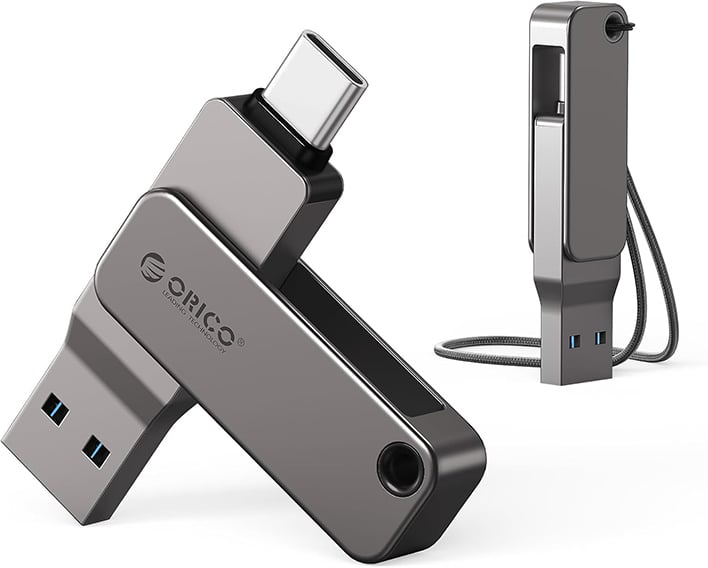
If you ever need to transfer files between multiple systems or devices, a good flash drive is an essential item. This Orico Dual USB-C/USB-A Flash Drive should do the trick for most people. It's got both USB-A and USB-C ports, is compatible with virtually every platform, and its affordable too. 32 GB and USB 3.0 may seem modest by the standard of today's cutting-edge portable SSDs, but that's not what this compact little drive is all about. For basic school needs, you should be set with this drive.
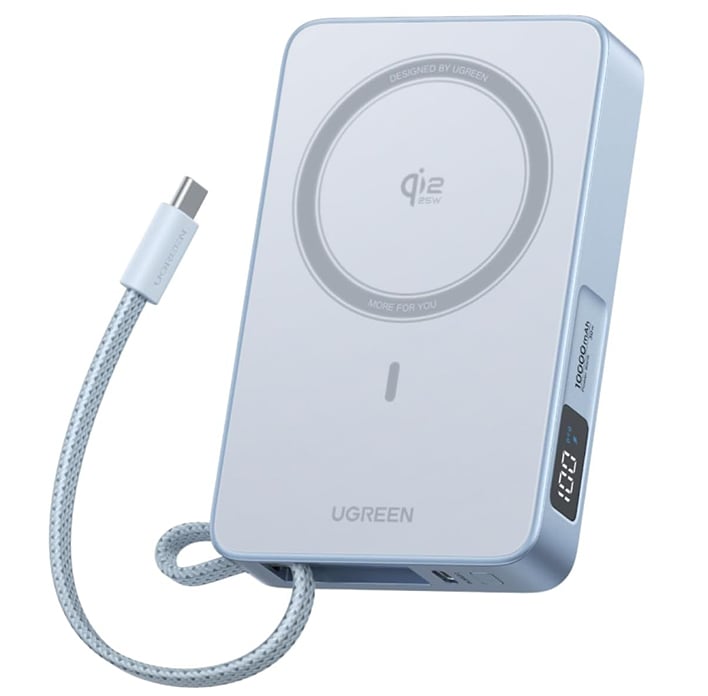
If your phone supports wireless charging and/or MagSafe connectivity, or you want a beefy power bank for your bag, the UGreen MagFlow Qi2 Wireless Power Bank should be a compelling option. The UGreen MagFlow can charge phones in one of two ways: wirelessly via Qi2 at 25W, or over a wire at 30W. For iPhone users or Android users with compatible cases in particular, the MagSafe support combined with its other features should be a winner, since you can simply snap the charger to the back of your phone and go about your business.
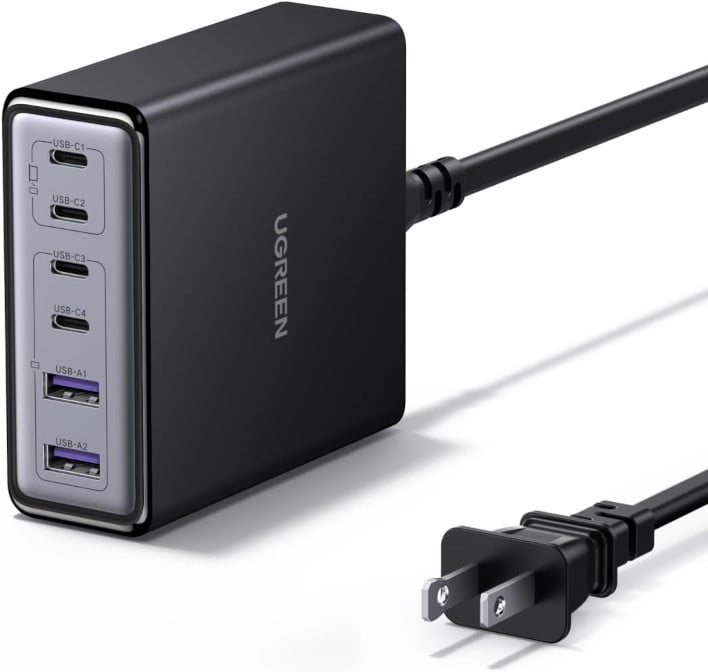
The UGreen 100W USB-C Charging Station is a 6-port GaN charger that supports up to 65W to a single USB-C port, enabling full-speed charging for many modern laptops and smartphones. The other three USB-C ports support up to 35W, and the two USB-A ports go up to 22.5W. For most of your desktop charging needs, this UGreen 100W USB-C Charging Station should more than suffice.
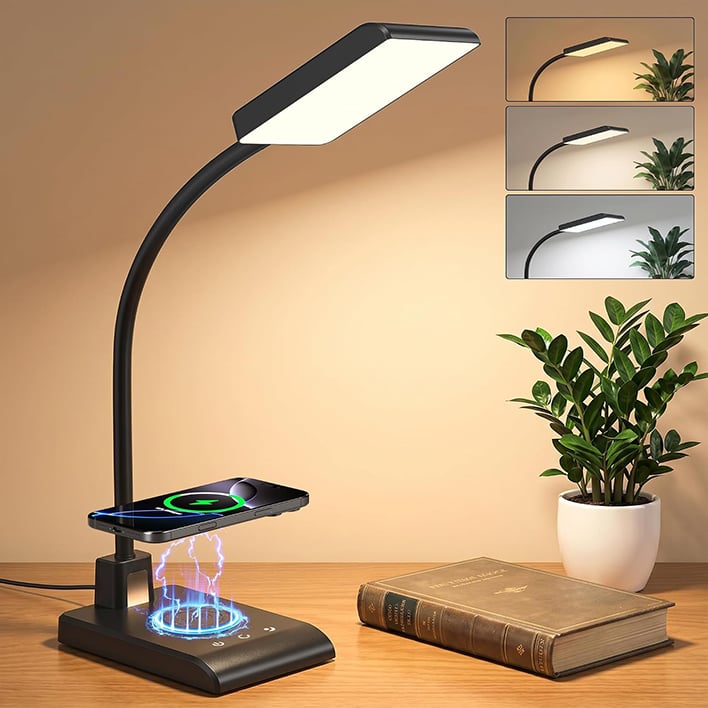
Hansang's Desk Lamp With Wireless Charger. Image: Hansang
No desk is complete without a lamp, so why not get one with a wireless charger built-in? The Hansang Desk Lamp With Wireless Charger supports 10W wireless charging. In terms of actual lamp features, it can shift between three different color temps (3000K, 4000K, 5000K,) and offers 5 to 100% brightness adjustment. Plus, there's onboard memory that saves preferred brightness and color settings, as well as a 30-minute timer function.
Omorsri's Large (31.5 x 11.8 inch) Mouse Mat. Image: Omorsri
Mice always perform best when used on mouse pads or mouse mats because a smooth, uniform surface, with a microscopic texture allows the sensor to function optimally. If you want a sizable mouse mat for about the same price as big-brand mouse pads, the Omosri Large Mouse Mat could be a good fit for you. It only costs $16.99 at time of writing, and has a number of design variants if you'd also like to add a bit of personality and color to your setup.
If you want a more subtle option, there's also the slightly-cheaper KTRIO Large (31.5 x 15.7-inch) Mouse Mat, which is what I personally use. For only $15.99, it's a steal, and those extra inches can come in handy if you prefer the mat in a "portrait" orientation.
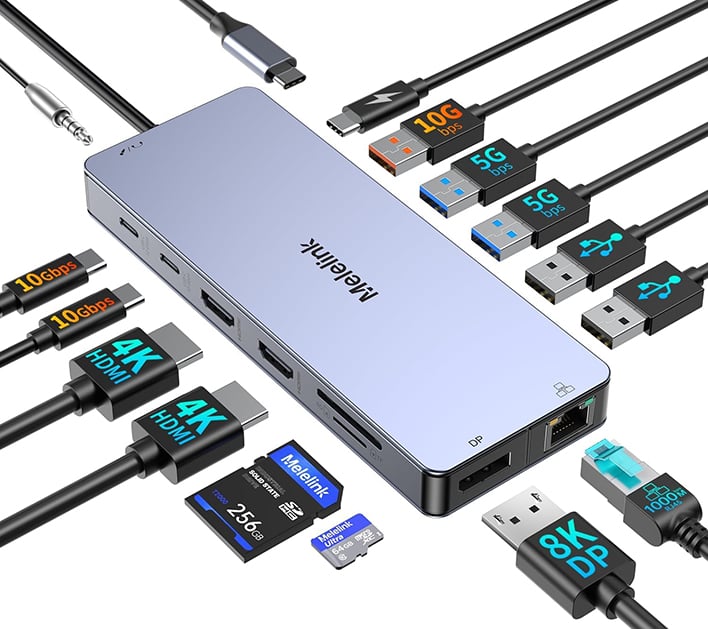
If, like many students, you make use of a laptop, the addition of Meleink's USB-C Laptop Docking Station to your desk setup could prove to be extremely versatile. This mini Docking Station includes both a microSD and full-size SD card slot, as well as dual 4K HDMI ports and 1 DisplayPort for video output. There's also an Ethernet port, two 10 Gigabit USB-C ports, and five USB-A ports. The Docking Station even supports 100W USB-C Power Delivery (when plugged into a capable port), which is great for charging compatible USB PD-compatible laptops. A dock like this is also a great way to make moving from a multi-monitor desktop setup to an on-the-go laptop super-easy, because only a single-cable need to be connected.
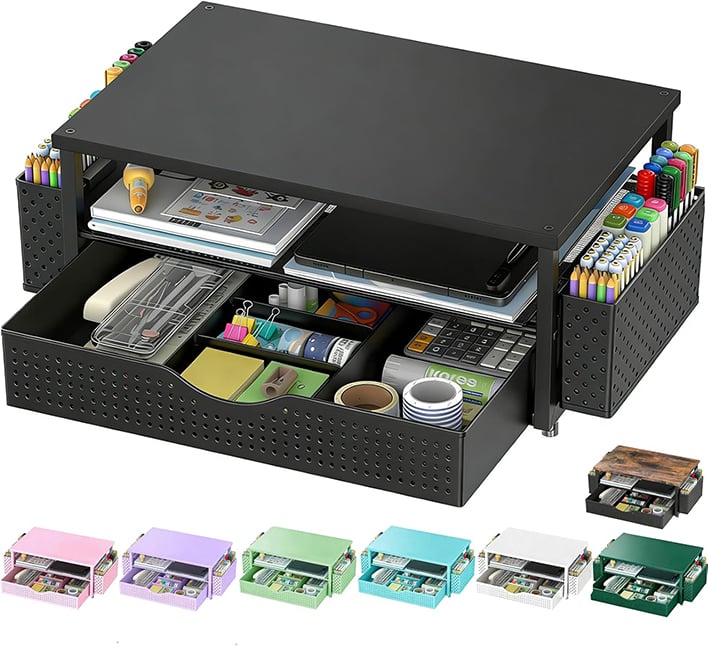
Spacrea's Monitor Stand & Desk Organizer is a cheap, flexible solution for on-desk storage that doubles as a monitor stand. While we urge users with heavier monitors to check the stability of a stand like this under the monitor's weight, this should be a handy upgrade for many of you, to improve the height and ergonomics of your monitor, while providing some additional storage to declutter that desktop. It's particularly great for docked laptop users, since it elevates the screen closer to the eyeline. Plus, there are a few color varieties, including an all-white model.
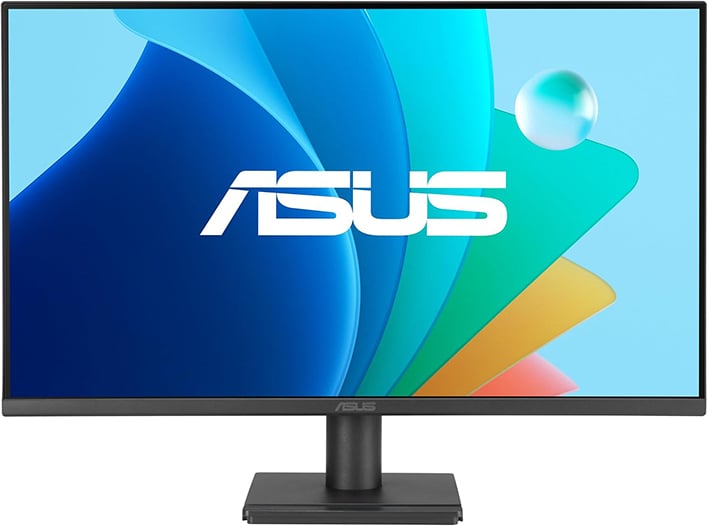
The ASUS VA279HG is a highly-rated 1080p 27-inch IPS gaming monitor at an accessible price point, and a solid recommendation for students who want some additional screen real estate for work, or to get in some gaming in on the side. With support for Variable Refresh Rates (VRR) up to 120 Hz, this monitor is great for console gaming or a budget-friendly PC experience. Plus, it covers 99% of the sRGB color gamut, which should provide accurate colors.
For general use, 27 inches is also great for the screen real estate it offers, particularly with the wide viewing angles of an IPS panel. While the screen is limited to 1080p resolution, you can still make good use of the increased screen space for additional work area or media consumption. For a monitor at this price point, it's a well-balanced option.
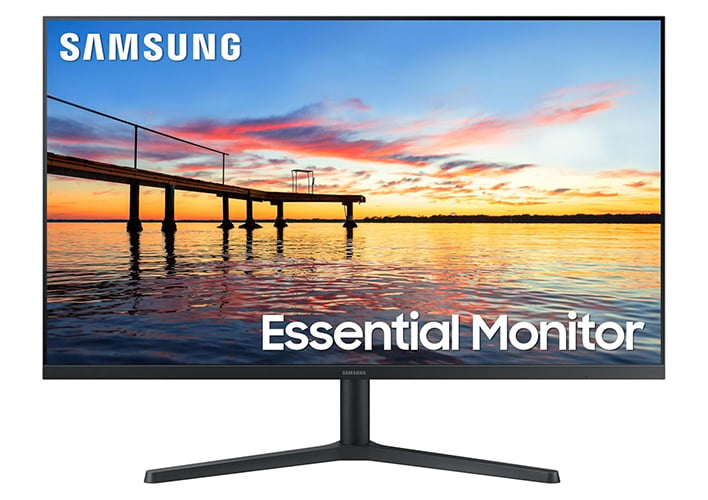
Another great display for the money is the Samsung S30B 32-Inch VA monitor, but it is a little pricier and has a few caveats.
This monitor is best suited to those who will primarily use it, while seated directly in front of the display. This is due to the unique strengths of VA panels, which offer excellent contrast ratios, but aren't great when viewed off-axis. The refresh rate is also lower at 75 Hz compared to our previous option, and it supports AMD Freesync, but the impact of that will depend on your setup.
Besides that, you're lookin' at a beefy Samsung monitor that, at 32 inches, more or less can double as a TV. If that's something your setup could benefit from, Samsung S30B is an affordable option for a display this size. It's not particularly gaming-focused, but for console or casual gamers, it doesn't have to be.
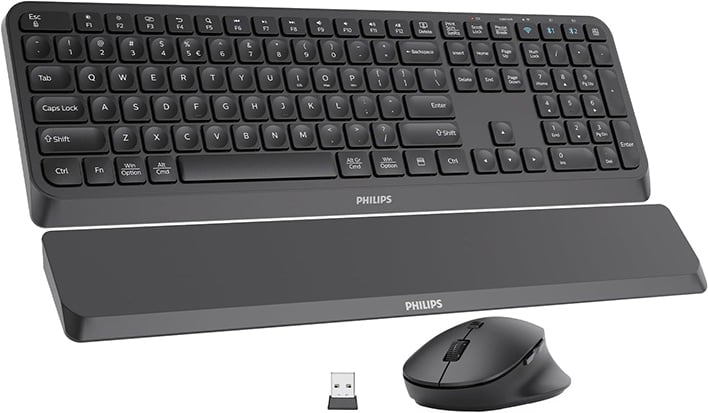
It'd be difficult to write a guide like this without including some peripheral kits, and our first recommendation is this Phillips Wireless Keyboard and Mouse with Wrist Rest Set. The set may seem barebones, but the features included for the $39.99 asking price are actually quite nice. The wrist rest is an obvious bonus, and the mouse has a nice, ergonomic shape.
What sticks out the most is actually the fact that this Phillips bundle can be used over both standard Bluetooth and 2.4 GHz wireless. That might not seem like a big deal, but 2.4 GHz wireless is much more stable and lower latency than Bluetooth, and when one adds the 5 adjustable DPI levels (from 800 up to 3200) on the mouse, suddenly decent gaming is possible. Not bad for $40.
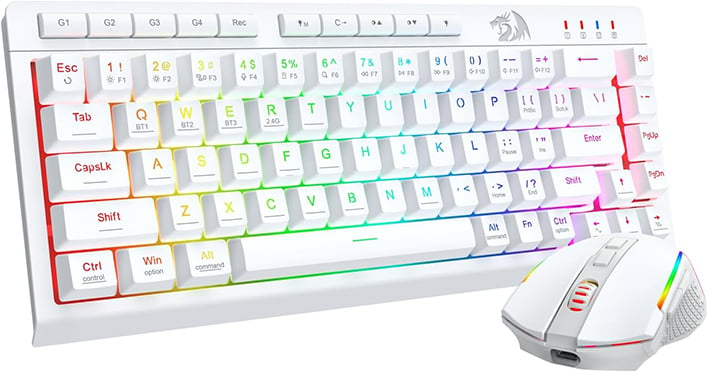
Redragon Wireless Gaming Keyboard and Mouse Combo. Image: Redragon
Another good option if you're in the market for wireless PC peripherals could be the Redragon Wireless Gaming 60% Keyboard and Mouse. For your money, you get a wireless 60% gaming keyboard and mouse complete with customizable RGB backlighting and full software control. And don't worry if the white bundle pictured above doesn't strike your fancy: Redragon's Wireless Gaming 60% Combo also comes in black.
Compared to the Phillips setup above, the Redragon optical gaming mouse includes extra buttons and can be set up to 12800 DPI via software. Since 60% keyboards also omit the number pad entirely, the Redragon keyboard also has a much smaller footprint, which can be useful in cramped dorm settings.
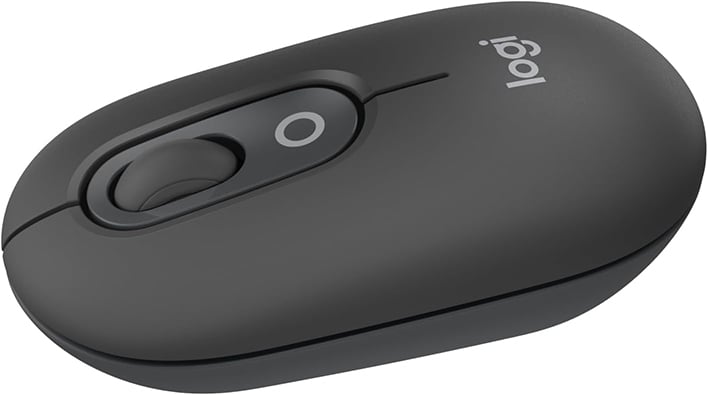
Looking for a low-profile, high performance wireless mouse that can seamlessly be used across up to 3 devices and fit in any laptop bag? The Logitech POP Wireless Mouse might be just the ticket. Despite its "Pop" naming, this mouse is both compact and silent when clicked, removing an estimated 90% of click noise compared to common mice. Since its restricted to Bluetooth, it's not for a gaming PC, but if you hate using your laptop's touchpad and want something highly-portable with great battery life, at an affordable price, the Logitech POP Wireless Mouse is a great choice.
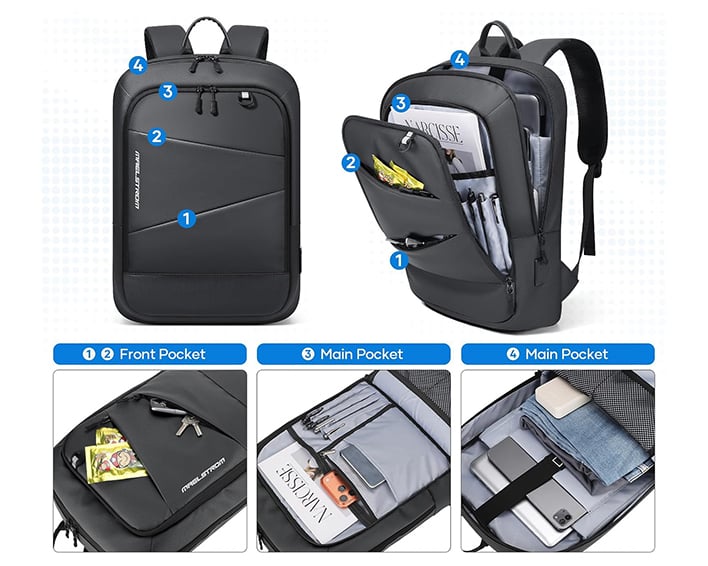
Tired of lugging around your laptop in a regular bookbag, or just want a spacious bag with a modern design? We highly recommend the Maelstrom Slim Laptop Backpack, which comes in both a 15.6-inch model at $42.99 and a 17.3-inch model at $46.99.
Not only is the backpack made with high-grade, durable, and water-resistant materials, but it also includes a built-in USB charging port with an interior cable to charge devices with a power bank. For a great way to keep your gear safe on-the-go, the Maelstrom Slim Laptop Backpack is a top choice.
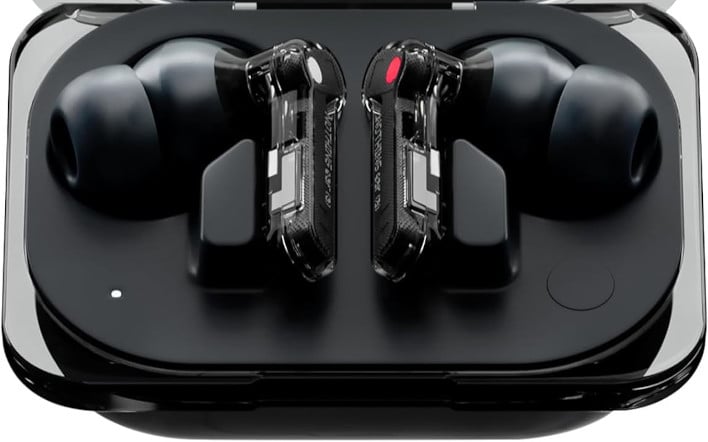
Last but not least, if you just want to wind down and relax with some music, the Nothing Earbuds are currently our favorite wireless earbuds available for under $100, and at the moment they're even on sale for as low as $59 while supplies last. This applies across all three Black, White, and Yellow color variations, as well.
As for why we recommend Nothing Earbuds, it's because they're feature-packed, look cool, and sound great for the price. The bass, active noise cancellation, and built-in mic make competing cheap Bluetooth headsets seem like a joke.
Christopher Harper is a tech writer with over a decade of experience writing how-tos and news. Off work, he stays sharp with gym time & stylish action games.
TOP STORIES
Which New GPU Is For You?
KEEP INFORMED
Stay updated with the latest news and updates. Subscribe to our newsletter!