



Do You Need a Third-Party Antivirus for Windows 11? Here's What Microsoft Says


Try to hide your surprise, but according to Microsoft, Windows 11's built-in security is just fine for most people, negating the need to seek out a third-party antivirus solution. What, you're not actually surprised? Try this one for size, then—in the same breath, Microsoft admits that there are actually situations in which turning to third-party AV software can be beneficial, and not just because of a recent trio of Defender zero-days.
Truth be told (as we always do around these parts), I'm with Microsoft on this one. A long time ago, I used to review both paid and free antivirus software solutions for Maximum PC magazine with several AV roundups under my belt (and a spattering of standalone reviews). In the years since, however, I haven't really felt a need to replace Defender with a third-party solution, which has kept my PCs from harm.
Sure, that's anecdotal, but there is evidence to back up the claim that Defender is good enough for a of people. The latest results by AV-Test, an independent testing firm, shows Defender being among the best AV solutions. Same goes for testing by AV-Comparitives, which awarded Defender its Advanced+ badge, the highest available.
"Microsoft Defender Antivirus runs continuously as part of Windows and receives updates through Windows Update. Security intelligence updates and detection improvements arrive automatically, without separate configuration or maintenance. This integration keeps antivirus protection aligned with system updates and platform changes," Microsoft states in a blog post.
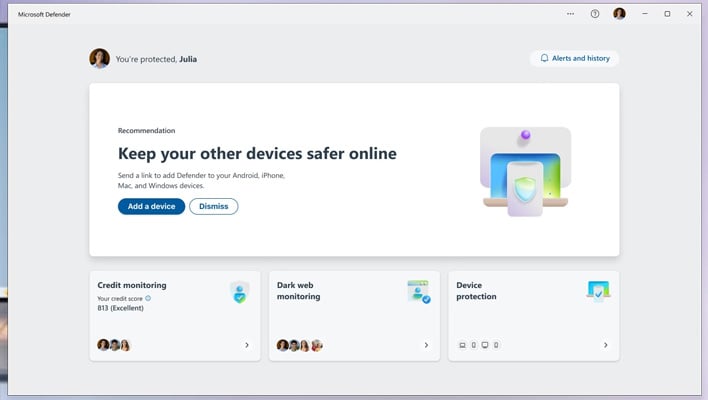
Microsoft goes on to say that the level of security Defender provides is "usually sufficient" so long as users stick with the default protections in Windows 11 and regularly install updates.
So when should you consider a third-party antivirus solution? If I'm the one giving advice, I'd say the answer is whenever you want to. As good as Defender is, there are some really good alternatives out there, both free and paid, and the impact on system performance can vary among them.
Microsoft's official guidance (as spotted by WindowsLatest) is a little more narrow and comes with a caveat.
"You might consider extra security software if you manage multiple devices, share devices with family members, or want services like identity monitoring or parental controls.
Each added tool increases background activity and complexity, so choose tools that match real needs," Microsoft states.
Whatever antivirus you decide to run, give yourself an edge by practicing safe computing habits. Some general tips include avoiding seedier sides of the web, avoid clicking on unexpected links in emails and messages, utilize strong passwords and multi-factor authentication where possible, and regularly backup your data.




