



ASUS AEMP Can Now Optimize Mixed DDR5 Memory Kits Without XMP


See, for decades now, DIY PC builders have been buying RAM aimed at enthusiasts. This memory comes complete with oversized heatspreaders to help with the fact that it relies on significant overvolting to reach its advertised overclocked speeds. With the memory crisis looming overhead like a storm cloud, it's impossible to blame anyone who chooses to buy what ASUS calls "industry standard" memory, though. This is RAM that only runs at JEDEC speeds, and while that means assured stability, it also means much lower performance.
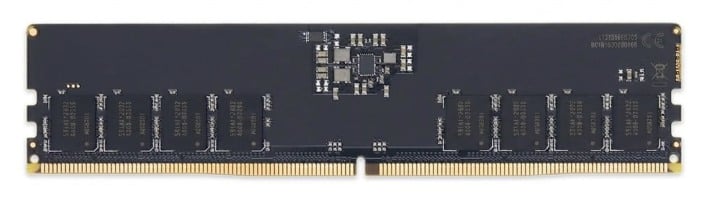
It's entirely possible that you've never actually seen RAM like this before. It doesn't come with fancy lighting or aluminum heatsinks; just bare green PCBs with DRAM ICs piled on. These modules typically don't include overclocking profiles, so they run at JEDEC-spec speeds, and that's slow. It's not about the transfer rate; 4800 MT/s to 6400 MT/s only a 25% bump, and memory bandwidth is very rarely a limiting factor in client application performance, especially with DDR5.
The point is really the memory timings, because that's what actually affects memory latency. JEDEC modules run incredibly loose timings compared to even cheap XMP kits; while you might sneer at a DDR5-6000 kit with CAS latency 34, JEDEC timings for DDR-5200 often set a CAS latency of 46 cycles or higher. This can trivially result in memory access latencies over 100ns, which in turn has a seriously deleterious effect on gaming performance. The TL;DR is that slow RAM can really hurt the gaming experience.
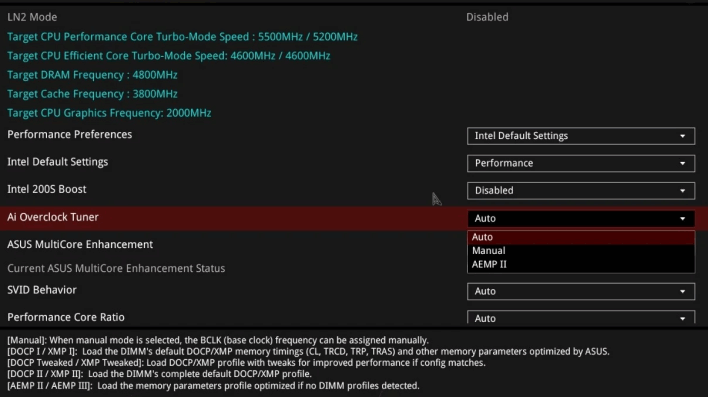
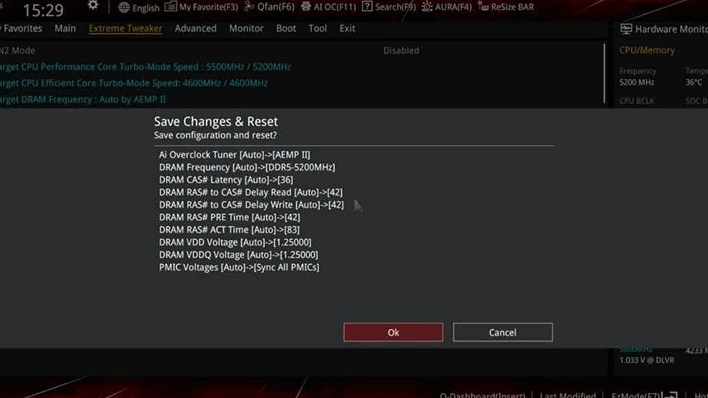
Not all hope is lost, though. As we said, you can turn to manual overclocking, or if you don't have the skills (or the time) necessary, you can use automatic tools, and that's exactly what ASUS' AEMP feature is. Only available on RAM that doesn't have an XMP or EXPO profile, AEMP will spend a few minutes to test your RAM and find its limits in a coarse way. It's not a comprehensive overclocking toolkit—for one thing, it doesn't give the user any real control over what it does—but in ASUS' example, it took a machine with four mismatched memory sticks from 4800 MT/s to 5200 MT/s, and lowered CAS latency from the automatic 48 cycles (20ns first-word latency!) down to 36 cycles, a 33% improvement.
It's worth noting that this guide primarily applies to Intel CPUs; while the original AEMP is still available on some AMD motherboards, the more advanced AEMP II and AEMP III (which is for CUDIMMs) are not. ASUS says this is because AMD boards simply don't need the same level of memory optimizations as Intel machines, and that's largely true; Intel chips scale performance much further on memory tweaking than AMD systems—especially AMD machines with 3D V-Cache.
The "mismatched memory sticks" part is the novel bit, by the way; AEMP has been around since the launch of Alder Lake, the 12th-generation Core microprocessors. It simply wasn't particularly relevant until now, as most DIY builders were able to buy fancy memory kits with built-in overclocking profiles. ASUS actually has a more advanced feature called DIMM Fit that is meant for use with RAM that includes overclocking profiles, and it's much more comprehensive, taking more than an hour to complete and requiring many reboots. The company says it's planning a detailed guide on how to use DIMM Fit soon, but if you're interested in AEMP, you can hit up Reddit to see the company's guide and demo of the feature.





