



6 Affordable Windows PCs To Buy Instead Of Apple’s $599 MacBook Neo


The space of budget laptops has seen continuous improvements thanks in great part to AMD and Qualcomm's efforts, but the announcement of Apple's MacBook Neo for just $599 has proven one of the biggest disruptions in years. Even while writing up this article of alternative picks (four cheaper, two more expensive), it's hard to outright downplay the Neo's sheer performance-per-dollar or battery life, even for a largely Windows-centric writer like myself.
That said, there are alternatives available for those who want to stay within the PC and/or Windows ecosystem, and while most may falter in performance or battery life compared to the MacBook Neo, there are other compelling reasons to consider these systems instead. For example, our #3 pick, the Lenovo V14 G15, boasts twice the RAM of the MacBook Neo, which could be essential for heavy-duty multitasking.
But let's not get ahead of ourselves. What are our alternative picks to the MacBook Neo and why did we select them? We'll be explaining all of that below, and place the MacBook Neo in its own entry to make it easy to compare to the others within the same metrics.
6. ASUS Vivobook Go - $399.95
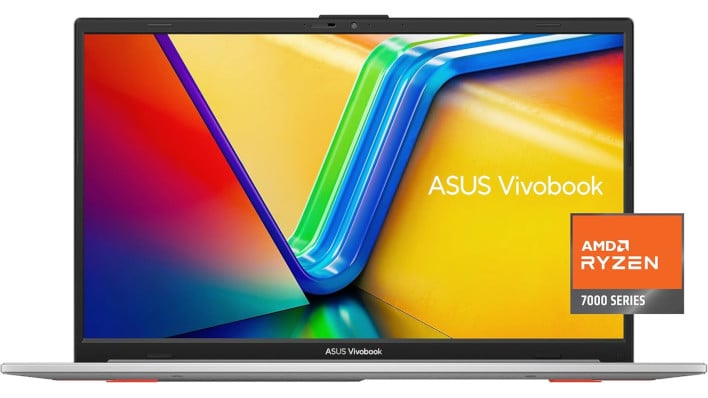
- Display Size: 15.6-inch IPS at 1920x1080 resolution, up to 250 nits
- CPU: AMD Ryzen 5 7520U (4 Zen 2 cores, 8 threads)
- GPU: AMD Radeon 610M
- RAM: 8GB LPDDR5, non-replaceable
- Storage: 512GB SSD
- Operating System: Windows 11
- Body Material: "Military grade" plastic
- Price: $399.95
The humble ASUS Vivobook Go starts off our list at a tantalizing price of just $399.95. It's an entry-level laptop with equivalent memory and storage specs to the MacBook Neo, and shares its 180-degree pivot capability. For your savings, you still get a quad-core Zen 2 processor with good entry-level AMD graphics and a larger size. If you just want a cheap, reasonably-comfortable laptop, Vivobook Go is still a good option. That $200 pricing differential can easily make or break a purchase for the entry-level market that these laptops are targeted at.
5. Acer Aspire 14 AI - $499.99
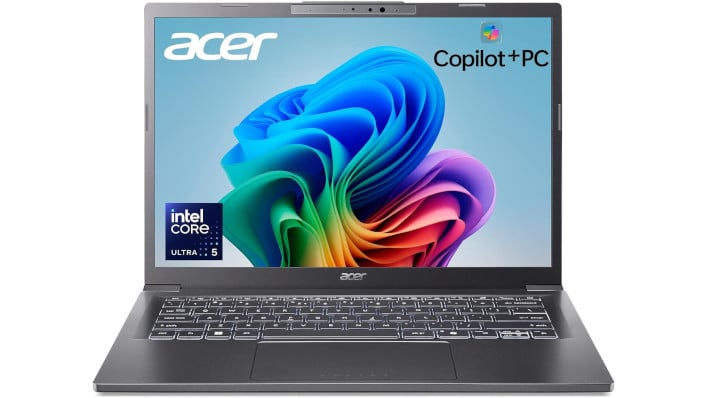
- Display Size: 14-inch IPS at 1920x1200 resolution, up to 300 nits
- CPU: Intel Core Ultra 5 226V (4 performance cores at up 4.5GHz, 4 low power efficiency cores at up to 3.5GHz)
- GPU: Intel Arc Graphics 130V
- RAM: 16GB LPDDR5X, non-replaceable
- Storage: 512GB SSD
- Operating System: Windows 11
- Body Material: Aluminum
- Price: $499.99
The Acer Aspire 14 AI is a strong all-around pick thanks to its aluminum construction and Intel Core Ultra 5 CPU. It doubles up on the RAM and storage of the MacBook Neo and competes well in CPU performance, but admittedly falters in graphics. For the $100 price difference, though, doubling up in RAM and storage is quite an appealing choice, Mac optimizations or not.
The onboard NPU also ensures that you'll have full access to Copilot+ AI PC features, should you want to keep them enabled. It's even rated for all-day battery life of up to 22 hours, compared to Macbook Neo's advertised 16 hours. Intel has a lot of strong low-power CPUs in this price range, and the trade-off for more memory and storage capacity could prove worthwhile depending on your workloads.
4. ASUS Vivobook 14 - $499.99
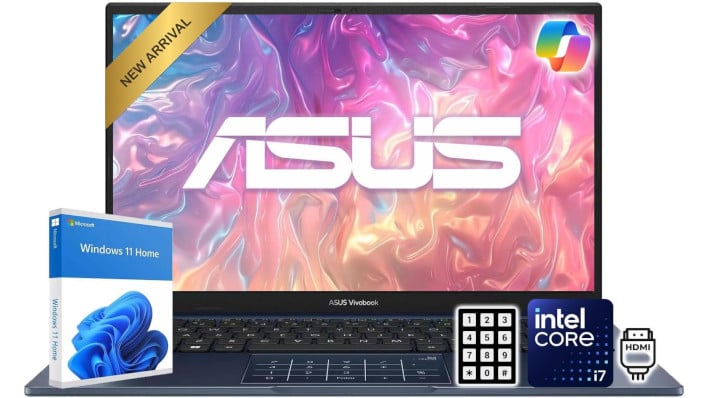
- Display Size: 14-inch IPS at 1920x1080 resolution, up to 250 nits
- CPU: Intel Core i7 1355U (10 cores, 12 threads)
- GPU: Intel UHD Graphics
- RAM: 12GB DDR4-6400 MT/s RAM, replaceable
- Storage: 256GB SSD
- Operating System: Windows 11
- Body Material: Military grade plastic
- Price: $499.99
Another sub-$500 alternative to the MacBook Neo is the ASUS Vivobook 14. While it only has 12GB of RAM, that's still more than the MacBook Neo's 8GB allocation, and it has a 10-core Intel Core i7-1355U CPU. Only two of those are performance cores, but even so, the overall CPU power here is admirable, especially for the light browsing and multi-tasking entry-level laptops are usually intended for.
Sadly, the storage is also just 256GB, which is on par with MacBook Neo, and the body material is ultimately just a durable plastic. Depending on what your budget laptop is intended for, this plus the $100 in savings could potentially be a better choice, though performance-oriented users would likely go with the Neo or something stronger. Those just wanting a premium-feeling entry-level laptop may also be better-served by one of our other options.
3. Lenovo V14 G5 - $576.62
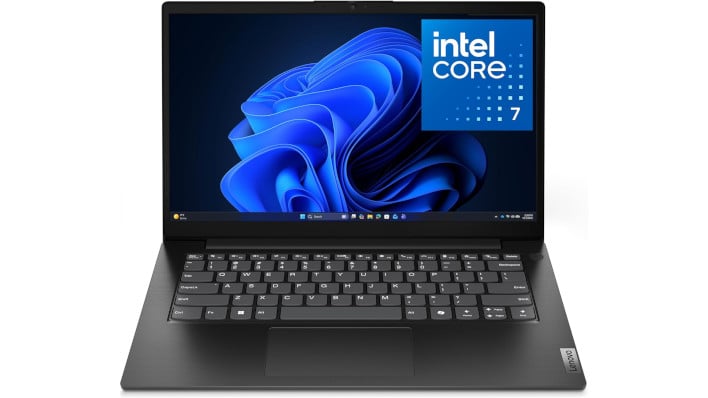
- Display Size: 14-inch IPS up to 1920x1080 resolution, up to 300 nits
- CPU: Intel Core 7 240H (6 performance cores up 5.2 GHz, 4 efficiency cores up to 4GHz)
- GPU: Intel Graphics with 64 Execution Units up to 1.55GHz
- RAM: 16GB LPDDR5, non-replaceable
- Storage: 512GB
- Operating System: Windows 11
- Build Material: "Professional-grade" plastic
- Price: $576.62
The Lenovo V14 G5 is one of the most compelling alternatives to the MacBook Neo, since it's just slightly cheaper at $576.90 versus $599.99 at time of writing. It boasts twice the memory and twice the storage, as well as much better multi-threaded performance. While the single-core performance crown does still land in the Apple A18 Pro's hands, the relevance of that compared to lost multi-core performance can easily be contested if your workloads scale better across multiple cores or just rely on native x86 Windows support.
With the slightly-larger screen size and slightly-lower price taken into the equation, the only real major downside is the plastic-built chassis versus the aluminum found on other laptops, including the MacBook Neo.
2. Dell 14 DC14250 - $619.99
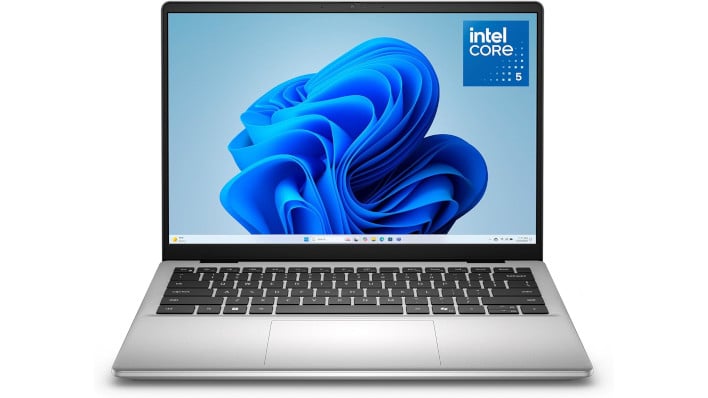
- Display Size: 14-inch IPS at 1920x1200 resolution, up to 300 nits
- CPU: Intel Core 5 120U (2 performance cores up to 5GHz, 8 efficiency cores up to 3.8GHz)
- GPU: Intel Graphics with 80 Execution Units up to 1.3GHz
- RAM: 16GB DDR5-5200MT/s, upgradeable
- Storage: 512 GB SSD
- Operating System: Windows 11
- Build Material: Aluminum
- Price: $619.99
To the surprise of few, Dell remains a strong laptop contender at virtually every price range, though this laptop is actually slightly more expensive than the MacBook Neo. For your money, you get a backlit keyboard, aluminum construction, and double the RAM and storage space. You also get a 10-core CPU, though sadly like with the Vivobook 14, only two of those are full-power performance cores. This CPU design can be great for power-efficient multi-tasking, but does falter in more performance-sensitive workloads, even compared to some of the cheaper options.
1. HP OmniBook 5 - $680.36
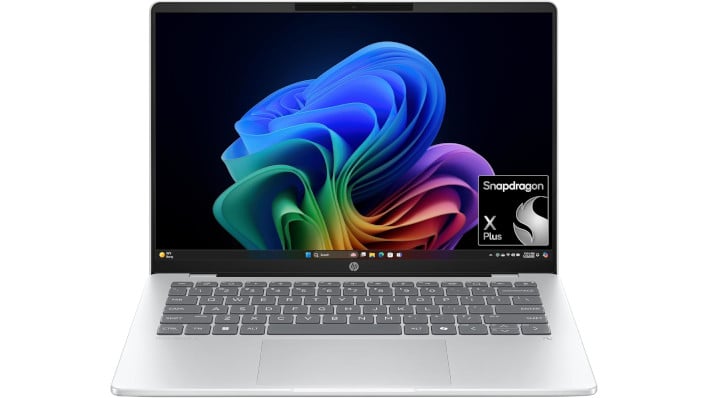
- Display Size: 14-inch OLED at 1920x1200 resolution, up to 300 nits
- CPU: Qualcomm Snapdragon X Plus (ARM, 8 performance cores up to 3.4 Hz), also includes 45 TOPS NPU
- GPU: Qualcomm Adreno X1-45 GPU
- RAM: 16GB LPDDR5X, non-upgradeable
- Storage: 1TB NVMe Gen 4
- Operating System: Windows 11 (on ARM)
- Build Material: Aluminum
- Price: $680.36
One of the most compelling Apple MacBook Neo alternatives costs a fair bit more, but also utilizes Arm CPUs to dramatically extend power efficiency and battery life goals for the form factor. This is the HP OmniBook 5, and it may be the most premium laptop on this list thanks to its 14-inch OLED display alone.
The Snapdragon X Plus and its Adreno X1-45 GPU are nothing to sneeze at, either, though you will still be dealing with the idiosyncrasies of Windows on Arm if you try to play any games on it. In addition to doubling the RAM versus the MacBook Neo, the OmniBook 5 also quadruples the SSD storage space to 1TB, which is a major win over the Neo.
With either this or the Neo, you do have to consider the possibility of Arm compatibility issues...but Mac OS does generally have better-developed support for Arm than Windows, thanks to Apple's stronger focus on its own Arm-based Apple silicon. With OmniBook 5 also being more expensive than the MacBook Neo, the comparison could really go either way, but outright beating Apple's display spec in the same sub-$1000 price range is still a big win.
Apple MacBook Neo - $599.99

- Display Size: 13-inch IPS at 2408x1506 resolution, up to 500 nits
- CPU: Apple A18 Pro (64-bit ARM, 2 performance cores up to 4.04GHz and 4 efficiency cores up to 2.42GHz)
- GPU: Apple A18 Pro
- RAM: 8GB LPDDR5X, non-upgradable
- Storage: 256GB SSD
- Operating System: macOS (ARM)
- Build Material: Aluminum
- Price: $599
Last but not least in our list is the Apple MacBook Neo, which still remains as a valid contender against all of the above options and virtually every laptop PC under $1000. The key selling point here isn't just performance (which is impressive, as long as your workload natively supports Apple Silicon), but flexibility for the entry-range. Mac OS has some unique advantages when dealing with image or video editing software that makes the 8GB RAM allocation surprisingly capable. Outside of that, 8GB is a serviceable amount of memory for students and casual PC users who will typically just be stacking browser tabs or doing some light gaming.
The performance may be compromised compared to higher-end laptops, but Apple's A18 Pro (previously seen in the iPhone 16 Pro and Pro Max) still has more than enough horsepower for common desktop tasks, media consumption, and so on. Add in Apple's premium all-aluminum construction and the general benefits of being within Apple's ecosystem once you already have an Apple device, and the MacBook Neo becomes a very easy sell. If specs are secondary to you and you just want a solid computer for a fair price, the MacBook Neo is tough to argue with.
The other laptop PCs on this list may strike your fancy depending on the trade-offs to price or performance, though: for example, the OLED on the OmniBook 5 or one of the 12-16GB models. At least for now, though, the MacBook Neo is the entry-level laptop to beat, and the competition will likely heat up in the next two years. For today, these are the options you have to gauge.
The performance may be compromised compared to higher-end laptops, but Apple's A18 Pro (previously seen in the iPhone 16 Pro and Pro Max) still has more than enough horsepower for common desktop tasks, media consumption, and so on. Add in Apple's premium all-aluminum construction and the general benefits of being within Apple's ecosystem once you already have an Apple device, and the MacBook Neo becomes a very easy sell. If specs are secondary to you and you just want a solid computer for a fair price, the MacBook Neo is tough to argue with.
The other laptop PCs on this list may strike your fancy depending on the trade-offs to price or performance, though: for example, the OLED on the OmniBook 5 or one of the 12-16GB models. At least for now, though, the MacBook Neo is the entry-level laptop to beat, and the competition will likely heat up in the next two years. For today, these are the options you have to gauge.




