



Sony PlayStation 5 PCIe 4 SSD And Heatsink Buyer's Guide For Maximum Performance


Requirements To Add A PCIe 4.0 SSD To A PlayStation 5
First and foremost, you'll need a reasonably fast PCIe 4.0 M.2 NVMe SSD to get started; Sony requires minimum sequential read speeds of 5,500 MB/sec. It should also be noted that Sony requires that you install a heatsink on the SSD -- if one isn't already installed -- to ensure that it doesn't overheat within the PlayStation 5's chassis.
Remember that the heatsink cannot exceed 8mm above the SSD or 2.5mm below the PCB for proper clearance within the PlayStation 5.
Finally, Sony says that SSDs ranging in size from 250GB to 4TB are supported, accommodating PlayStation 5 owners no matter their budget. Keep in mind that 4TB SSDs are going to cost you close to $1,000... ouch!
SSDs Certified To Work With The PlayStation 5
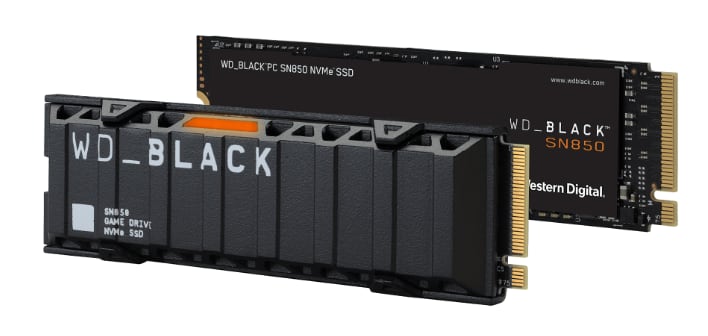
First of all, two SSDs have been certified by their manufacturers for compliance with the PlayStation 5. Western Digital's WD_Black SN850 is available in 500GB, 1TB, and 2TB capacities and offers sequential read/write speeds of up to 7,000 MB/sec and 5,000 MB/sec, respectively.
- Western Digital WD_Black 500GB SN850 NVMe SSD w/Heatsink $163.04 @ Amazon
- Western Digital WD_Black 1TB SN850 NVMe SSD w/Heatsink $249.99 @ Amazon
- Western Digital WD_Black 2TB SN850 NVMe SSD w/Heatsink $549.99 @ Amazon
Alternatively, Seagate touts the FireCuda 530 SSD family as a "qualified drop-in expansion solution" for the PlayStation 5. Like the WD_Black SN850, the FireCuda 530 far exceeds Sony's minimum performance requirements with sequential read/write speeds of 7,300 MB/sec and 6,900 MB/sec, respectively.
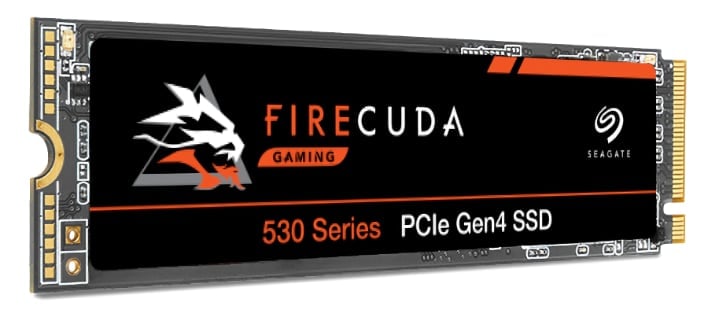
- Seagate FireCuda 530 500GB NVMe SSD w/Heatsink $149.99 @ Amazon
- Seagate FireCuda 530 1TB NVMe SSD w/Heatsink $254.99 @ Amazon
- Seagate FireCuda 530 2TB NVMe SSD w/Heatsink $519.99 @ Amazon
- Seagate FireCuda 530 4TB NVMe SSD w/Heatsink $999.99 @ Amazon
SSDs That Meet Sony's Minimum Performance Requirements
While the Western Digital and Seagate SSDs have been certified for use in the PlayStation 5, any PCIe 4.0 SSD cranking over 5,500 MB/sec sequential reads will work (though Sony highly recommends that you install a heatsink).
- Samsung 980 Pro PCIe 4.0 NVMe SSD 250GB $66.99 @ Amazon
- Samsung 980 Pro PCIe 4.0 NVMe SSD 500GB $119.99 @ Amazon
- Samsung 980 Pro PCIe 4.0 NVMe SSD 1TB $199.99 @ Amazon
- Samsung 980 Pro PCIe 4.0 NVMe SSD 2TB $388.90 @ Amazon
- Patriot Viper VP4300 1TB NVMe SSD $224.99 @ Amazon
- Patriot Viper VP4300 2TB NVMe SSD $449.99 @ Amazon
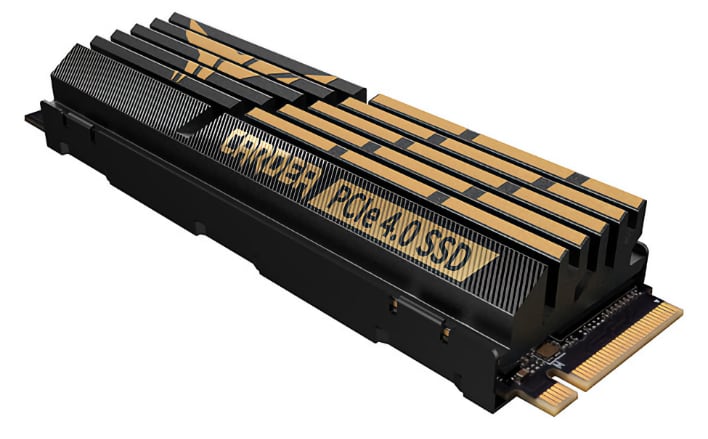
- TEAMGROUP T-Force Cardea A440 1TB PCIe 4.0 SSD $174.99 @ Amazon
- TEAMGROUP T-Force Cardea A440 1TB PCIe 4.0 SSD $394.99 @ Amazon
Compatible Heatsinks For SSDs
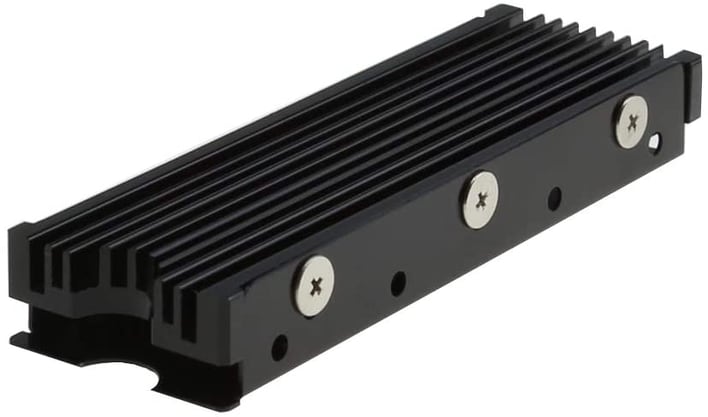
- ELUTENG M.2 2280 Double-Sided Heatsink $10.99 @ Amazon
- icepc M.2 PCI-E NVME 2280 SSD Graphene Coating Copper Heatsink $10.15 @ Amazon
- MHQJRH M.2 2280 SSD Double-Sided Heatsink $13.99 @ Amazon
- Advancing Gene NVMe M.2 2280 SSD Heatsink $12.50 @ Amazon
- Thermalright M.2 Heatsink Cooler $14.99 @ Amazon
- QIVYNSRY M.2 2280 SSD Double-Sided Heatsink $8.95 @ Amazon
Hopefully this guide will get you on the right path to getting everything necessary to install a PCIe 4.0 SSD in your PlayStation 5. If you haven't yet been accepted into the beta software program, sit tight, as Sony is slowly opening up to new testers.




