



Perplexity Portable Computer Turns NVIDIA DGX Spark Into An Out-Of-The-Box Local AI Agent


Generally, there are three parts to a local AI software setup: a model, a server, and a harness. Portable Computer was designed to make that accessible to everyone without having to know what those components are, what options are available, and how to get them set up correctly in your environment. Perplexity says its goal is to take all of the complexity out of getting started, so it provides all of the necessary software components into a bundle that's easy to install, and downloads everything you need all in one shot.
What Devices Does Perplexity's Portable Computer Run On?
The initial release of Portable Computer is focused on running on NVIDIA GB10 hardware like the DGX Spark or Dell Pro Max with GB10, or on x86 PCs running Ubuntu that are equipped with NVIDIA GPUs that have at least 24 GB of VRAM. That list includes the 24 GB GeForce RTX 3090 and 4090, or the 32 GB-equipped GeForce RTX 5090. Presumably with coming Windows support, it will also run on RTX Spark laptops that NVIDIA has been prepping. The package includes all of the software required to run local AI, including models, an appropriate server, and a harness, directly on your own hardware. While my experience tells me that outright performance is faster on dedicated GPU memory with more bandwidth, larger context windows (think of context as longer conversation histories and short-term memory) are more achievable on something like the DGX Spark with its very large pool of unified memory,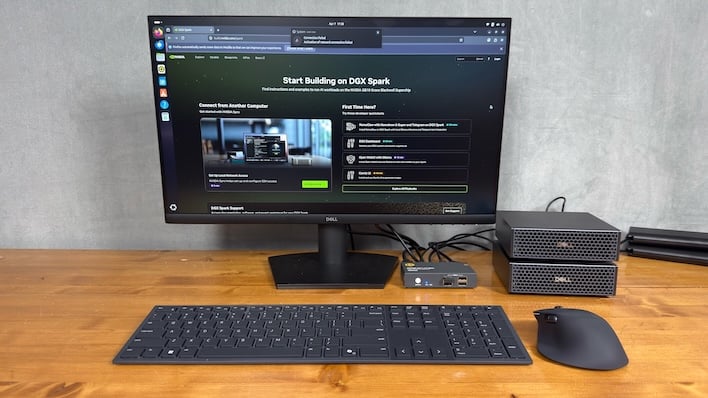
Portable Computer Model Support And Task Functionality
Initially support is limited to Qwen3.8 27B (that is, 27 billion parameters), which is absolutely the right call when it comes to the recent buzz in current models. This model was just released earlier this month by Alibaba, and it's got a relatively long tenure and good reputation in the open weight community. However it is a dense model, meaning all of its parameters are lit up for every token, which takes a toll on performance. That's especially true on a 24 GB GPU where there's not going to be much room for a deep context window on the card, and it leaks out to main memory on servers that support it (or won't run at all, in the case of vLLM).Perplexity also says there's support for Nemotron 3.5 Lightning coming soon, which is a slightly larger model with 30 billion parameters and a hybrid mixture-of-experts architecture where only 3 billion parameters are working on any given token. While MoE models aren't quite as smart as their dense brethren (which is why they're typically larger, to compensate) they're also much more forgiving when it comes to performance. It's the difference between 12 tokens per second vs 60 tokens per second on the DGX Spark. Perplexity says it post-trains its models for better accuracy on the tasks Portable Computer targets, too.
Support for a wider range of models is inbound as well, and in fact we saw a demo with multiple models pulled in from the likes of ChatGPT to Claude, etc. We'll have more to come on this, as we get a chance to test Portable Computer out for ourselves.
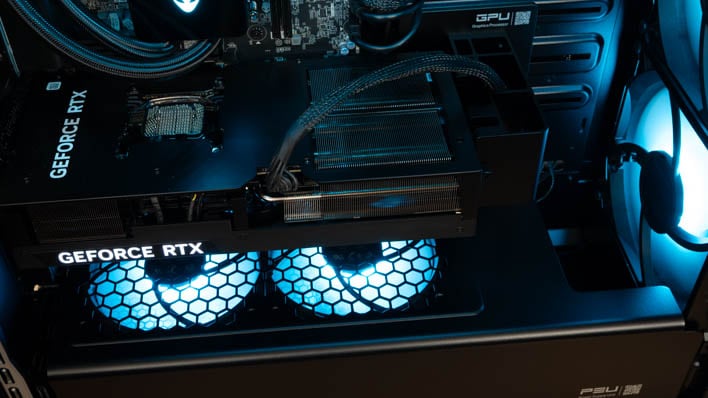
Perplexity says every task starts on your machine, which means it runs at no cost beyond your Perplexity subscription. If the local model gets to a step it just can't handle it can, with your permission, head on out to the cloud and talk to Perplexity's hosted frontier models. The company says that only the cloud portion of the work will consume AI credits, as everything else that's processed locally has no cost, beyond a Perplexity subscription, and stays local.
At launch, Portable Computer is limited to Linux or DGX OS, as mentioned earlier, but Windows support is expected to arrive in September. Portable Computer will be available to all Perplexity subscribers on the company's Pro, Max, Enterprise Pro, or Enterprise Max tiers. If you're eager to give it a go, head on over to Perplexity's website to read up a bit more.





