



NVIDIA Investigating Major Gaming Glitches After Latest Windows 11 Patch


These problems actually started for most users over two weeks ago when Microsoft released 2026's first major Windows Update. KB5074109 is listed as an important security update with over 114 fixes for vulnerabilities, although it also includes other patches, like a fix for the bug that caused NPUs to remain at elevated clocks while idle, sapping battery life.
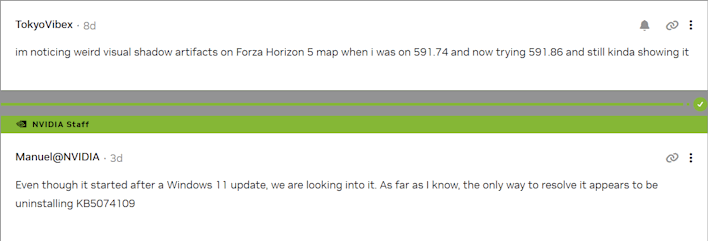
User reports have continued to filter in on both the thread started by M.G.Raziansyah as well as in the comments of the posts made by NVIDIA to announce its latest driver updates. While some users seem to blame the issues on the new driver, NVIDIA's Manuel is clear that the issues are caused by Microsoft's latest Windows update, saying "Even though it started after a Windows 11 update, we are looking into it. As far as I know, the only way to resolve it appears to be uninstalling KB5074109."
A few users have reported in, confirming that uninstalling the problematic update (or using Windows' System Restore feature to roll back to a point before it was installed) restores both stability and a measure of lost performance. It's definitely true that security updates often come with a cost in performance, as performance-enhancing features are sometimes found to have a cost in terms of security. This writer is of the opinion that users should have the option to remain unsecured and full-performance, but that's neither here nor there for this story.

It's not clear at this time that only NVIDIA users are affected by the bugs. KB5074109 seems to have other issues besides gaming performance problems; it also broke Remote Desktop for some, Outlook reportedly suffered frequent crashes and freezes that rendered it nonfunctional, and some machines can't even boot, coming up to a black screen. Beyond that, there have apparently been problems with Blender, and certain professional applications, too.
Microsoft has issued various hotfixes and offered numerous workarounds in the 22 days since the update came out, but the gaming problems seem a low priority as there has been little in the way of salvation for affected users so far. If you're on Windows 11 24H2 or 25H2 and you're suffering software problems because of the dreaded update, you can try to remove it by running "wusa /uninstall /kb:5074109" in an elevated command prompt. If that fails, try doing it in Safe Mode, or using System Restore.
Thanks to WindowsLatest for the spot.





