



LG TVs And Monitors Spark User Outrage Over Bloatware And Tracking


This, unfortunately, is but the latest in an ongoing string of privacy related issues with today's Smart TVs. Previously, we discussed how your TV may be spying on you and how to disable the features responsible. On that note, not much has changed.
One of the reasons smart TVs are getting cheaper, when virtually all other consumer electronics are getting more expensive, is because some of the cost can be subsidized by gathering and selling user data. Disabling smart TV features can protect users somewhat, but also degrade functionality to the point you may no longer be able to use it as a smart TV at all.
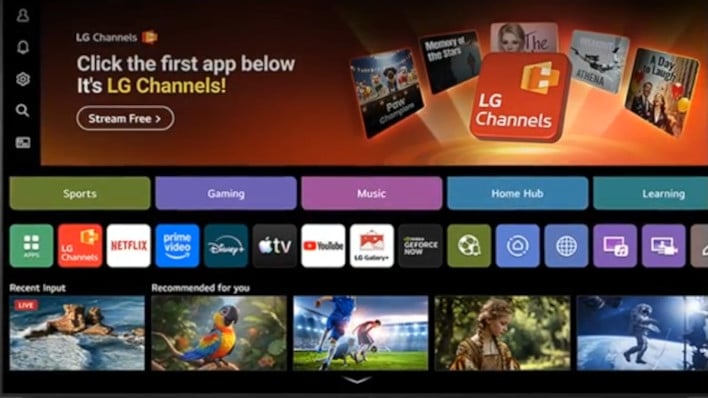
LG's Smart TV features being overly intrusive is common among smart TVs, but LG's newer UltraGear computer monitors are now also taking liberties with user privacy and security.
On some Windows systems, connecting a new LG monitor will spur Windows Update to download drivers and the LG Monitor App Installer, which will then display pop-up ads for other LG applications or even McAfee antivirus software. This is disappointing news to say the least, but fortunately my LG UltraGear 27GL850-B doesn't seem to be impacted.
Users have taken to Reddit in droves to express their displeasure with the auto-install of the LG Monitor App, and as Heise notes in its coverage, the LG Monitor App is automatically installed with "all system resource" permissions. There doesn't seem to be anything nefarious going on, but knowing what LG has done with WebOS on its smart TVs has triggered privacy concerns among monitor owners.
Reddit user u/Mags_Smash on the r/PCMasterRace subreddit shared his experience with the McAFee popup and revealed that Windows users need to change a group policy setting to prevent the LG Monitor App Installer from being automatically installed. Specifically, users need to open gpedic.msc, then navigate to Computer Configuration > Administrative Templates > System > Device Installation to find the "Prevent automatic download of applications associated with medadata" setting, and select "Enabled." Another solution is also disabling the Microsoft Store, but some users may want to leave that enabled for other applications.




