



Google Doubles Chrome Update Velocity With New 2-Week Patch Schedule


Google has begun pushing out Chrome 153 across Windows, macOS, Linux, Android, and iOS, arriving right on the heels of an emergency security patch. This release marks the start of its new two-week major milestone update schedule. First announced in March, the accelerated release cadence slashes the browser's previous four-week update cycle in half, doubling development velocity to keep up with new and emerging threats in the AI era.
Shrinking The Exploit Window And Streamlining Debugging
Google already shortened Chrome’s release cycle from six weeks to four in 2021, but the latest move to updates every 14 days is largely about keeping pace with security threats. Since Chromium is open source, fixes can become visible in public code repositories before they reach most users, potentially giving attackers clues about vulnerabilities they may be able to exploit in the meantime.
"While releases will be more frequent, their smaller scope minimizes disruption and simplifies post-release debugging. And thanks to recent process enhancements, we are confident this shift will maintain our high standards for stability," Google stated in a blog post when announcing the two-week cadence.
The flip side is that such an accelerated schedule could potentially overwhelm IT administrators and OEM hardware validation teams. To address that risk, Google is offering tiered adaptation strategies. System administrators can route enterprise fleets to the Extended Stable channel, which retains an eight-week milestone cycle with intermediate security patches.
Meanwhile, ChromeOS will skip odd-numbered browser milestones (updating on Chrome 154, 156, and so on) to preserve a predictable four-week hardware release schedule while staying synchronized with mainstream browser developments.
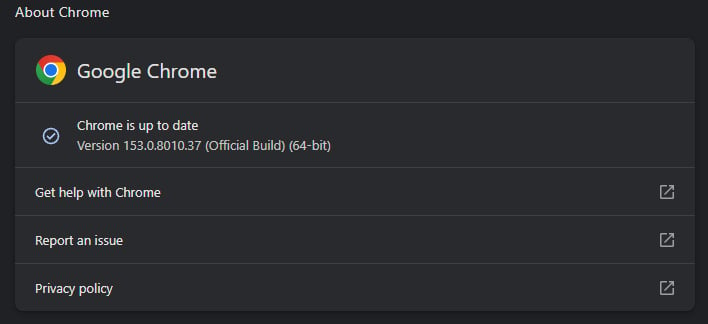
If you're on a desktop, you can check which version of Chrome you're running by clicking on the three vertical dots in the upper-right and navigating to Help > About Google Chrome. This will also trigger Chrome to automatically fetch the latest update, which will be applied when your restart the browser.




