



Valve Guide Outlines How To Master Gyro Aiming On The Steam Controller


The official Steam Controller gyro setup guide is fairly exhaustive. Steam Input's motion controls UI has been lacking fresh documentation for a while, so this guide goes a long way to close the gap. However, it does stop short in a few key areas. For example, it doesn't quantify why Gyro to Joystick Camera and Gyro to Joystick Deflection are so different that Gyro To Mouse.
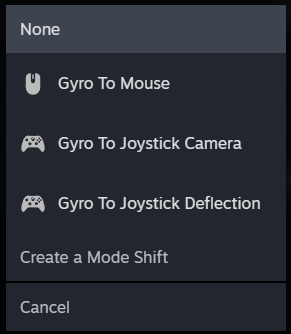
While Valve's recommendation is to change between the the three based on game or compatibility, seamless gyro-mouse support is typically best for accuracy. If the game doesn't seamlessly support mixed inputs though, you'll find that Gyro to Mouse mode creates problems like "button-glyph flickering" since it will continuously swap between mouse and controller input.
While existing games without built-in gyro or mixed input support can be configured to work with the gyro through the Steam Input control panel, it's not a perfect science. In those cases, the Gyro to Joystick Camera and Gyro to Joystick Deflection modes are emulating right-analog stick input. Not only does this mean extra configuration to get the ideal experience, but also lower overall accuracy than direct gyro mouse input.
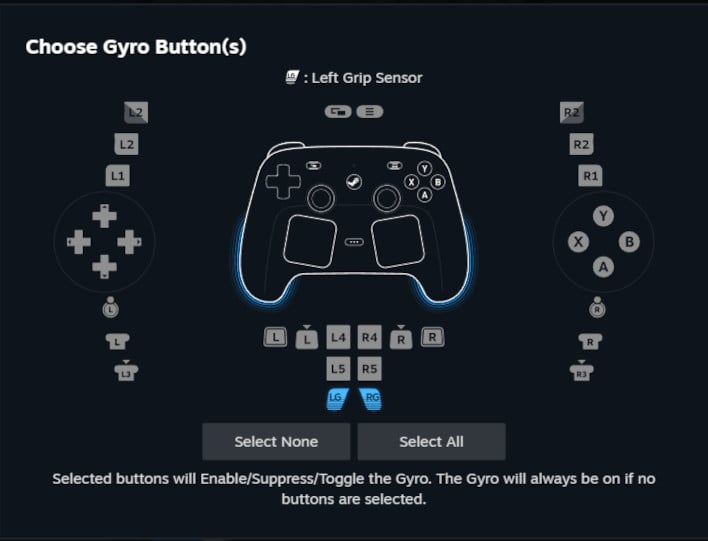
One of the most important elements of the official Steam Controller gyro setup guide is dedicated to another feature: Grip Sense. Exclusively on the Steam Controller, Steam Input can be configured to detect whether or not a handle is being gripped.
The guide explains Grip Sense is one of the common ways that users choose to set a gyro toggle, and all of the Grip Sense sensors are read as buttons by Steam Input. On the PC, gyro players tend to prefer this toggle functionality, which isn't always present on gyro-friendly console releases.
The guide explains Grip Sense is one of the common ways that users choose to set a gyro toggle, and all of the Grip Sense sensors are read as buttons by Steam Input. On the PC, gyro players tend to prefer this toggle functionality, which isn't always present on gyro-friendly console releases.
For a more detailed look at the Steam Controller and its gyroscope functionality, I recommend Nerrel's extended review of the Steam Controller, embedded above. This review includes context of his own experience configuring the gyro for new PC releases, the classic Steam Controller, and how the new Steam Controller's gyro accuracy compares to the current PlayStation and Nintendo controllers.
If you're a fan of non-traditional input methods, like gyro aiming or niche gamepads like Steam Controller itself, the above video is essential watching. Existing owners who want to start using the gyro should check out Valve's official guide post, as well.




