



Steam Machine's Red Line Of Death Is Triggering Flashbacks For Gamers


Valve has documentation for the Steam Machine red line LED patterns and what they mean available on the company's website. A full-strip red line indicates overheating. Specifically, it detects CPU and / or GPU temps exceeding 95°C and 90°C, respectively.
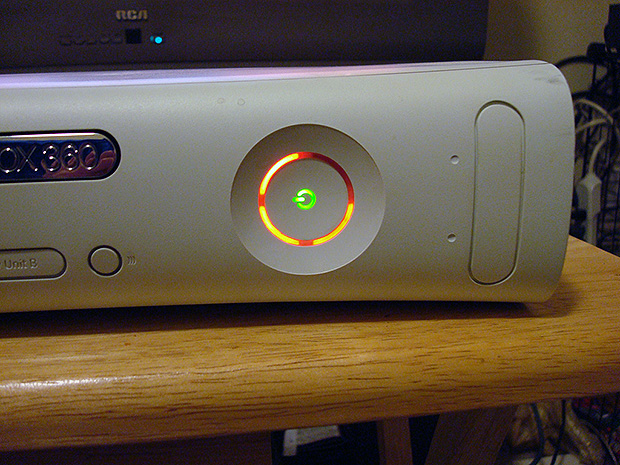
But smaller red lines, like what Redditor u/me_hill has reported, can be much worse. His error corresponds to the top-right error LED pictured below: GPU failure. Short of an RMA or replacement from Valve, he won't have any repair options since the Steam Machine uses semi-custom hardware rather than an off-the-shelf GPU. With that in mind, a DIY approach looks much more attractive.
According to Valve's official documentation, there are five possible variations of the Steam Machine red line LED error patterns. "Red Line of Death" is not the official naming, mind you. And for the full-strip red line, the nickname is probably inaccurate since it means the system is overheating, which may be remedied by simply repositioning or cleaning the unit.
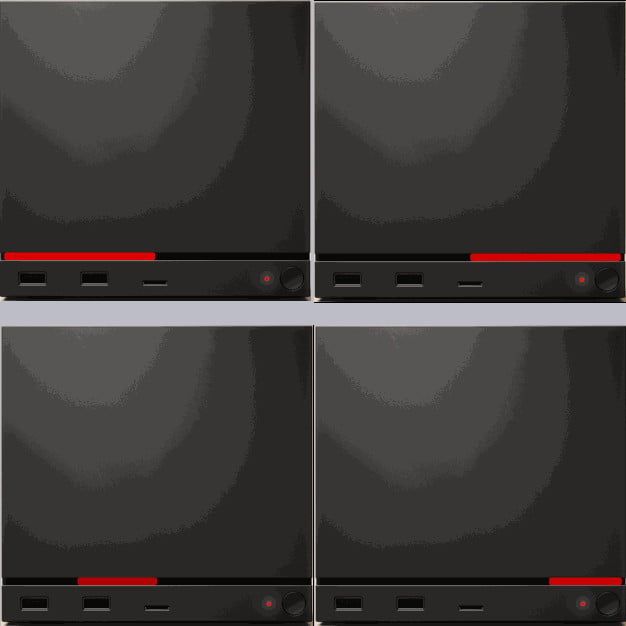
For the other LED patterns, though, "Red Line of Death" may be more accurate. The top-left pattern pictured above, which covers the left half of the LED strip, corresponds to a failed RAM check. The bottom-left pattern with the second quadrant illuminated happens when the SSD is undetected. The top-right half-strip LED pattern corresponds to GPU failure, while the fourth quadrant pattern corresponds to RAM being undetected.
Any of the partial-length red line LED patterns on the Steam Machine correspond to hardware either not being detected or failing, which are far more serious than an overheating warning.
Image Credit: u/me_hill on Reddit




