



NVIDIA’s Classic Control Panel Hits EOL After 20 Years, Settings Shift To Modern App


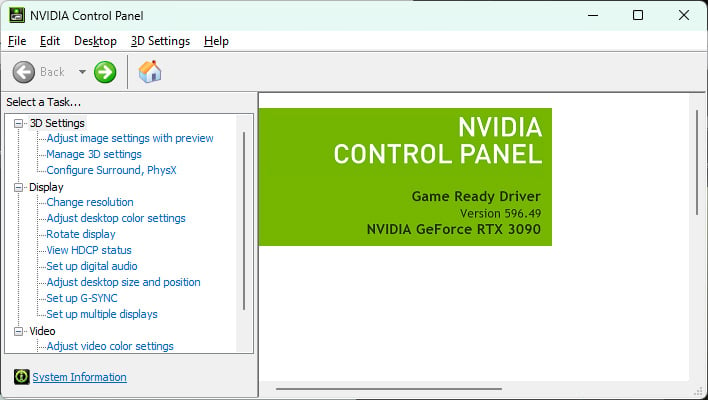
NVIDIA is retiring its classic Control Panel after two decades and moving the same GPUs settings into the official NVIDIA app that debuted in 2024. The company confirmed the shift in the release notes for its latest 'Game Ready' driver release that is optimized for 007 First Light, saying that all actively supported Control Panel features for GeForce users have been given a modern polish and transitioned over to the new client.
"After 20 years of dedicated service, the classic NVIDIA Control Panel is officially retiring for Game Ready and Studio Drivers. For NVIDIA RTX Pro users, the NVIDIA Control Panel will continue to be supported until we have migrated professional features to the NVIDIA app," NVIDIA explains.
If you're not ready to let go but still want to install the latest driver package, NVIDIA ensures that existing installations of its classic Control Panel will remain on systems until performing a clean install of the newest driver package. Furthermore, users can optionally download the Control Panel from the Microsoft Store, just be aware that NVIDIA is no longer adding new features or fixes to it, or any other changes.
Why the change after two decades?
"The NVIDIA app contains all of the modern functionality of the NVIDIA Control Panel available for GeForce RTX GPUs, and much more, while running faster and more efficiently," NVIDIA says.

In addition, NVIDIA points out that app users can enhance their games library with new and better DLSS models via DLSS overrides, learn about new drivers, monitor in-game stats (via Alt+R), record gameplay and capture screenshots (via Alt+Z), and more.

As for accessing the migrated GPU settings in the official app, head to Graphics > Program Settings, which effectively replaces the classic Control Panel's 3D Settings > Manage 3D Settings screen. Display options and the rest of the settings can be found in the System tab within NVIDIA's app.




