



Dual GPU Rig Pairs RTX 3090 And RTX 3050 For 4K 144 FPS Gaming


Courtesy of Reddit user u/quziwuzzi, the below PC build is housed in a Phanteks Enthoo Pro 2 chassis and leverages both a Gainward Phoenix NVIDIA GeForce RTX 3090 alongside an ASUS NVIDIA GeForce RTX 3050 6GB. With the GeForce RTX 3090 capped to 71 FPS and the RTX 3050 designated solely to additional Frame Generation up to 144 FPS, u/quziwuzzi's setup offers a 4K HDR 144 Hz gaming experience.
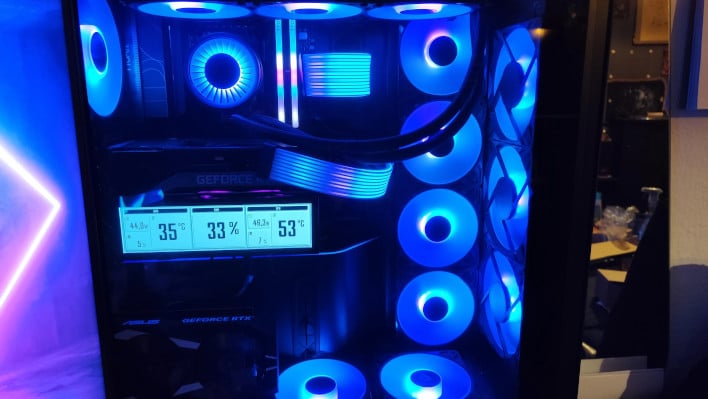
There are some caveats worth noting when using Lossless Scaling in this way. For one, you do need both a moderately capable secondary GPU and a motherboard that supports PCIe lane bifurcation to properly pull this off. Frame Generation isn't free just because it's being offloaded to another GPU, and with offloading in mind, you'll also need to run video output through the secondary GPU. And if the secondary GPU doesn't support features like HDR or is unable to output at a your desired resolution and refresh rate, you won't be able to leverage them--just about any modern GPU will be fine, though. You'd have to be using something ancient to not support the necessary features.
Failing to meet any of the above requirements will limit your potential Frame Generation output and also increase input lag. u/quziwuzzi is utilizing an ASUS X870E ProArt Creator Wi-Fi motherboard to pull off this dual-GPU Frame Generation setup, but there are a multitude of more affordable motherboards out there that will support multiple GPUs and birfurcate the PCIe lanes as necessary.
I've written an extended Lossless Scaling Optimization Guide, and in general find the results of the software impressive whether or not you're using an extra GPU. My favorite use case is for titles that simply don't support framerates above 60 (i.e., emulation or certain PC ports), and for that purpose, Frame Generation without risky engine tweaks is quite useful.




