
|
|
| Introduction |
Today at HotHardware, we will be looking at two video cards from Asus. They don't necessarily scream "power user" and they aren't adorned with the flashiest packaging. Instead, these two cards are more like the utilitarian work-horses that one might expect to find in a mid-range PC, or even a DYI build that's catered more to function than fashion. That doesn't mean we won't run any benchmarks with our favorite games to see how they compare to each other, as well as to another mid-level card, but don't focus strictly on the benchmark results in this article. These two cards aren't designed to set records in Half-Life 2, but rather offer some uncommon features not found on many competing products. With our introduction out of the way, we present to you the Asus EAX1600PRO and the EN7600GT: As their boxes suggest, these cards are not the flashiest of sorts. One shouldn't be so quick to judge them, however, before noticing that each box prominently displays a large badge declaring them HDMI ready. So, what's the big deal about HDMI you ask? Let's take a quick refresher course to catch up on this technology before continuing on with a closer look at each of the cards.
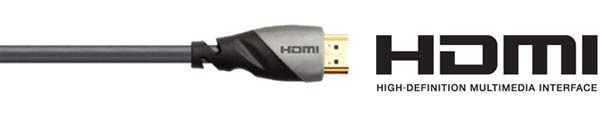
HDMI, short for High Definition Multimedia Interface, is the first industry supported digital-only interface, that requires only a single cable to connect an output source to an HD device, such as a television or monitor. HDMI supports standard, enhanced, or high-definition video, plus multi-channel digital audio on a single cable. It transmits all ATSC HDTV standards and supports 8-channel, 192kHz, uncompressed digital audio and all currently-available compressed formats (such as Dolby Digital and DTS). HDMI 1.3 adds additional support for new lossless digital audio formats Dolby TrueHD and DTS-HD with bandwidth to spare to accommodate potential future enhancements. Although still growing in popularity on video cards, it is considered the modern replacement for older cable types, such as S-Video, Co-axial, Composite, VGA, DVI-A, and DVI-I. HDMI brings along some big advantages for the home entertainment aficionado. Video and audio are both sent into one cable, eliminating the mess of cables that are typically situated on or around A/V components. Both audio and video are sent uncompressed, digitally, without any loss resulting in the highest quality picture and sound. All versions of HDMI will also support playback of HD-DVD or Blu-Ray content, although other constraints might come into play here, including some DRM headaches for PC users. HDMI 1.3, the latest revision of the spec, delivers a few new features including Deep Color Support. Deep Color can accommodate 10, 12, and 16 bit color depths, which at its highest level offers over five times more color that standard HDTV systems. The proliferation of colors reduces on-screen color banding by allowing more subtle graduations, as seen below: |
| Asus EAX1600PRO/I/256M/A | |||||||||||
The EAX1600PRO/I/256M/A is a half-height card, which makes it well suited for installation into a standard size PC, or possibly a slim-line HTPC. With the GPU and memory both running at 400MHz, it doesn't take much more than the small heatsink/fan to keep things running cool. We'd almost expect that Asus could have even gone so far as to employ a completely passive cooling method, which would have cut down on power consumption and noise output, but the setup as it is helped us out with overclocking, as you will see later on in the review. To keep things streamlined, 256MB of Infineon GDDR3 memory are placed towards the far end of the card, with 2 chips on each side. Silicon Image's Sil1930 ASIC provides the HDMI output, and with it an integrated HDCP cipher engine with HDCP repeater function support. The Sil1930 offers a fully compliant HDMI output capable of supporting video resolutions up to UXGA and 1080p with up to eight channels of 192kHz audio. To ensure compatibility with a broad range of PC audio hardware platforms, the Sil1930 supports a wide variety of audio interfaces - including HD-Audio, SPDIF and three I2S channels. To minimize the stature of the EAX1600PRO, Asus makes the S/PDIF port optional, allowing the user to unplug the attached cable and use a smaller bracket with only the HDMI and VGA outputs available.
The bundle that came with the EAX1600PRO looks quite a bit different that the traditional Asus bundle, and with good reason. What good would an HMDI port be if there wasn't a way to connect a monitor to it? At the very least, there was an HMDI to DVI converter, one S/PDIF cable, an internal audio connector, and the aforementioned half-bracket with screws. A quick setup guide provides the basics for installation, but it is too generic to cover the newer technologies found on the EAX1600PRO. Luckily, Asus has provided links on their website that specifically cover HDMI and S/PDIF connection instructions for those inclined to use them. |
| Asus EN7600GT/HDTI/256M/A | ||||||||||
The EN7600GT/HDTI/256M/A is Asus' first NVIDIA based card featuring HDMI support and like the EAX1600PRO, it too brings with it HDCP compatibility for playing back protected HD-DVD and Blu-ray content. It has 256MB of GDDR3 memory running at 700MHz and a core clock speed of 560MHz, which is faster and than the X1600 based card. As a result, not only is the outline larger than the EAX1600PRO, but the cooling unit is also larger, and unfortunately louder - making the latter card possibly a better choice for use in an HTPC. Although a bit bigger, the heatsink doesn't manage to make contact with the upper most RAM. The rear of the card is completely bare of any major parts, save for some power regulation components. Alongside the top edge of the EN7600GT is an SLI connector, which means we could, theoretically, connect two of these cards for better performance. But take note that better performance could probably be had for less by simply buying a single 7950GT (or similar card) than we would get with two 7600GTs. Output options are more plentiful than the EAX1600PRO, as the standard height allowed Asus to keep an Optical S/PDIF port and a TV-out connector, in addition to the HDMI and DVI-I ports on the card.
Although similar, the EN7600GT bundle varies from the EAX1600PRO in a number of ways. First, it does come with an HDMI-to-DVI converter, so this aspect is covered. It also comes with an optical S/PDIF cable for plugging externally into your sound card or motherboard. This can be bypassed by using an internal S/PDIF cable, also included. There are also some old standbys, including a DVI-VGA adapter, an HDTV-Out cable, and the Speedy setup manual and driver CDs. As we stated before, the manual is basic at best - not covering the various connections possible with the EN7600GT/HTDI. So again, expect a trip to their website for additional instructions to cover these scenarios. |
| Testing System and 3DMark06 | ||||||||||||||
HOW WE CONFIGURED THE TEST SYSTEM: We tested the Asus EN7600GT and EAX1600PRO on the Gigabyte GA-8N-SLI powered by an Intel Pentium 4 550 processor and 1GB of Corsair XMS2 DDR2 memory. The first thing we did when configuring this test system was enter the BIOS and loaded the "High Performance Defaults." The hard drive was then formatted and Windows XP Professional with SP2 was installed. When the installation was complete, we installed the latest nForce 4 chipset drivers, installed all of the other necessary drivers for the rest of our components, and removed Windows Messenger from the system. Auto-Updating and System Restore were then disabled, the hard drive was defragmented, and a 1536 MB permanent page file was created on the same partition as the Windows installation. Lastly, we set Windows' Visual Effects to "best performance," installed all of the benchmarking software, and ran our tests.
Based solely on these benchmarks, it would appear that the EN7600GT and EAX1600PRO are operating on two different levels. The X1650 XT that we reviewed earlier makes a much better competitor for the EN7600GT, with the two card flip-flopping in the separate tests; the 7600 GT performing better with SM2.0 tests and the X1650 XT at SM3.0, and nipping the 7600 GT overall. The EAX1600 Pro, on the other hand, is only putting out half of what the other two can produce. |
| Splinter Cell: Chaos Theory | ||||||
The Splinter Cell results don't fare too much better for the EAX1600PRO. Frame rates, even at the lowest settings, barely reached the mid-20's and went down from there. The EN7600GT's numbers were much more respectable, topping out near 60fps at 1280x1024 and taking the highest frame rate during that test. It lost a bit of steam, however, when we enabled AA and aniso. The X1650 XT easily leap-frogged the 7600 GT in these tests, outgunning it by 15-25%. |
| Prey | ||||||
Benchmarking Prey left us with the indelible belief that the EN7600GT and X1650 XT cards make a perfect sparring duo, like, let's say Batman and The Joker. Neither one can truly knock off the other, and in some cases they battle to a stalemate. In this analogy, the EAX1600PRO is more like Batgirl, winding up as an afterthought. The numbers just aren't pretty, with frame rates falling as low as single-digits in our most demanding benchmark run. |
| F.E.A.R. | ||||||
Considering F.E.A.R.'s lush graphics, it's a bit of a surprise that the EAX1600PRO is able to reach as high as the mid 20's at 1280x960. Still, when compared to the EN7600GT, it is less than half the 55fps that card was able to output. The EN7600GT pushed out the highest frame rates at both resolutions, but only until we applied some anti-aliasing. Doing so turned the 3-4 fps lead into a 2-3 fps deficit when compared to the X1650 XT. |
| Half Life 2: Lost Coast | ||||||
Any of the three cards tested here seem capable of playing HL2 at a high-resolution at playable frame-rates. The AA and Aniso tests were also favorable for the EN7600GT, which had the card running faster than the standard tests with the EAX1600PRO. 4XAA and 8X Aniso does put a hurt on the EAX1600PRO, however, reducing the promising frame rates by more than half at each resolution. |
| Quake 4 | ||||||
The NVIDIA-powered EN7600GT took a commanding lead in the Quake 4 benchmarks, easily bettering the closest competitor, the X1650 XT, by 20-25% in the standard runs. Said lead, however, was minimized to not much more than a few frames with AA and Aniso enabled. The EAX1600Pro was barely a factor in the equation, barely able to escape single digit frame-rates, and generally close to two-thirds slower than the other two cards. |
| Need for Speed: Carbon | ||||||
Need for Speed: Carbon proved to be a bit much for the cards tested here. The tandem of Asus cards took a beating, with the highest score of just under 16fps coming from the EN7600GT at 1280x1024, and rapidly declining all of the way down to a mere 5 frames per second by the EAX1600PRO at 1600x1200 with AA and Aniso applied. It's a fair assessment to state that these cards are not what heavy-gamers are looking for. |
| Overclocked Results | ||||
The default core and memory clock speeds for each card are as follows: 560MHz/700 MHz for the core and memory of the Asus EN7600GT, and a much tamer 400MHz/400MHz for the Asus EAX1600PRO. With similar components, lower clocks typically require less power and generate less heat, which makes these cards more compact and quieter as they employ smaller cooling solutions. To unlock their full potential, we used third party tools to overclock the core and memory speeds, while maintaining stability. The end result were a modest bump in speeds with the EN7600GT of 601MHz for the GPU, and 789MHz for the memory. Results were even more favorable for the Asus EAX1600PRO, where speeds of 513MHz/518MHz were attained - basically a 25% increase for both the core and memory.
The mildly raised speeds on the EN7600GT bumped its 3DMark06 performance over the X1650 XT. However, even an overclocked 7600 GT was no match when it came to F.E.A.R., as a 3 frame per second increase still placed it 17 fps behind. The more impressive gains were found, expectedly, on the EAX1600PRO. There we saw a 25% increase in 3DMark06, as well as a jump from 10 fps to 18 fps - nearly double - when benchmarking F.E.A.R. It brought game frame rates between the two Asus cards to much closer to a playable level. |
| Performance Summary and Conclusions | ||||||||
Performance Summary: Obviously, the benchmarks paint a very different picture for these two cards. The EN7600GT, for the most part, held its own in the benchmarks. Its performance was more along the lines of the much newer Radeon X1650 XT from ATI. The EAX1600PRO, on the other hand, had a tough time with many of the games we used for testing, sometimes dropping as low as single digit frame rates.
ASUS EAX1600PRO/I/256M/A - Asus' EAX1600PRO really didn't put up very impressive benchmark scores, although overclocking sure helped out in this department. In all fairness though, the card isn't designed for high framerates. The card is well suited for use in an HTPC or other Media Center box, where quiet operation, cooler temperatures, and High Definition output are key. The only thing really lacking here is the addition of a true HDMI cable, rather than the conversion from HDMI to DVI, for connecting it to an HD-TV or HMDI-equipped monitor without the extra cost.
ASUS EN7600GT/HTDI/256M/A - At about $200, the EN7600GT/HTDI is a bit pricier than non-HDMI equipped 7600GTs, including Asus' own EN7600GT Silent. Although, the price has come down rapidly over the last few months. While the performance of this card was relatively good, we caution prospective buyers to sure this card is a good fit for their usage model. Gamers should probably look for something a little more powerful as they could easily pick up a much more capable card, such as the Asus EN7950GT, at a similar price. Media Center builders should be on the lookout as well, because some slim-line cases require half height cards, and they might be put off by the noisier fan as well.
|

