



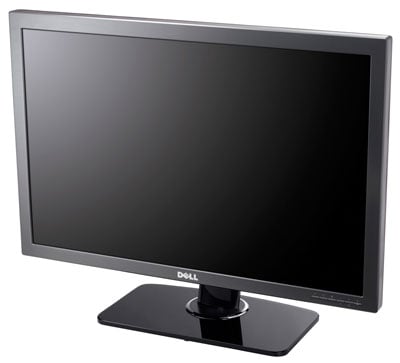
Dell UltraSharp 3008WFP 30-inch LCD With DisplayPort


Like high-end graphics cards setup in multi-GPU configurations, terabyte desktop drives, and 3GHz quad-core processors, 30-inch wide screen LCDs cater to what we like to call the "enthusiast" niche. And though this niche obviously drives lower volume demand versus the mainstream, you have to remember that the enthusiast end-user is a very influential segment of the market, often times assisting in the definition of what will become mainstream technology tomorrow. Not to mention 30 inches of screen real-estate is a professional workstation designer's nirvana, so perhaps this niche isn't as small as it would appear on the surface.
Regardless, though there are fewer in our audience who might find it practical to justify the cost of a 30" monitor, the undeniable allure of a panel of this size makes these products easily one of our most popular areas of coverage here at HotHardware.com. There's just something about them. Maybe it's a size thing. We've got people buzzing over tiny, little Eee PCs and they're also in a tizzy at the other end of the spectrum about huge LCDs. Sexy is in the extremes we would surmise, though the ever-present "newness" factor is obviously a head-turner for these products as well.
It's easy to see where Dell was going with the introduction of their new UltraSharp 3008 WFP 30" LCD. Calling upon the input received from previous 30" panel incarnations and marrying these feature requests in with new technologies like a wider color gamut and the bleeding-edge of display interface technologies. As the first DisplayPort-enabled LCD from Dell, the 3008 WFP is claiming that sexy is back. No Justin, not you -- she's getting a Dell?
 |
|
| Viewable Image Size | 30 inches |
| Diagonal Size | 30 inches |
| Display Type | Active Matrix - TFT LCD |
| Color Gamut | 117% |
| Image Scaling | Built in image scaler/processor |
| Depth | 9.35 inches |
| Height |
18.98 inches compressed
22.52 inches extended |
| Width | 27.43 inches |
| Weight (with stand) | 34.36 lbs. |
| Stand Adjustability | Tilt, Swivel, Height Adjustable |
| Horizontal Viewing Angle | 178o (typical) |
| Vertical Viewing Angle | 178o (typical) |
| Color Support | 16.7 million colors |
| Contrast Ratio | 3000:1 |
| Response Time |
8 ms (grey-to-grey) |
| Brightness | 370 cd/m2 |
| Resolution | 2560x1600 (max) |
| Pixel Pitch (Dot Pitch) | 0.2505 mm |
| Ports |
Analog, DVI-D (dual link) with HDCP x2, S-Video, Composite, Component, HDMI, DisplayPort
USB 2.0 (4)
9-in-2 Media Card Reader
Kensington security port |
| Power Consumption |
250W(max)
Less than 2W switched off |
Taking what we know of Dell's previous 30" LCD product, the 3007 WFP HC, you'll note that there are more than a few upgrades provided with this newer 3008 version. Specifically, the 3008 WFP now has a 117% color gamut, in addition to having a 3000:1 contrast ratio versus the 1000:1 performance of its predecessor. The panel also comes with the same pixel response time of 8ms but now has enhanced brightness capability at 370 cd/m2 (or nits if you prefer) versus 300 for the previous 3007 model. Finally, Dell also heard our plea back when they introduced the 3007 WFP, and saw fit to adding significantly more connectivity to the panel, with not only two DVI-D inputs, but also HDMI, Composite, Component, S-Video and the new DisplayPort interface. In short, anything you could want to hook up now or in the future, can be hooked up to this new Dell 30" panel. Bravo, Dell, bravo.








