|
|
| Introduction and Specifications | ||||||
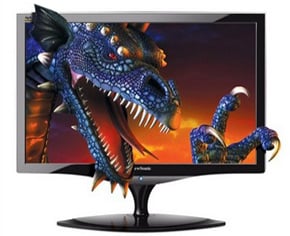
Back in August of last year, at the NVISION visual computing conference in San Jose, NVIDIA publicly demonstrated some new stereoscopic 3D technology. While stereoscopic 3D in and of itself is not new, the devices on display at NVISION were, and featured new hardware, monitors, wireless glasses, and software. At the event, the technology was demoed on a Mitsubishi 73-inch 3D Ready 1080p-capable DLP television and new ViewSonic 120Hz LCD monitors using a number of popular games. We got the chance to play a few games ourselves back then and watched some others play as well, and thought the effect was excellent.
|
| GeForce 3D Vision Kit |
As we've already mentioned, the NVIDIA GeForce 3D Vision kit consists of rechargeable 3D shutter glasses, an infrared emitter / base station, cables, software and a few handy accessories.
|
| Installation and Examination |
Installing and using the GeForce 3D Vision glasses is very easy. Assuming you've got a compatible GeForce graphics card and monitor, the process requires connecting the base / IR emitter to a PC, installing the necessary drivers (which are integrated into NVIDIA's GeForce drivers), and running through a setup wizard.
There is nothing out of the ordinary to consider when connecting the base to a PC, other than to ensure the base has a clear line-of-sight to the glasses. The infrared signal emitted from the base needs to be picked up by a receiver in the glasses to keep everything in sync.
As we've mentioned, the base itself has a thumbwheel on its backside that's used for real-time adjustment of the 3D depth effect. There is also a power indicator light, USB connector, and a VESA stereo cable port on the back. On the front of the emitter, there's an On / Off button that's backlit and shows whether or not stereoscopic 3D has been enabled. An NVIDIA logo on the button glows bright green when 3D is enabled and a dim green when it is not.
The glasses are fairly streamlined with only a power / charge indicator LED and power button on one side and a USB charging port on the other. At the front edge of the glasses is a tiny IR receiver, which again is used to sync with the base / system. And the interchangeable nose-guards snap right on and off the glasses. The software setup is very straightforward. Install the drivers, and a few icons will be placed on the desktop. Run the setup wizard, which runs users through a series of test screens, and you're basically done. The glasses work with over 350 Direct3D games, which are automatically detected via the drivers. There are profiles within the drivers for each game, similar to SLI profiles. The GeForce 3D Vision profiles, however, store information on compatible games and recommended settings. Launch a compatible game, for example, and an overlay will come up on-screen with recommended image quality and in-game settings to get the best 3D effect.
|
| Our Thoughts and Conclusion | ||||
We can't show you exactly what NVIDIA's GeForce 3D Vision stereoscopic glasses do to a game, because you obviously must be wearing the glasses the experience the 3D effect. But we did shoot some quick video to show you what's being displayed on-screen when gaming in 3D.
This video shows Unreal Tournament 3 and Half Life 2: Episode 2 being played in 3D mode, with a FRAPS framerate counter being displayed at the upper-left. We switch from 3D mode, to normal mode, and back to 3D mode on-the-fly to illustrate what's being shown on screen and how it affects framerates in a couple of games. Please keep in mind, that there are a myriad of factors that will determine the ultimate performance of a game running in 3D stereo mode, including the speed of the graphics card, refresh rates, the CPU, image quality settings, etc. However, a good rule of thumb is that a game that runs with acceptable framerates, should play well in 3D stereo mode. If a game chugs along on your PC in normal mode, it's only going to get worst in 3D stereo mode.
Having played games like UT3, Call of Duty, GRiD, Left 4 Dead, HL2:EP2, and Spore in 3D stereo mode with the GeForce 3D Vision glasses, we can say that the effect produced by the glasses is quite realistic. In our opinion, the effect is most impressive when there are some static elements on screen, like when looking through a sniper scope for example. And while shooters looked great in real-3D, RTS games truly change for the better in 3D stereo mode. Spore is a different animal altogether when playing with GeForce 3D Vision. It's literally a game-changer, in a very good way. We should note that NVIDIA's GeForce 3D Vision glasses are not only for playing games. They also fully supports 3D video players such as 3dtv Stereoscopic Player, which gives users the ability to view fullscreen 3D movies. The GeForce 3D Vision glasses also allow users to take in-game screenshots and view them in stereoscopic 3D with a free photo viewer. In addition, users can import and view stereoscopic pictures from a variety of different capture sources and online stereoscopic enthusiast websites as well. At $199, in addition to the cost of a suitable monitor if necessary, NVIDIA's GeForce 3D Vision glasses are not for everyone. But should you be in the market for such a product, NVIDIA's solution is about as good as they come. Getting 40 hours of use between charges is great, and the on-the-fly 3D depth adjustment makes getting acclimated to the effect relatively easy on the eyes. The fact that 3D just works with hundreds of games right out of the box is the icing on the cake.
|