



Windows 10 Creators Update Preview Gains Click-to-Flash, Tile Folders In Start Menu, Cortana Tweaks


Microsoft has made a number of improvements to the Edge browser, including a new Tab preview bar that gives you a visual preview of every tab that is currently open. You can easily scroll left to right (or vice versa) through the visual tabs, by first clicking on the chevron icon.
Jump Lists have been updated for Edge, which allow you to now launch a new browser window directly from your Taskbar (you can select from a standard window or an InPrivate window). Microsoft has also incorporated Adobe Flash Click-to-Run, which as its name implies, will block Flash content by default until you actually click on the offending object. Although we’d prefer that Flash was completely wiped off the face of the earth, this is a fair compromise until sites can deprecate support for the resource-intensive and poorly-secured plugin.
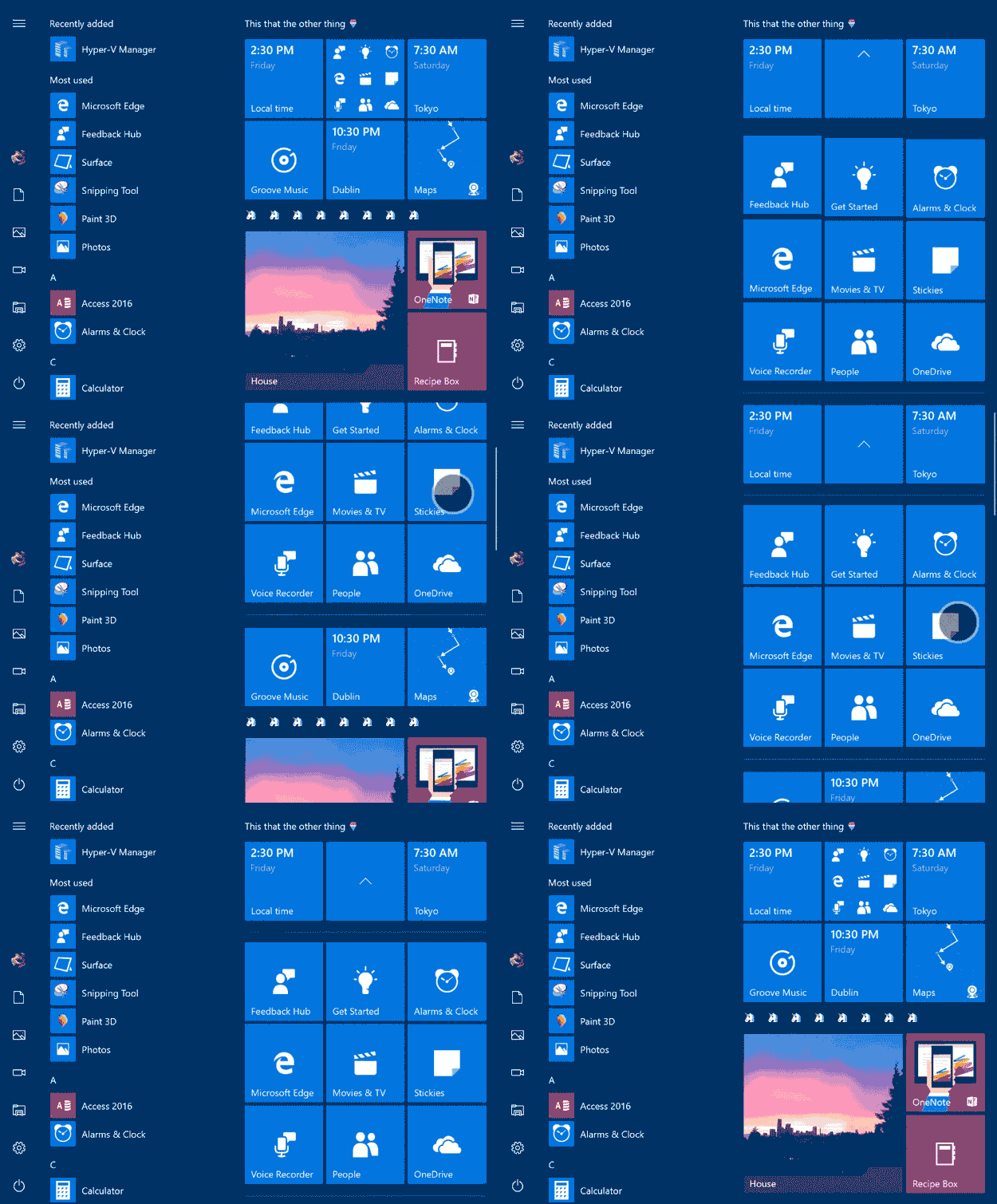
Moving on, Microsoft has made some changes to the Window 10 Start menu and shell. You’ll be able to organize your Start tiles into folders to help clean things up a bit. Getting started is as simple as dragging one tile on top of another, which then creates a folder. The Share card has received an “app-focused” redesign, high-DPI has been improved for desktop apps, VPN access is now faster, and window resizing animations have been made smoother thanks to some behind-the-scenes performance tweaks.
If that weren't enough, Microsoft has also made a number of improvements to Cortana, Windows Ink, Windows Defender, and Windows 10’s accessibility features. And the Green Screen of Death (GSOD) that we mentioned a few weeks ago; it’s now available in Build 15002. Even Settings hasn’t escaped Microsoft’s watchful eye. For example, Microsoft explains how Bluetooth devices are now setup and accessed in Windows 10:
The new device settings experience combines the Bluetooth and Connected devices pages to offer a single place to manage your devices/peripherals. Bluetooth accessories, wireless docks, Xbox Wireless controllers, and media devices can all now be discovered and managed from the same place using the same familiar UI on both the desktop and mobile. We’ve also listened to your feedback and added the ability to disconnect and reconnect your Bluetooth audio devices directly from this Settings page.
There are just simply too many new features in Windows 10 Insider Preview Build 15002 to list here, but be sure to check out the Windows Blog to see everything that has been changed. And if you’re already on the Fast ring; what are you waiting for? Download the new build right now and give us your thoughts in the comments section below.




