Logo   Banner   TopRight
TopUnder
Transparent
Asus Maximus Extreme and P5E3 Premium
Transparent
Date: Dec 16, 2007
Section:Motherboards
Author: Marco Chiappetta
Transparent
Intro and the P5E3 Premium


In preparation for the impending arrival of Intel’s more affordable 45nm quad-core Yorkfield and dual-core Wolfdale processors, motherboard manufacturers have been readying a slew of new products to properly support the CPUs.  Many of these motherboard products are based on Intel’s recent chipset offerings, including the X38 and brand new X48.  We’ve already shown you a few X38-based motherboards and explained what the X48 brings to the table in previous articles.  Today we’ll be taking a look at a couple of new motherboards based on these two chipsets, courtesy of Asus.

Asus is no stranger to the enthusiast community, so we’ll spare you the company history lesson here.  As usual, Asus’ newest, cutting edge motherboards offer everything you’d expect as power users.  The X38-based Maximus Extreme and X48-based P5E3 Premium motherboards we’ll be showing you in this article are family members of two different series of products by Asus – R.O.G. and Ai Lifestyle – and as such they each offer a different mix of features and integrated peripherals.

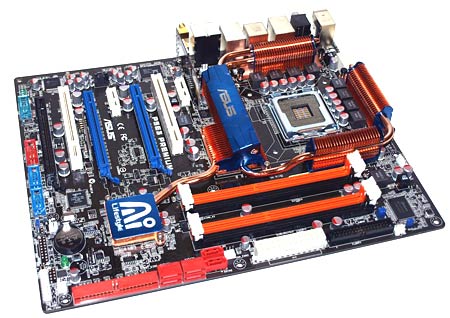
First up is the P5E3 Premium, pictured below.  This motherboard is virtually identical to the X38-based P5E3 Deluxe, save for the updated chipset and a couple of additions to its bundle.  Take a look...


Asus P5E3 Premium Packaging

Asus P5E3 Premium
Specifications and Features

CPU

  • LGA775 socket for Intel Core 2 Quad / Core 2 Extreme / Core 2 Duo / Pentium Extreme / Pentium D / Pentium 4 Processors
  • Compatible with Intel 05B/05A/06 processors
  • Supports Intel next generation 45nm Multi-Core CPU

Chipset

  • Intel X48 / ICH9R with Intel Fast Memory Access Technology

Front Side Bus

  • 1600/1333 / 1066 / 800 MHz

Memory

  • 4 x DIMM, max. 8GB, DDR3 1800(O.C.)/1600(O.C.)/1333/1066/800 MHz, non-ECC, un-buffered memory
  • Dual channel memory architecture

Expansion Slots

  • 3 x PCIe x16 (blue @PCIe2.0 x16 mode, black @PCIe x4 or x1 mode) supports CrossFire Technology
  • 2 x PCIe x1
  • 2 x PCI

Storage

  • Southbridge
    • 6 x SATA 3.0 Gb/s ports
    • Intel Matrix Storage Technology supports RAID 0, 1, 5 and 10
  • JMicron JMB363(JMB368) PATA and SATA controller
    • 1 x UltraDMA 133/100/66 for up to 2 PATA devices
    • 2 x External SATA 3.0 Gb/s port (SATA On-the-Go)
    • Supports SATA RAID 0,1,JBOD

LAN

  • Dual Gigabit LAN controllers
  • Marvell88E8056 PCIe Gigabit LAN controller featuring AI NET2
  • RealtekRTL8110SC PCI Gigabit LAN controller featuring AI NET2
  • Wireless LAN ASUS WiFi-AP @n
  • 300Mbps IEEE 802.11n and backwards compatible with IEEE 802.11g / b
  • Software Access Point mode

Audio

  • ADI AD1988B 8-channel High Definition Audio CODEC
  • Support Jack-Sensing, Enumeration, Multi-streaming
  • Coaxial / Optical S/PDIF out ports at back I/O
  • AI Audio 2
  • ASUS Noise Filter

ASUS AI Lifestyle Features

  • ASUS Power Saving Solution
  • ASUS EPU (Energy Processing Unit)
  • ASUS 3rd Generation 8-phase Power Design
  • ASUS AI Nap
  • ASUS AI Lifestyle Features:
    • ASUS Express Gate
    • ASUS WiFi-AP @n
    • ASUS AI Direct Link
  • ASUS Quiet Thermal Solution:
    • ASUS Fanless Design: Heat-pipe solution
    • ASUS Fanless Design: Stack Cool 2
    • ASUS Q-Fan 2
    • ASUS Optional Fan for Water-cooling or Passive-Cooling only
  • ASUS Crystal Sound:
    • ASUS Noise Filter
  • ASUS EZ DIY:
    • ASUS Q-Shield
    • ASUS Q-Connector
    • ASUS O.C. Profile
  • ASUS CrashFree BIOS 3
  • ASUS EZ Flash 2
  • ASUS AI Slot Detector

Special Features

  • ASUS MyLogo 3
  • Multi-language BIOS

IEEE 1394

  • Agere L-FW3227 1394a controller supports 2 x IEEE 1394a ports (one at midboard; one at back panel)

USB

  • 12 x USB 2.0 ports (6 ports at mid-board, 6ports at back panel)

Overclocking Features

  • ASUS AI Booster utility
  • Precision Tweaker 2:
    • vCore: Adjustable CPU voltage at 0.00625V increment
    • vDIMM: 64-step DRAM voltage control
    • vChipset (N.B.): 33-step DRAM voltage control
    • vFSB Termination: 15-step reference voltage control
    • vCPU PLL: 64-step CPU PLL voltage control
    • SFS (Stepless Frequency Selection)
    • FSB tuning from 200MHz up to 800MHz at 1MHz increment
    • Memory tuning from 800MHz up to 3200MHz
    • PCI Express frequency tuning from 100MHz up to150MHz at 1MHz increment
  • Overclocking Protection:
    • ASUS C.P.R.(CPU Parameter Recall)

Back Panel I/O Ports

  • 1 x PS/2 Keyboard
  • 1 x S/PDIF Out (Coaxial + Optical)
  • 2 x External SATA
  • 1 x IEEE1394a
  • 2 x RJ45 port
  • 6 x USB 2.0/1.1
  • 2 x WiFi-AP @n antenna jack
  • 8-channel Audio I/O

Internal I/O Connectors

  • 2 x USB connectors support additional 4 USB ports
  • 1 x Floppy disk drive connector
  • 1 x IDE connector
  • 1 x COM connector
  • 6 x SATA connectors
  • 1 x CPU Fan connector
  • 4 x Chassis Fan connector
  • 1 x Power Fan connector
  • 1 x IEEE1394a connector
  • Front panel audio connector
  • 1 x S/PDIF Out Header
  • Chassis Intrusion connector
  • CD audio in
  • 24-pin ATX Power connector
  • 2 x 4-pin ATX 12V Power connector
  • System Panel(Q-Connector)

BIOS

  • 16 Mb Flash ROM, AMI BIOS, PnP, DMI2.0, WfM2.0, SM BIOS 2.3, ACPI 2.0a, Multi-language BIOS, ASUS EZ Flash 2, ASUS CrashFree BIOS 3
  • Manageability WfM 2.0, DMI 2.0, WOL by PME, WOR by PME, PXE

Accessories

  • UltraDMA 133/100/66 cable
  • FDD cable
  • 6 x Serial ATA cables
  • 1 x 2-port Serial ATA power cable
  • ASUS Q-Shield
  • User's manual
  • ASUS WiFi-AP @n manual
  • 3 in 1 Q-connector
  • 1 x 2-port USB2.0 / 1-port IEEE1394 module
  • 2 x Optional Fan for Water-Cooling or Passive-Cooling only
  • ASUS WiFi-AP @n omni-directional antenna

Support

  • Disc Drivers
  • ASUS PC Probe II
  • ASUS Update
  • ASUS AI Suite
  • ASUS WiFi-AP @n Wizard
  • Anti-virus software (OEM version)
  • Image-Editing Suite

Form Factor

  • ATX Form Factor, 12"x 9.6" (30.5cm x 24.4cm)


The new X48 chipset-based P5E3 Premium ships with a wide assortment of bundled accessories and software.  The Asus P5E3 Premium’s bundle includes detailed user manuals for the board, its integrated 802.11n WiFi NIC / AP, its AI Remote Control, and a multi-language quick-start guide to help get the board installed as quick and painlessly as possible.

Also included with the board is a driver DVD, six SATA cables, a 4-Pin Molex to dual-SATA power adapter, a pair of optional cooling fans, a package of Q-Connectors, black IDE and Floppy cables, a case bracket with USB and Firewire ports, the tiny AI Remote and finally a pair of WiFi antennas.  There is also a custom I/O shield included, which interestingly enough is somewhat unique.  With this I/O shield, Asus has done away with the sharp metal tabs common to virtually all other shields and has replaced them with an insulated foam.  The foam adapts to the shape of the board and helps prevent accidental cuts during installation and annoying vibration during use.


Transparent
P5E3 Premium: Board Layout


The P5E3 Premium currently represents Asus' premiere desktop motherboard for Intel processors. As such, the board is very feature rich and sports an oversized cooling solution comprised of multiple copper heatsinks linked together via a complex heat-pipe system to appease harcore enthusiasts.


The area around the CPU socket on the P5E3 Premium is surrounded by copper heatsinks on all four sides.  One of the heatsinks is mounted atop the X48 Northbridge, while the other three are mounted to various components in the board’s voltage regulation circuitry and power array.  This heatsink arrangement may pose a problem for some oversized aftermarket CPU coolers, so take note.  There is also a fourth heatsink affixed to the ICH9R Southbridge on the board.  It, however, is a low-profile design that won’t interfere with any expansion cards.


Other than the board’s heatsink arrangement, the P5E3 Premium has a good layout.  All of the board's various sockets, ports, and headers are color coded and easy to identify, and strategic connectors like the IDE port and four SATA ports are mounted to the board at right angles to make them easier to access when a long, double-wide graphics card is installed.  Power connectors are all situated around the edge of PCB, which prevents the thick power cables from hindering air circulation over hot running components.

As you can see, the P5E3 Premium has a trio of PCI Express x16 slots, a pair of PCI Express x1 slots, and a single standard PCI slot.  The blue PEG slots on the board both have a full 16 lanes of PCI Express connectivity, while the black slot is powered by only 4 lanes.  If you look close, nestled between the second blue PEG slot and its adjacent PCI slot, you can see a small card mounted vertically that houses a bit of flash memory.  This card is where the Express Gate OS resides.  More on that on the next page.


Thanks to the P5E3 Premium’s ICH9R Southbridge, the board supports multiple RAID modes and it has six internal SATA ports.  There are another two eSATA ports in the board’s external I/O cluster, along with six USB 2.0 ports, analog and digital audio jacks, a PS/2 keyboard port, dual GigE LAN jacks, dual WiFi antenna jacks, and a single Firewire port.  The P5E3 Premium’s audio support comes by way of an ADI1988 HD coded and Firewire by way of an Agere controller.  Finally, an Ralink RT2770F chip powers the integrated 802.11n WiFi NIC.

Transparent
P5E3 Premium: BIOS and Overclocking


Like the X38-based Asus P5E3 Deluxe, the X48-based P5E3 Premium features an embedded Linux-based operating system that’s available upon initial power-up.  The feature is dubbed “Express Gate”, but it is based on the SplashTop platform technology developed by San Jose-based company DeviceVM.


When the board is first powered up, a menu is displayed that gives users the option to boot the OS, enter the system BIOS, power down the system, or launch the Express Gate applications.  If you choose to boot the OS, enter the BIOS, or recycle power, the P5E3 Premium behaves just like any other motherboard.  If you launch the Express Gate applications, however, which are comprised of a web browser and Skype at this time, the embedded Linux-based OS is launched from a ROM and seconds later it’s available for use.  We found the Express Gate technology easy to use and quite handy.  Say, for example, you need to download a driver or BIOS file and the hard drive-based OS isn’t functioning properly.  With Express Gate you can now access the web and integrated peripherals even if the system’s full blown OS has a problem and won't boot.  Very handy indeed.
  

Asus P5E3 Premium - The BIOS

It's All Right There


Like most of their other motherboards, the Asus P5E3 Premium is equipped with an AMI derivative that is very complete and relatively easy to navigate. From within the BIOS users have the ability to configure, enable or disable all of the board's integrated peripherals, and monitor voltages and clock speeds. The P5E3 Premium also has a very complete set of memory timing options that offer excellent flexibility for fine tuning memory performance.


The  Asus P5E3 Premium's standard BIOS menu screens don't reveal anything out of the ordinary, but they will give you a feel for the general layout and organization of the options. Each individual screen has a host of menus that tunnel deeper and deeper as the options get more complex.

Overall, other than the color scheme, they are very similar to the BIOS derivatives used on most other high-end motherboards today, but navigating through Asus' BIOS menus does take some getting used to if you've never experienced them before.


Asus P5E3 Premium - Overclocking

As Good As They Get


Within the "Extreme Tweaker" section of the Asus P5E3 Premium's BIOS you'll find most of the board's performance tuning options.  From within the "Extreme Tweaker" section of the BIOS, users have the ability to alter clock frequencies and voltages for virtually every major on-board component. The CPU and PCI Express frequencies can be altered in 1MHz increments, and the CPU multiplier and memory ratio can also be manipulated manually.  There are also extensive voltage options for the CPU, Memory, chipset, and PLL.  And what's interesting is that the BIOS is designed to allow users to key in voltages and frequencies directly without having to tunnel into a menu option.  We found this type of interface easy to use and hope Asus incorporates the ability to key in settings directly in all of their motherboards.


Overclocking Report:

We also spent some time overclocking with the Asus P5E3 Premium with excellent results.  We began by increasing our processor's core, the northbridge, and the memory voltages by .1v.  Then we dropped our processor's multiplier, lowered the memory speed, and increased the front side bus frequency until our test system was no longer stable.  In the end, we were able to increase the FSB to an impressive 528MHz with stock cooling and a couple of minor tweaks.  We should note, that Asus included a document with the P5E3 Premium that showed a front side bus overclocked speed of 668MHz using a dual-core processor and exotic LN2 cooling for the chipset and CPU.  The more adventurous among you should find this board to be an extremely competent overclocker.
Transparent
Maximus Extreme: Specs and Bundle


Next up we have Asus' flagship motherboard in the R.O.G. (Republic of Gamers) series of products, the Maximus Extreme. Although the Maximus Extreme is based on the X38-chipset, it supports front side bus speeds up to 1600MHz and DDR3 speeds up to 1800MHz, just like the X48.  Through BIOS tuning and selective binning of the chipsets, Asus' Maximus Extreme offers an essentially identical feature set to the X48, as you can see below.


Asus Maximus Extreme Packaging

Asus Maximus Extreme
Specifications and Features

CPU

  • LGA775 socket for Intel Core 2 Extreme / Core 2 Quad / Core 2 Duo / Pentium Extreme / Pentium D / Pentium 4 Processors
  • Support Intel next generation 45nm Multi-Core CPU
  • Compatible with Intel 06/05B/05A processors

Chipset

  • Intel X38/ICH9R with Intel Fast Memory Access Technology

Front Side Bus

  • 1600 / 1333 / 1066 / 800 MHz

Memory

  • Dual channel memory architecture
  • 4 x DIMM, max. 8GB, 1800(O.C)/1600(O.C.)/1333/1066, Non-ECC, un-buffered memory
  • Support Intel XMP Technology

Expansion Slots

  • 3 x PCIe x16 slot, support dual PCIe2.0 x16 or 1x PCIe2.0 x16, dual x8 speed (CrossFire)
  • 2 x PCIe x1, PCIex1_1 (black) is compatible with audio slot
  • 2 x PCI 2.2

Storage

  • Southbridge
    • 6 x SATA 3.0 Gb/s ports
    • Intel Matrix Storage Technology supports RAID 0, 1, 5 and 10
  • JMicron JMB363 PATA and SATA controller
    • 1 x UltraDMA 133/100/66 for up to 2 PATA devices
    • 2 x External SATA 3.0 Gb/s port (SATA On-the-Go)

Audio

  • SupremeFX II Audio Card
  • ADI 1988B 8-channel High Definition Audio CODEC
  • Noise Filter
  • Coaxial, Optical S/PDIF out at back I/O

IEEE 1394

  • 2 x 1394a ports(1 port at back I/O, 1 port onboard)

USB

  • max. 12 USB2.0/1.1 ports(6 ports at mid-board, 6 ports at back panel)

Overclocking Features

  • Fusion Block System
  • Crosslinx Technology
  • Extreme Tweaker
  • Loadline Calibration
  • 2-Phase DDR3
  • Intelligent overclocking tools:
    • CPU Level Up
    • Memory Level Up
    • AI Overclocking (intelligent CPU frequency tuner)
    • ASUS AI Booster Utility
    • O.C Profile
    • Frequency LED
  • Overclocking Protection:
    • COP EX (Component Overheat Protection - EX)
    • Voltiminder LED
    • ASUS C.P.R.(CPU Parameter Recall)

LAN

  • Dual Gigabit LAN controllers, both featuring AI NET2
  • Support Teaming Technology

Special Features

  • LCD Poster
  • EL I/O
  • Onboard Switches: Power / Reset / Clr CMOS(at rear)
  • Q-Connector
  • Q-Fan Plus
  • ASUS EZ Flash2
  • ASUS CrashFree BIOS3
  • ASUS MyLogo3

Back Panel I/O

  • Ports 1 x PS/2 Keyboard port(purple)
  • 1 x Optical + 1 x Coaxial S/PDIF Output
  • 2 x External SATA
  • 2 x LAN (RJ45) port
  • 6 x USB 2.0/1.1 ports
  • 1 x IEEE1394a port
  • 1 x Clr CMOS switch

Internal I/O Connectors

  • 3 x USB 2.0 connectors supports additional 6 USB 2.0 ports
  • 1 x Floppy disk drive connector
  • 1 x IDE connector for two devices
  • 6 x SATA connectors
  • 8 x Fan connectors: 1 x CPU / 1 x PWR / 3 x Chassis / 3 x Optional
  • 3 x thermal sensor connectors
  • 1 x IEEE1394a connector
  • 1 x S/PDIF output connector
  • 1 x Chassis Intrusion connector
  • 24-pin ATX Power connector
  • 8-pin ATX 12V Power connector
  • 1 x En/Dis-able Clr CMOS
  • 1 x EL I/O Shield Connector
  • System panel connector

BIOS

  • 16Mb AMI BIOS, PnP, DMI2.0, WfM2.0, SM BIOS 2.4, ACPI2.0a Multi-Language BIOS
  • Manageability WOL by PME, WOR by PME, Chasis Intrusion, PXE

Accessories

  • Fusion Block System Accessory
  • DIY Pedestal
  • ASUS Optional Fan
  • 3 in 1 ASUS Q-Connector Kit
  • UltraDMA 133/100/66 cable
  • Floppy disk drive cable
  • SATA cables
  • SATA power cables
  • 2-port USB2.0 module+IEEE1394a module
  • EL I/O Shield
  • Thermal sensor cables
  • Cable Ties
  • User's manual
  • S.T.A.L.K.E.R.

Support DVD

  • Drivers
  • ASUS PC Probe II
  • ASUS Update
  • ASUS AI Suite
  • Futuremark 3DMark06 Advanced Edition
  • Kaspersky Anti-Virus

Form Factor

  • ATX Form Factor, 12"x 10.6" (30.5cm x 26.9cm)


Lke the P5E3 Premium, the X38-based Maximus Extreme ships with a wide array of bundled goodies.  Along with the board itself Asus throws in six SATA cables, a single SATA power adapter, floppy and IDE cables, and a case bracket with additional USB and Firewire ports. In addition to these items, we also found an electro-luminescent custom, I/O shield, three thermal probes, a pack of foam stand-offs, a baggie with wire ties, another baggie with fittings and clamps for all types of liquid-cooling systems, a user’s manual, a pack of Q-Connectors, a couple of optional fans that can be mounted to the board’s cooling apparatus, and a driver and utility DVD complete with copies of Asus' PC Probe II and AI Suite, 3DMark06, and KAV (among other things). Asus also includes a SupremeFX II audio riser card which is powered by an ADI 1988B 8-Channel HD audio CODEC, an "LCD Poster", and a copy of the excellent game S.T.A.L.K.E.R.


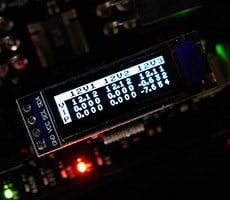
The LCD Poster is an interesting addition to the bundle.  While it doesn't do anything extraordinary in comparison to most other LCD POST code error reporters, it is far more convenient to use.  The Asus LCD Poster is unique in that it connects to the board via a long cable and can be placed right on a desktop.  There is no need to bend down and peer into a system to read the LEDs mounted on the PCB itself – with the Maximus Extreme, the error codes are clearly visible right on the LCD’s screen, wherever a user decides to mount it.

Transparent
Maximus Extreme: Board Layout


As the current flagship of Asus' R.O.G. - Republic of Gamers - series of motherboard, the Maximus Extreme is loaded with integrated peripherals and sports a gigantic hybrid air / water cooling apparatus.


The Asus Maximus Extreme is built upon a dark-colored PCB with white and blue slots and connectors.  The X38 Northbridge, ICH9R Southbridge, a CrossLinx chip (an IDT PCI Express Switch), and the components in the board's power array are cooled by an innovative, copper and aluminum cooling apparatus, dubbed the Fusion Block System, that's linked together via a heat-pipe and works with either air or liquid-cooling.

The Fusion Block is basically a standard chipset water-block, that happens to be linked to the other heatsinks via a heat-pipe. This is a nice touch on Asus' part and should make the Maximus Extreme board more appealing to fans of liquid-cooling since they'd need to do nothing more than connect a couple of hoses to reap the benefits of a liquid-cooled chipset.


Despite the large cooling system, there is ample room around the CPU socket area and overall the layout of the board is quite good.  All of the board's various connectors and headers are situated around the edges of the PCB and the DIMM slots are not in-line with the first PEG slot, so installing / removing RAM is possible when a long graphics card is installed.  The Maximus Extreme features two PCI Express x1 slots, three PCI Express x16 (PEG) slots, and a pair of standard PCI slots.  And they're configured in such a way that when two double-wide graphics cards are installed, an x1 slot and a PCI slot are still accessible.  There are also a couple of handy power and reset switches installed on the board, which certainly come in handy during testing.

One of the Maximus Extreme's more interesting features that first appeared on Asus' Blitz line of motherboards is dubbed Crosslinx. Crosslinx is essentially a PCI Express switch that takes the some of the boards PCI Express lanes and splits them to two PEG slots in an x8 / x8 configuration when dual graphics cards are installed. With the CrossLinx switch, the Maximus Extreme is capable of running its trio of PCI Express x16 slots in either a PCIe 2.0 x16 / x16 / PCIe x4 configuration, or a PCIe 2.0 x16 / PCIe 1.0 x8 / x8 configuration.


The I/O backplane on the Maximus Extreme houses six USB 2.0 ports, a single Firewire port, two Gigabit LAN jacks, Coaxial and optical audio digital audio outputs, a single PS/2 keyboard port, two eSATA ports, and a convenient clear CMOS switch.  Take the overclocking a little too far and you simply have to reach around to the back of your system to clear the CMOS - no more fumbling with jumpers inside the machine.  The board's audio capabilities are handled by an ADI 1988B HD codec.  Its GigE LAN functionality is handled by a Marvell 88E8001 PHY and Firewire support comes by way of a VIA chipset.

Transparent
Maximus Extreme: BIOS and Overclocking


Like the P5E3 Premium, the Maximus Extreme is equipped with a Phoenix/Award BIOS derivative that is very complete and relatively easy to navigate, but there are some differences. As you'd expect from an enthusiast-class motherboard, from within the BIOS users have the ability to configure, enable or disable all of the board's integrated peripherals, and monitor voltages and clock speeds. And the Maximus Extreme also has an extensive array of memory timing options that offer excellent flexibility for fine tuning memory performance.


Asus Maximus Extreme - The BIOS
It's All Right There


The Maximus Extreme's standard BIOS menu screens don't reveal anything out of the ordinary, but as we mentioned earlier they will give you a feel for the general layout and organization of the options. Like the P5E3 Premium, and many Asus-built motherboards to come before it, each individual screen has a host of menus that tunnel deeper and deeper as the options get more complex.

If you click through the images above and below, you'll see that the Maximus Extreme easily has one of the most tweaker-friendly BIOS offerings available, regardless of the platform.  The shear number of options available from within this motherboard's BIOS should clue you in that this is not a product desiged for novices.  There are a ton of knobs and switches to throw in this baby.


Asus Maximus Extreme - Overclocking
As Good As They Get


From within the "Extreme Tweaker" section of the BIOS, users have the ability to alter clock frequencies and voltages for virtually every on-board component. The CPU and PCI Express frequencies can be altered in 1MHz increments, and the CPU multiplier and memory ratio can also be manipulated manually.  We should note that the Blitz Extreme officially supports a 1333MHz DDR3 memory speed, which is how we tested the board. There are also extensive voltage options for the CPU, Memory, chipset, and PLL.  With the extensive set of tools available in the Maximus Extreme's BIOS, tweakers should be able to wring every last bit of performance out of their hardware.


Overclocking Report:

We followed the same procedure outlined a few pages back to overclock the Maximus Extreme.  We began by increasing our processor's core, the northbridge, and the memory voltages by .1v.  Then we dropped our processor's multiplier, lowered the memory speed, and increased the front side bus frequency until our test system was no longer stable.  Ultimately, we were able to increase the FSB to 512MHz with stock cooling and a couple of minor tweaks to the BIOS.  With more extensive tweaking and better cooling, the Maximus Extreme could surely go higher than this. Regardless, an FSB greater then 500MHz is very good.
Transparent
Our Test Systems and PCMark Vantage


How we configured our test systems: When configuring our test systems for this article, we first entered their respective system BIOSes and set each board to its "Optimized" or "High performance Defaults". We then saved the settings, re-entered the BIOS and set memory timings for either DDR2-1066 (AMD) with 5,5,5,15 timings or DDR3-1333 with 7,7,7,20 timings (Intel). The hard drives were then formatted, and Windows Vista Ultimate was installed. When the Windows installation was complete, we updated the OS, and installed the drivers necessary for our components. Auto-Updating and Windows Defender were then disabled and we installed all of our benchmarking software, defragged the hard drives, and ran all of the tests
 

 HotHardware's Test Systems
 Intel and AMD - Head To Head 

System 1:
Core 2 Extreme QX9650
(3.0GHz - Quad-Core)

Asus P5E3 Premium
(X48 Chipset)

Asus Maximus Extreme
(X38 Chipset)

2x1GB Corsair DDR3-1800
CL 7-7-7-20 - DDR3-1333

GeForce 8800 GTX
On-Board Ethernet
On-board Audio

WD740 "Raptor" HD
10,000 RPM SATA

Windows Vista Ultimate
Intel INF 8.3.1.1009
NVIDIA Forceware v163.75
DirectX Redist (November 2007)


System 2:
Core 2 Extreme QX9650
(3.0GHz - Quad-Core)

Asus P5E3 Deluxe
(X38 Chipset)

2x1GB Corsair DDR3-1800
CL 7-7-7-20 - DDR3-1333

GeForce 8800 GTX
On-Board Ethernet
On-board Audio

WD740 "Raptor" HD
10,000 RPM SATA

Windows Vista Ultimate
Intel INF 8.3.1.1009
NVIDIA Forceware v163.75
DirectX Redist (November 2007)

System 3:
AMD Phenom 9600
(2.3GHz)
AMD Athlon X2 6400+
(3.2GHz) 

Gigabyte gA-MA790FX-DQ6
(AMD 790FX Chipset)

2x1GB Corsair PC2-8500
CL 5-5-5-15 - DDR2-1066

GeForce 8800 GTX
On-Board Ethernet
On-board Audio

WD740 "Raptor" HD
10,000 RPM SATA

Windows Vista Ultimate
NVIDIA Forceware v163.75
DirectX Redist (November 2007)

 Futuremark PCMark Vantage
 Synthetic Benchmarks

For our first round of benchmarks, we ran all of the modules built into Futuremark's PCMark Vantage test suite.  Vantage is a new benchmarking tool that we've incorporated into our arsenal of tests here at HotHardware.  Here's how Futuremark positions their new benchmarking tool:

"The PCMark Suite is a collection of various single- and multi-threaded CPU, Graphics and HDD test sets with the focus on Windows Vista application tests. Tests have been selected to represent a subset of the individual Windows Vista Consumer scenarios. The PCMark Suite includes CPU, Graphics, Hard Disk Drive (HDD) and a subset of Consumer Suite tests."

The overall PCMark Vantage score is a weighted average of all of the modules in the Vantage suite calculated in total "PCMarks".  Here are the results:


We tested all of the Intel-based motherboards represented here with a Core 2 Extreme QX9650 processor and 2GB of Corsair DDR3 RAM.  The AMD powered systems were based on the recently released 790FX chipset and used 2GB of Corsair DDR2 RAM.

According to PCMark Vantage, all three of the Intel-based systems performed at essentially the same level.  The X48-based P5E3 Premium technically put up the best score, but the delta separating it from the Maximus Extreme and X38-based P5E3 Deluxe is minimal. 


The PCMark Vantage "Memories" suite includes the following tests:

Memories 1 - Two simultaneous threads, CPU image manipulation and HDD picture import
Memories 2 - Two simultaneous threads, GPU image manipulation and HDD video editing
Memories 3 - Video Transcoding: DV to portable device
Memories 4 - Video Transcoding: media server archive to portable device


If we tunnel deeper into PCMark Vantage's test suite, we see all of the Intel powered systems once again performing at nearly identical levels, which is to be expected considering we used the exact same CPU, RAM, and hard drive with each motherboard.


Vantage TV and Movies suite includes the following tests:

TV and Movies 1 - Two simultaneous threads, Video transcoding: HD DVD to media server archive, Video playback: HD DVD w/ additional lower bitrate HD content from HDD, as downloaded from the net
TV and Movies 2 - Two simultaneous threads, Video transcoding: HD DVD to media server archive, Video playback, HD MPEG-2: 19.39 Mbps terrestrial HDTV playback
TV and Movies 3 - HDD Media Center
TV and Movies 4 - Video transcoding: media server archive to portable device, Video playback, HD MPEG-2: 48 Mbps Blu-ray playback


We saw more of the same from Vantage's 'TV and Movies' test.


Courtesy, Futuremark:  "Gaming is one of the most popular forms of entertainment for all ages. Today’s games demand high performance graphics cards and CPUs to avoid delays and sluggish performance while playing. Loading screens in games are yesterday’s news. Streaming data from an HDD in games – such as Alan Wake™ – allows for massive worlds and riveting non-stop action. CPUs with many cores give a performance advantage to gamers in real-time strategy and massively multiplayer games. Gaming Suite includes the following tests: "

Gaming 1 - GPU game test
Gaming 2 - HDD: game HDD
Gaming 3 - Two simultaneous threads, CPU game test, Data decompression: level loading
Gaming 4 - Three simultaneous threads, GPU game test, CPU game test, HDD: game HDD


PCMark Vantage's 'Gaming' test also reported similar performance from all three of the Intel-powered test systems.

Transparent
PCMark Vantage (Continued)


We continue our test coverage with a few more modules from the comprehensive PCMark Vantage suite of benchmarks.  

 Futuremark PCMark Vantage
 Synthetic Benchmarks

Vantage Music suite includes the following tests:

Music 1 - Three simultaneous threads, Web page rendering – w/ music shop content, Audio transcoding: WAV -> WMA lossless, HDD: Adding music to Windows Media Player
Music 2 - Audio transcoding: WAV -> WMA lossless
Music 3 - Audio transcoding: MP3 -> WMA
Music 4 - Two simultaneous threads, Audio transcoding: WMA -> WMA, HDD: Adding music to Windows Media Player


PCMark Vantage's Music benchmark showed no variation between the Intel powered systems, which all finished well ahead of AMD's offerings.


Vantage Communications suite includes the following tests:

Communications 1 - Three simultaneous threads, Data encryption: CNG AES CBC, Data compression, Web page rendering: graphics content, 1024x768, windowed
Communications 2 - Three simultaneous threads. Web page rendering: open various news pages from IE 7 Favorites in separate tabs, close them one by one, Data decryption: CNG AES CBC, HDD: Windows Defender
Communications 3 - Windows Mail: Search
Communications 4  - Two simultaneous threads, Data encryption: CNG AES CBC, Audio transcoding: WMA -> WMA - to simulate VOIP


Same deal in the Communications test where the Intel-based rigs put up near identical benchmark scores.


Vantage Productivity suite includes the following tests:

Productivity 1 - Two simultaneous threads, Text editing, HDD: application loading
Productivity 2 - Two simultaneous threads, Windows Contacts: search, HDD: Windows Defender
Productivity 3 - HDD: Windows Vista start-up
Productivity 4 - Three simultaneous threads, Windows Contacts: search, Windows Mail: Run Message Rules, Web page rendering: simultaneously open various pages from IE7 Favorites in separate tabs, close them one by one


More of the same in the productivity test as well.  Only 9 points separated the Intel-based systems here.


The Vantage HDD suite includes the following tests:

HDD 1 - HDD: Windows Defender
HDD 2 - HDD: game HDD
HDD 3 - HDD: importing pictures
HDD 4 - HDD: Windows Vista start-up
HDD 5 - HDD: video editing
HDD 6 - HDD: Media Center
HDD 7 - HDD: Adding music to Windows Media Player


PCMark Vantage's HDD test suite showed the Intel-powered rigs with a slight edge over the AMD powered systems, presumably due to efficiencies built into the more up-to-date ICHR9 Southbridge over the aging AMD SB600.
 

Transparent
LAME MT and Sony Vegas


In our custom LAME MT MP3 encoding test, we convert a large WAV file to the MP3 format, which is a popular scenario that many end users work with on a day-to-day basis to provide portability and storage of their digital audio content.  LAME is an open-source mid to high bit-rate and VBR (variable bit rate) MP3 audio encoder that is used widely around the world in a multitude of third party applications.
 

 LAME MT MP3 Encoding Test

 Converting a Large WAV To MP3


In this test, we created our own 223MB WAV file (a hallucinogenically-induced Grateful Dead jam) and converted it to the MP3 format using the multi-thread capable LAME MT application in single and multi-thread modes. Processing times are recorded below, listed in seconds. Once again, shorter times equate to better performance.


Our custom LAME MT MP3 encoding benchmark showed absolutely no variation between the three Intel-powered test systems.


Sony Vegas Digital Video Rendering Test

Video Rendering Performance

Sony's Vegas DV editing software is heavily multi-threaded as it processes and mixes both audio and video streams. This is a new breed of digital video editing software that takes full advantage of current dual and multi-core processor architectures.


Our Sony Vegas video rendering benchmark showed very little variation between the Intel-based systems.  The X48-based P5E3 Premium technically finished 1 second faster than the X38s, but we've seen variations larger than that from test run to test run.

Transparent
POV Ray and Kribibench v1.1


POV-Ray, or the Persistence of Vision Ray-Tracer, is an open source tool for creating realistically lit 3D graphics artwork. We tested with POV-Ray's standard included benchmarking model on all of our test machines and recorded the scores reported for each.   We shoudl also note that we used the latest 64-bit beta build of the program.  Results are measured in pixels-per-second throughput.
  

POV Ray Performance
Details: www.povray.org


We know, we're beginning to sound like a broken record by this point, but once again the Intel powered test systems performed at virtually the same levels, which was significantly higher than even today's fastest products from AMD.
 

Kribibench v1.1
Details: www.adeptdevelopment.com

For this next batch of tests, we ran Kribibench v1.1, a 3D rendering benchmark produced by the folks at Adept Development.  Kribibench is an SSE aware software renderer where a 3D model is rendered and animated by the host CPU and the average frame rate is reported.

We used two of the included models with this benchmark: a "Sponge Explode" model consisting of over 19.2 million polygons and the test suite's "Ultra" model that is comprised of over 16 billion polys.


We saw more of the same from Kribibench, regardless of which model we used for the benchmark. The Intel rigs all performed within a fraction of a single frame per second of one another, and put up scores much higher than the AMD-powered rigs.

Transparent
Cinebench R10 and 3DMark06


Cinebench R10 is an OpenGL 3D rendering performance test based on Cinema 4D. Cinema 4D from Maxon is a 3D rendering and animation tool suite used by 3D animation houses and producers like Sony Animation and many others.  It's very demanding of system processor resources and is an excellent gauge of pure computational throughput.
 

 Cinebench R10 Performance Tests
 3D Modeling & Rendering Tests


This is a multi-threaded, multi-processor aware benchmark that renders a single 3D scene and tracks the length of the entire process. The time it took each test system to render the entire scene is represented in the graph below, listed in seconds.


Becuase we used the exact same RAM, CPU, and hard drive on the Intel-based rigs (the AMD rig required DDR2 RAM), they all performed almost exactly the same in the Cinebench R10 benchmark.

 Futuremark 3DMark06 - CPU Test
 Simulated DirectX Gaming Performance

 
3DMark06's built-in CPU test is a multi-threaded DirectX gaming metric that's useful for comparing relative performance between similarly equipped systems.  This test consists of two different 3D scenes that are processed with a software renderer that is dependent on the host CPU's performance.  Calculations that are normally reserved for your 3D accelerator are instead sent to the CPU for processing and rendering.  The frame-rate generated in each test is used to determine the final score.


3DMark06's CPU performance module reported only a 5 point spread between all three of the Intel-based systems.

Transparent
Gaming: Crysis and F.E.A.R.

For our last set of tests, we moved on to some in-game benchmarking with the Crysis SP demo and F.E.A.R. When testing processors with Crysis or F.E.A.R, we drop the resolution to 800x600, and reduce all of the in-game graphical options to their minimum values to isolate CPU and memory performance as much as possible.  However, the in-game effects, which control the level of detail for the games' physics engines and particle systems, are left at their maximum values, since these actually do place some load on the CPU rather than GPU.

Benchmarks with Crysis SP Demo and F.E.A.R. v1.08
DirectX 9 and 10 Gaming Performance


We saw almost no variation in the framerates between the three Intel-powered systems we tested.  Crysis reported framerates for the three Intel motherboards that were within .5 FPS of each other.  F.E.A.R. reported a 5 frame per second spread between the three Intel boards, but that equates to a roughy 1.7% delta, which is within the margin of error in that test.

Transparent
Our Summary and Conclusion

Performance Summary: There are two performance comparisons that should be made in this article, the comparison between the X48 and X38 chipsets, and the comparison between the newer P5E3 Premium and Maximus Extreme and the more mature P5E3 Deluxe.  For all intents and purposes, the X48 and X38 performed at virtually identical levels in all of the benchmarks we ran.  The X48 is really just a speed-binned X38 that's guaranteed to run with a 1600MHz FSB anyway, so we really weren't expecting any major differences.  In comparison to the more mature X38-based P5E3 Deluxe, we also found that the newer P5E3 Premium and Maximus Extreme performed right in line with expectations.
 

Asus P5E3 Premium:
Users in the market for a cutting edge, Intel-chipset based motherboard should definitely look into the Asus P5E3 Premium.  Although it's technically based on a "new" chipset in the X48, the P5E3 Premium is really just a new revision of the original Deluxe model, using a chipset that's been tested to run at higher front side bus speeds.  The combination of this board's extensive feature set and up-to-date design makes for a potent combination.  The Asus P5E3 Premium has an excellent BIOS, it proved to be a solid overclocker, and performance and stability were top-notch throughout testing.  Overall, we'd consider the Asus P5E3 Premium to be an exceptional product.  If you plan to build a new Intel-based rig using a Wolfdale or Yorkfield CPU, do yourself a favor and put this motherboard on your short list of potential candidates.  It will likely carry a street price in the $269 range when it is eventually made available, but you do get what you pay for.  The Asus P5E3 Premium is an excellent motherboard and worthy of an Editor's Choice award.

  • Great Overclocker
  • Top Notch Performance
  • Excellent Stability
  • Feature Rich
  • Tight Around The CPU Socket
  • Expensive
  • Requires Expensive DDR3


Asus Maximus Extreme:
The Asus Maximus Extreme is sure to pique the interest of even the more discriminating PC enthusiast. Ask an enthusiast what he looks for in a motherboard and he's likely to say that it should have a high-performing cooling solution, it should be feature-rich, overclockable, highly tweakable, and performance should be second to none.  In this regard, the Asus Maximus Extreme has all of those bases covered and then some.  This motherboard has easily one of the most extensive set of BIOS options we have ever come across, it's cooling solution is powerful and flexible enough to work with water or air cooling systems, and performance and overclocking were both excellent.  If you prefer the more hardcore gamer / enthusiast oriented feature set of the Maximus Extreme, by all means give this board consideration for your next build. It will probably be just as expensive as the X48-based P5E3 Premium, but once again, you do get what you pay for.

  • Flexible Cooling Solution
  • Solid Overclocker
  • Extensive BIOS Features
  • Great Performance
  • Stable
  • May be overshadowed by X48
  • Pricey
  • Requires Expensive DDR3


Content Property of HotHardware.com